

Bütün proje
haberleri
- WordPress.org blog: WordPress 7.0.3 release
 by John Blackbourn on 06/08/2026 at 18:55
WordPress 7.0.3 is now available WordPress 7.0.3 is now available which features several security fixes. Because this is a security release, it is recommended that you update your sites immediately. You can update to WordPress 7.0.3 by downloading it from WordPress.org, or visiting your site’s Dashboard → Updates and clicking Update Now. Sites that support automatic background updates will begin updating shortly. For more information, please visit the WordPress 7.0.3 HelpHub site. Security updates included in this release The security team would like to thank the following people for responsibly reporting vulnerabilities and allowing them to be fixed in this release: Pre-auth reflected cross-site scripting (XSS) on the login screen with potential to lead to PHP code execution reported by the team at pwn.ai. Contributor+ stored cross-site scripting (XSS) in posts via the emoji settings element reported by Asaf Mozes (amosec) Contributor+ stored cross-site scripting (XSS) in the Post Content block reported by n05ec Contributor+ stored cross-site scripting (XSS) in Quick Edit on sites with a large number of users reported by Naveen S and Ajmal Moochingal Contributor+ stored cross-site scripting (XSS) in the Post Date block reported by Alex Concha of the WordPress Security Team A privilege escalation issue on multisite networks with user registration enabled, allowing a user to create a new site reported by Aikido Security An information disclosure issue in the Latest Comments block exposing comments on password-protected posts reported by Ehtisham Siddiqui of the WordPress Security Team Enumeration of post slugs reported by HDWSec Disclosure of notes in comment feeds reported by Elio Gubser Author+ CSS injection via a bypass of the safe CSS attribute filter reported by Anthropic Bypass of the email address confirmation flow reported by 0ways A server-side request forgery (SSRF) issue in URL validation allowing requests to link-local ranges reported by Andrew Mohawk and multiple independent reporters Backports As a courtesy, these fixes are being backported, where necessary, to all branches eligible to receive security fixes (currently through 4.7). As a reminder, only the most recent version of WordPress is actively supported. The backports are in progress and will ship as they become ready. WordPress 7.1 RC2 has also been released, containing all applicable fixes. CVE and GHSA references Details of the login screen XSS vulnerability can be found in the advisory: CVE-2026-64638 / GHSA-52p2-r8wf-jcrf. Thank you to these WordPress contributors This release was led by John Blackbourn. In addition to the security researchers mentioned above, WordPress 7.0.3 and its backports would not have been possible without the significant contributions of the following people:Aaron D. Campbell, Aaron Jorbin, Adam Silverstein, adrianmoldovanwp, Aki Hamano, Alex Concha, Andrew Duthie, Andrew Serong, annezazu, Barry, Bernie Reiter, Daniel, Daniel Richards, David Biňovec, Dennis Snell, Ehtisham Siddiqui, Erwan Le Rousseau, Fabian Kaegy, fiocavallari, George Mamadashvili, gubser, Isabel Brison, Jarda Snajdr, Jb Audras, Jeremy Felt, Joe Dolson, Joe Hoyle, John Blackbourn, Jon Surrell, Jonathan Desrosiers, Khokan Sardar, Lance Willett, lucasbustamante, lucatume, Marco Ciampini, Marin Atanasov, Mohammad Jangda, Mukesh Panchal, Paul Kevan, Peter Wilson, ramonopoly, SergeyBiryukov, vortfu, Weston Ruter Join us for the launch of WordPress 7.1 at WordCamp US 2026, August 16–19.
- How to Price Your Online Course: One-Time vs Subscription vs Membershipby Themeisle Editorial on 06/08/2026 at 15:38
One-time, subscription, or membership? Learn how to price your online course with real fee math, pricing psychology, and rules of thumb that work! The post How to Price Your Online Course: One-Time vs Subscription vs Membership appeared first on Themeisle Blog.
- Matt: Our Core Divisionby Matt on 06/08/2026 at 12:06
Inspired by Automatticians James Kemp and Dave Smith, I’ve been thinking a lot about how much of our discord in the design of WordPress stems from the differences of our two big tribes: Bloggers and Builders. Many of the OG developers of WordPress, including myself, tend more towards the blogging side. Writers, photographers, podcasters, journalists, the people for whom a reverse chronological stream on the homepage is the most obvious thing in the world. We link out a lot, love comments, social features and think a lot about the editor as a writing environment. Builders are the site shapers, webmasters, the agencies, the companies, the content managers that think in a more page-first rather than post-first way. Tagging? Blogroll? Date-based permalinks? Who needs them. Give me custom fields, rich templates, a site editor, to craft beautiful sturdy pages that will stand the test of time. A store with a catalog of items where what changes is the inventory and ratings, not the content. The Builders right now dominate our core development discourse, which makes sense. They hold a lot of the economic share with merchants and rich websites. They’re also more loyal. The Bloggers love their WordPress as the place they truly own and call home, but Bloggers have an account on every channel where there’s an audience, they syndicate out with an ephemerality mindset, because that reader/listener/follower connection is the spark that keeps their flame alive. A Builder would never be a digital sharecropper on someone else’s domain. Dave Smith has been doing some very interesting explorations of a simpler site editor, and you hear his Builder bias around 3:20 in how obvious a static homepage as default seems to him. The good news is we can coexist as we have at least since WordPress 1.5. We just need to give a little more love to the Blogger side, there’s so much cool stuff we could do in the Fediverse with RSS, ActivityPub, ATProto, blogrolls (link manager is still in wp-admin!), pingbacks…
- Open Channels FM: Creative Insights and Real Talk on Modern Marketing Challengesby Bob Dunn on 06/08/2026 at 09:45
Marketing's evolving fast. Creators and businesses must adapt as SEO and ads fade. Experimentation and multi-channel strategies are key to surviving now.
- How to Accept Custom Donation Amounts in WordPress with Stripeby Team WPShout on 06/08/2026 at 09:33
Want visitors to set their own donation amount? Here's how to build a pay-what-you-want Stripe form in WordPress with WP Full Pay, fees included.
- Matt: AutoMattBotby Matt on 06/08/2026 at 04:11
I’m trying out this thing, it’s trained on my blog posts and public talks, that you can chat with as me on Telegram. Behold: AutoMattBot. Update: This is powered by Delphi.ai and it appears very broken right now, people are sending messages and on my side it looks like it’s responding but they’re not seeing it.
- WordPress.org blog: WordPress 7.1 Release Candidate 1by Benjamin Zekavica on 05/08/2026 at 15:37
The first Release Candidate (“RC1”) for WordPress 7.1 is ready for download and testing! This version of the WordPress software is still under development. Please do not install, run, or test this version of WordPress on production or mission-critical websites. Instead, it’s recommended to evaluate RC1 on a test server and site. WordPress 7.1 RC1 can be tested using any of the following methods: PluginInstall and activate the WordPress Beta Tester plugin on a WordPress install. (Select the “Bleeding edge” channel and “Beta/RC Only” stream.)Direct DownloadDownload the RC1 version (zip) and install it on a WordPress website.Command LineUse this WP-CLI command: wp core update --version=7.1-RC1WordPress PlaygroundUse the WordPress Playground instance to test the software directly in your browser. No setup required – just click and go! The scheduled final release date for WordPress 7.1 is August 19, 2026. The full release schedule can be found here. Your help testing Beta and RC versions is vital to making this release as stable and powerful as possible. Thank you to everyone who contributes by testing! Please continue checking the Make WordPress Core blog for 7.1-related posts in the coming weeks for more information. What’s in WordPress 7.1 RC1? WordPress 7.1 RC1 contains more than 145 updates and fixes since the Beta 4 release, including 57 in the Editor and 88 in Core. For an overview of what’s new in WordPress 7.1, read the Beta 1 announcement and the WordPress 7.1 Dev Notes. For a comprehensive summary, see the WordPress 7.1 Field Guide. You can also explore the technical details of all issues addressed since Beta 4 using the links below: GitHub commits for 7.1 since July 29, 2026 Closed Trac tickets for 7.1 since July 29, 2026 New Features since Beta 1 Icons API: New APIs for registering icons and icon collections in Core, ready for plugins to extend. Speculative loading configuration: Speculative loading defaults can now be configured via environment variables and constants. Email notifications for @mentions: Email notifications have been introduced when mentioned in a Note. Shareable Revisions: Share links to specific revisions for faster collaboration. Want to look deeper into the details and technical notes for this release? These tickets and pull requests are just some of the latest updates: #GB-79839: Apply globally: choose which modified block styles to apply #GB-80814: New responsiveEditingEnabled editor setting to hide responsive styles #GB-80107: Tabs: toolbar buttons to reorder tabs #GB-80046: DataViews: shift-click range selection #65636: Preload REST API requests fetched on editor load #65613: Notes are excluded from comment feed queries #65491: KSES allows the autofocus attribute on dialog elements #65517: Multisite upload limits are enforced when sideloading media from a URL #62757: Update the jQuery UI library to version 1.14.2 How you can contribute WordPress is open source software made possible by a passionate community of people collaborating on and contributing to its development. The resources below outline various ways you can help the world’s most popular open source web platform, regardless of your technical expertise. Get involved in testing Testing for issues is crucial to the development of any software. It’s also a meaningful way for anyone to contribute. Your help testing the WordPress 7.1 RC1 version is key to ensuring that the final release is the best it can be. While testing the upgrade process is essential, trying out new features is equally important. This detailed guide will walk you through testing features in WordPress 7.1. Update your theme or plugin For plugin and theme authors, your products play an integral role in extending the functionality and value of WordPress for all users. Thanks for continuing to test your themes and plugins with the WordPress 7.1 beta releases. With RC1, you’ll want to conclude your testing and update the “Tested up to” version in your plugin’s readme file to 7.1. If you find compatibility issues, please post detailed information to the support forum. Test on your hosting platforms Web hosts provide vital infrastructure for supporting WordPress and its users. Testing on hosting systems helps inform the development process while ensuring that WordPress and hosting platforms are fully compatible, free of errors, optimized for the best possible user experience, and that updates roll out to customer sites without issue. Want to test WordPress on your hosting system? Get started with configuring distributed hosting tests here. Thank you to all web hosts who help test WordPress! Curious about testing releases in general? Follow along with the testing initiatives in Make Core and join the #core-test channel on Making WordPress Slack. An RC1 haiku A candidate standsthe desert sun tests its strengthArizona waits Props to @krupajnanda, @annezazu, @amykamala, @wildworks and @masteradhoc for collaboration and review Join us for the launch of WordPress 7.1 at WordCamp US 2026, August 16–19.
- WPTavern: #228 – Priscilla Collado Ramirez on Reducing WordPress Beginner Anxietyby Nathan Wrigley on 05/08/2026 at 13:00
Transcript [00:00:19] Nathan Wrigley: Welcome to the Jukebox Podcast from WP Tavern. My name is Nathan Wrigley. Jukebox is a podcast which is dedicated to all things WordPress. The people, the events, the plugins, the themes, the blocks, and in this case, reducing WordPress beginner anxiety in a multitude of ways. If you’d like to subscribe to the podcast, you can do that by searching for WP Tavern in your podcast player of choice, or by going to wptavern.com/feed/podcast, and you can copy that URL into most podcast players. If you have a topic that you’d like us to feature on the podcast, I’m keen to hear from you and hopefully get you, or your idea, featured on the show. Head to wptavern.com/contact/jukebox and use the form there. So on the podcast today we have Priscilla Collado Ramirez. Priscilla travelled 14 hours from Costa Rica to attend WordCamp Europe, making her one of the furthest attendees at the event, and for good reason. She’s an educator, fashion designer and wellness coach, and has a unique perspective on a challenge many in the WordPress community face, how overwhelming WordPress can be for beginners. Having once quit WordPress 17 years ago, due to information overload, and a lack of community support, Priscilla’s story comes full circle, as she now dedicates herself to helping entrepreneurs and creatives find their way in the WordPress ecosystem. Her work focuses on demystifying those first confusing moments, offering practical steps, and much needed reassurance for anyone who’s ever opened a fresh install and wondered, what on earth do I do next? The conversation is focused on why newcomers often feel stuck, paralysed by too many choices, the classic it depends advice, and a fear of breaking something or everything. We get into the importance of understanding individual learning styles, whether linear or spiral, as Priscilla labels them, and meeting students where they are, sometimes with literal breathing exercises and wellness techniques to lower stress and unlock real learning. Priscilla explains how confidence in WordPress is built through action, and why celebrating small wins, like successfully installing a single plugin, is essential. She also shares her approach to bringing holistic, calm, and patient mentorship into WordPress education, something that’s as relevant for agency leads as it is for first time bloggers. If you’ve ever felt overwhelmed by WordPress’ infinite possibilities, struggled to find your place in its community, or just want practical wisdom on making the path easier for beginners, this episode is for you. If you’re interested in finding out more, you can find all of the links in the show notes by heading to wptavern.com/podcast, where you’ll find all the other episodes as well. And so without further delay, I bring you Priscilla Collado or Ramirez. I am joined on the podcast by Priscilla Collado Ramirez. Although I know that’s not the correct way to say it, would you please say your name for me? [00:03:44] Priscilla Collado Ramirez: It’s good, it’s good. I’m Priscilla Collado Ramirez, and I’m from Costa Rica. [00:03:48] Nathan Wrigley: Well, I appreciate it. Thank you. You get the award without a doubt coming the furthest, I think, to WordCamp Europe this year. I don’t know how many miles it is, but you said, I think it was 13 hours. [00:03:59] Priscilla Collado Ramirez: Yeah, 14 hours on the plane. Today is travelling. But it’s all worth it, because this country in Europe, it’s beautiful. So I can do it all the years, all the months. Yeah, I can do it. [00:04:13] Nathan Wrigley: I have to ask though, why come all the way across, so many hours on a plane and what have you. Do you have a community where you are? Is there a thriving kind of Costa Rican WordPress scene? I don’t know anything about it. [00:04:28] Priscilla Collado Ramirez: Okay. Yeah, in Costa Rica is a big community. It’s the biggest community in whole Latin America, in Costa Rica. I have a friend, she works for GreenGeeks web hosting, so she empowered me to do this. And the WordCamp Europe, because being a speaker is one of my dreams come true. I already do it in my country, but I want to get more knowledge and know more people. And when she told me about this, I said, yeah, I can do it. Yeah, I want to do it. [00:05:06] Nathan Wrigley: That is remarkable. A 13 hour plane journey. That’s pretty impressive. And I confess, I didn’t know that Costa Rica was sort of the place to be if you’re in South America. But now I do. Thank you. And I know that you’ve basically just come out of the presentation room, you’ve just finished the subject that you were talking about. And the subject that you were talking about is really interesting to me at least, because this casts me back. I’ve been in the WordPress space since about, I don’t know, 2015, something like that. So I’ve got a few years under my belt. But I do remember at the time when I began using WordPress, turning up to events like this and feeling a bit like a fish out of water, not really knowing what to do. Not really knowing what to do with the software, either. Not really knowing what I should install, whether I should install anything, whether I was using the best thing, or the worst thing or what have you. And that kind of was the nature of your subject. But rather than me telling everybody what you were talking about, do you just want to summarise what it was that you stood up and presented about? [00:06:02] Priscilla Collado Ramirez: Yeah, of course. And I feel the same way that you. Well, my talk is about why WordPress feels overwhelming for beginners. I was that beginner that I don’t want to install. And WordPress, it’s great, but sometimes gives you too many options, right? So for beginners, sometimes that options feels paralysing because we need to start with one at the time. I saw all the topics for this event, and I think, yeah, maybe I can share a little bit of my story with WordPress. And I talk about, I quit WordPress 17 years ago. [00:06:47] Nathan Wrigley: You quit it? [00:06:48] Priscilla Collado Ramirez: Yeah. I’m a quitter. [00:06:50] Nathan Wrigley: My story going back, oh, 12 years or whatever it was, that’s nothing. You got 17 years. That was when you quit. Okay, carry on. Sorry. [00:06:58] Priscilla Collado Ramirez: Yeah, no, 17 years ago, I was at university, and I was studying advertising and web design. I saw the options, too many options, too many things, I don’t know. And I feel overwhelmed. And I said, this is not for me. I’m so dumb. I’m slow. No, no. And 17 years later, I’m here as an educator, and I help entrepreneurs and beginners to understand the WordPress environment. [00:07:29] Nathan Wrigley: What brought you back then? After all that period of time away, what was the catalyst that brought you back? Why did you explore it again? [00:07:36] Priscilla Collado Ramirez: Because I have a fashion school, and I saw my students deal with web designers and sometimes they charging so much money. I see it in the beginners, in my students, I saw that we have a problem with understanding that sometimes the things are not too difficult. We can learn about new tools and new WordPress. [00:08:06] Nathan Wrigley: Okay, so this was all about your students then. So this was an idea of, I guess the world is kind of an expensive place to be, and one expense that you can get rid of is the cost of your website. There’s tools out there. You can, if you wish to, build it yourself. And then you found WordPress again. How is it the second time? Did you ever go through, I’m going to quit it for a second time, or was it better the next time you came across it? [00:08:29] Priscilla Collado Ramirez: Yeah, and my brother is an engineer and I’m in like a category of non-technical people because I’m a fashion designer. I’m an educator, and I’m a wellness coach. And I think, yeah, maybe I can study a little bit, and if I use my education tools to understand how the brains for the creative people works and try to, out of the box, that sometimes the engineers have, and the creative people. It’s like a disorder, a disorder brain. I can help to these people to understand this environment in this community. And they can do it like I do. [00:09:22] Nathan Wrigley: Yeah. So we’ll get into the bits that you think are problematic with beginning with WordPress in a minute. But just going back to your students and what have you. How’s it been for them? When you are looking at what they’re able to do, has it been a road of success, or has there been quite a lot of failure for them? Basically sum up how your students have coped. [00:09:43] Priscilla Collado Ramirez: Okay. I don’t know, there’s two types of students, right? So we have the students that have a linear path learning. Some students learned like A, B, and C. Okay, you understand things easily. But some of them don’t understand the things like that. So I try to create a platform, or we can call it like a type of education, and helps to understand, first how their brain works, and later understand the type of learning that I can teach. [00:10:24] Nathan Wrigley: Okay, let me just make sure I understood that. So you try to figure out what their brain accepts most readily? And then once you figure that bit out, then you begin the WordPress education from there. Okay, that’s interesting. And you say there’s kind of two types that you’ve kind of determined. And what are those two types? [00:10:40] Priscilla Collado Ramirez: Lineal. [00:10:41] Nathan Wrigley: Oh, so I think probably linear, like straight lines. [00:10:46] Priscilla Collado Ramirez: Yeah, we have the straight lines and the spiral. [00:10:49] Nathan Wrigley: Okay, yeah. [00:10:51] Priscilla Collado Ramirez: So my mind is on the spiral. And that’s why I feel dumb in these technical environments. But I learned that if you learn some topic at the time and without the stress, you can do it and you can follow this community. [00:11:10] Nathan Wrigley: So you just used an interesting word there. You said that you have felt, maybe you don’t feel it here, I don’t know if you do or not. But you said you’ve felt dumb in the past. You know, you’ve turned up to the events and you felt like a fish out of water, we might say that. Just. What the heck am I doing here? Where do I fit into this jigsaw puzzle? And obviously you felt it long and hard enough that, firstly you left, and then come back, given it a second shot. So what are the things that you have felt dumb about? What are the things that have perplexed you in the past? What are the things that have drawn you to making this presentation? [00:11:47] Priscilla Collado Ramirez: I felt in that time overwhelmed for the too many options. I feel that in that time in my country, WordPress wasn’t so popular and was a men’s environment. There’s no women. So I feel like, I don’t know, I’m not from, I don’t know what to be here. And now, four years ago, I’ve been talking with the women community on WordPress and I feel like, I don’t know, confident and they believe in my knowledge. And I think that, yeah, I can do it again. I can approach to the community and I can learn, and I can be like a mentor too, and help beginners to understand that it’s not the technical environment. It’s how the community engage with your goals and can be used, and how can help with your goals. [00:12:50] Nathan Wrigley: So I’m just going to dig into something you said a moment ago, which was about the community where you are. I don’t know if it’s still the same, but you implied that it was mostly men. Have you found female WordPressers where you are? Or have you had to get on Zoom calls or something like that in order to find that community? Or has it grown so that it’s not just men where you are now? [00:13:14] Priscilla Collado Ramirez: Yeah. I assist to the first women speakers in 2023. And I saw like, okay, this is a WordPress group for women. And that group was for speakers from WordPress, but women. So I was like, okay, WordPress is not only men’s, WordPress is not only technical people. And, well, I can approach to that community. 17 years ago wasn’t like that. All men and square men. Because I know there is a lot of spiral men, but in that age, yeah, was like square men and my brother is a little bit like a square. And I was like, no, I’m funny and I want to talk, and I want to be a speaker and what. Now I feel that I can approach to my goals with WordPress because I changed my mind and my feeling about the community and WordPress. [00:14:20] Nathan Wrigley: So just moving away from the community side and all of that kind of stuff, just dealing with the, actual software that you download from the internet and you put on a server somewhere, and then you begin to build a website. I presume that that’s part of this as well, that it’s difficult to begin because when you install a version of WordPress, you’re kind of left to your own. You know, there’s not really much in the way of assistance. You have to find the assistance somewhere. You have to a YouTube channel or some friendly person that will stand over your shoulder and help you out. What are the sort of impediments, the problems that you think we have for people beginning with WordPress that you would like to be solved? [00:14:58] Priscilla Collado Ramirez: Yeah. First of all that everybody thinks that WordPress is only a website. And I want to share this. WordPress is not only a website, right? It is a community. And you can approach and say, I wanted to learn about how to do a blog and how to do a website. But the community is more than that. I think that people don’t understand yet that what is WordPress? [00:15:30] Nathan Wrigley: Yeah. well I went for, I probably used WordPress for four years, maybe three and a half, four years, something like that, before I knew there was any kind of community. I mean I realised that there was something because the software got made. So I realised somewhere behind the curtain, there must be people doing this. And I’m getting it for free, so they probably are not getting paid mostly to do it. But I didn’t attend because I didn’t know there was anything to attend. And then I showed up to an event in London, which was probably my closest larger event at that time. I was quite surprised. I was thinking, okay, so there were about 600 people there, I really wasn’t expecting that. I thought maybe there’ll be like 12 or 15 or something. Showed up, 600 people. And for me that was kind of the moment WordPress became a little bit more interesting, because I realised that, okay, it isn’t just pixels on pages, it’s not just the websites. There’s actually a whole community of people behind it. And one of the things that I discovered fairly quickly was that those people shared, there was a lot of overlap between them and me. You know, just a lot of things in their lives seemed to sync with a lot of things in my life. We had broad agreement on a lot of things. We all wanted the project to be successful. And so discovering the community, like you said, was a really important thing. But nevertheless, I still think I would’ve carried on using it even if I hadn’t of discovered that community, because by that point I’d got over the problem of what plugins to install and how to actually use the software. Yeah. So let’s move on to that. In terms of the actual software, so we’ve got the community, we know that exists. What are some of the problems that you’ve seen, I guess with your students, or maybe personal experience? Some of the problems with the actual software. What are some of the things that you’ve encountered? [00:17:21] Priscilla Collado Ramirez: Yeah. I encountered that there’s too many options, and the people do not know how to install. And that’s a beginner’s questions. Why should I install plugins, themes? And for technical people it is like, okay, it depends. [00:17:39] Nathan Wrigley: Oh always it depends. [00:17:41] Priscilla Collado Ramirez: Always, it depends. And, for beginnings, that feels paralysing. [00:17:45] Nathan Wrigley: Okay. That’s an interesting phrase, isn’t it? So when you mean paralysing? So we say it depends, meaning, oh, try everything. See what works. Where you are saying that in your experience, it depends means don’t do anything, we don’t know, not sure. [00:18:00] Priscilla Collado Ramirez: Yeah. And the beginners don’t know what to do, right? [00:18:03] Nathan Wrigley: Okay, yeah, that’s not helpful, is it, it depends, really when you say it like that? Okay, so how do we overcome that? I don’t know what we do apart from keep saying, it depends. I guess we’ve got to try and encourage people to try this. Okay, let me rewind a bit. So my parents, when I put the phone in their hand for the first time, the mobile phone, I had it all set up for them, you know everything was working, and I gave it to them and assumed that they would have the same approach as me. Which was, just play around with it and then you’ll figure it out. Oh, no. No touching anything was, will I break it? Is this going to destroy it? If I press delete here, does that mean the whole thing’s going to like be, does this app going to disappear at this point? So, I think that’s what you’re saying, is basically there’s this fear that if I install something and then I don’t need it, or I don’t like it, well then what do I do? Is it kind of that? This fear of it. [00:18:59] Priscilla Collado Ramirez: Yeah, because you feel overwhelmed, and you feel paralysing. And you feel like, okay, there’s a learning path, right? So we have the excitement. So, yeah, I’m going to do WordPress. Then confusing. What is this? And then it is like, no, I don’t know, maybe this is not for me because there’s so many options. I try with my students to go one step at a time, and understand, first, what is a plugin? Right? Do you need a plugin or not? Do you need a theme or not? Do you need SEO plugin or, I don’t know? So I am trying to, first of all, work with entrepreneurs because some entrepreneurs sometimes doesn’t get it. I don’t know, what is an email? How to send an email. They are so intelligent, and so capable to learn things, but sometimes, like as educators or mentors, we have in our minds that people learn easily. And sometimes it’s not. So you have to teach like a child. And not because the people was stupid, right? It is like because that people, the learning process is different. [00:20:30] Nathan Wrigley: Yeah, I suppose you’ve got to just get to the point where you’re comfortable. So for some people who are, I don’t know, let’s go for the word technical. Technical people who’ve got a background in using computers, they do it all day, every day. And they experiment with new things. I suppose if you put them in front of WordPress, they’re off. They’re just going to do that kind of thing. But I totally get what you mean. So for me, technology, I will experiment and I’ll play, because I know that nothing can basically actually break. If something goes wrong, I can just delete it. So I’m thinking about apps on my phone, on my computer, and WordPress, and plugins, and themes and all of this. I fully understand that nothing will kill it. Well, hopefully nothing will kill it, and I can just remove what I don’t understand. But then again, you pick me up and put me into a different industry, I’ll be that person. I’ll be the person that needs the baby steps, I think you said that needs the child steps, because I’m not in familiar territory. So I can’t think an example off the top of my head, but pick me up, basically put me anywhere there’s no technology, and I will feel that same anxiety. What do I do? can you check that what I’ve done is safe? Okay. Can you double check? And will you triple check just to make sure that everything is safe. And I suppose that’s what you’re saying, is just little baby steps. get people into it. And once they’ve gone through the baby steps, hopefully they can act on their own. [00:21:54] Priscilla Collado Ramirez: This is a phrase that I been thinking too much in this talk, because it is some word that you said, and you said about confidence. And I wrote that confidence does not come before action. Confidence is built through action. [00:22:14] Nathan Wrigley: Yeah, that’s true, isn’t it? And so everybody at some point has to go through that barrier. Some people seem to be full of confidence, regardless of what is, but there’s a lot of people who are not. And if you walk them through the baby steps I suppose, as you said, and tell them, do you need a plugin? What is a plugin? This is a plugin. How do you get a plugin to be put on your website? Can you delete a plugin? And then same thing with themes and custom code and all of those kind of things. And does that work? Do you notice that people go from like, ah, fear, to oh, this is all right. [00:22:47] Priscilla Collado Ramirez: They think, this is not so hard that I was the, I will be. I don’t know, I have all types of students and all types of socioeconomic types. And I have students like 50 to 60 years old. And they think, no, I’m too old to think learning website, and learning design things. And I’ve been creative. The constructivist system is a strategy in education, the constructivist, and the principle idea is you learn by doing. [00:23:27] Nathan Wrigley: Confidence through action, like you said, basically. [00:23:29] Priscilla Collado Ramirez: Exactly, exactly. And so you can be on the learning path, making little mistakes and getting more confidence to feel safe in the learning environment. [00:23:42] Nathan Wrigley: Are you a patient person? [00:23:45] Priscilla Collado Ramirez: Sometimes. [00:23:45] Nathan Wrigley: Yeah. Because when I was earlier describing my parents and the phone, there’s kind of a bit of me, which when I’ve demonstrated the same thing nine times, and every time the output of those, okay, do it this way, do it this, okay, now do this, now this. And on the 10th go, it’s still the wrong thing in the exact same way. I just wondered if there was a bit of that? If there is just some impediments which, I don’t know, some people just never get over. If WordPress is just generally too hard for some people. Or do you always pursue it and succeed? Do you always get people through, and get them to that confident stage? [00:24:23] Priscilla Collado Ramirez: Yes. Yeah, yeah. Every day. Yeah. Like every day. And I think that the mentor and the educator has to feel love with that work, and teaching with love, first of all. And then, understand that people doesn’t learn in the same way. I can say older people because I’m older, and you saw an older people, and you think, this is older than me, but it isn’t. [00:24:55] Nathan Wrigley: Yeah. and some people are kind of, what, we would describe as kinesthetic learners. So they doing is the way. Some people are kind of auditory, and they hear the solution and they learn from hearing. And other people it’s visual. You know, they see the, watch a video and, oh, I’ve got that now. And I guess you’ve got to figure out which ones, how they fit in. If I show you once, you’re fine. If I show you once, well that’s not going to work. You’ve got to actually do it and copy me. And once you’ve figured out what kind of learners they are. You must have a lot of time for these people by the sounds of it. [00:25:25] Priscilla Collado Ramirez: Yeah, of course. [00:25:27] Nathan Wrigley: Yeah, and do you literally have an endless amount of time to educate them or do you have like a, I don’t know, you’ve got 10 hours or whatever it is and after 10 hours we’re going to get new people in? Or do you just stick with them throughout the whole journey? [00:25:38] Priscilla Collado Ramirez: Yeah, yeah. And most beginners and most entrepreneurs isn’t that way, right? And they’re so excited to understand the process. And when I explain how the brain works, they think, oh, yeah, it’s not the system, it’s me. [00:25:59] Nathan Wrigley: But also I can do something about it. [00:26:00] Priscilla Collado Ramirez: Yeah. [00:26:01] Nathan Wrigley: Yeah, okay. That’s interesting. Okay. I’m going to give you superpowers for a minute. I’m going to say that you are in charge of WordPress entirely. It’s up to you what we do to improve this experience. What would you change? that could be the software. It could be education that you suddenly provide, you know, you would whip up many, many courses or whatever. I don’t know. I’m just curious to know what you think. So again, superhero powers. You get to decide the future of WordPress. What little changes would you make here and there? [00:26:32] Priscilla Collado Ramirez: I’m going a little bit too far off WordPress, and I’m going to bring wellness tools first. [00:26:41] Nathan Wrigley: Okay. So it gets bigger. [00:26:42] Priscilla Collado Ramirez: Yeah, it’s bigger. I’m a wellness coach first of all, and first you have to try to understand the stress, and your mind. And then you can learn. I feel like my superpower will be an educator in wellness first, because we have to manage the stress of learning. [00:27:04] Nathan Wrigley: So you have to approach the computer, but calmly. You have to get there and arrive in an equanimous state. Nice and calm. [00:27:14] Priscilla Collado Ramirez: Yeah, and understand that the delete button doesn’t exist. Because you are going to learn that, yeah, you can delete it, but you are going to breathe, and stay calm, and you won’t be delete anything because you, on the learning process of your mind understanding that everything is a process. After that, I have an idea, I don’t know my superpower, I would like to do the mentor of the mentors first. [00:27:49] Nathan Wrigley: Oh, teach the teachers. [00:27:51] Priscilla Collado Ramirez: Yeah, yeah. Because we have mentors in WordPress, but the mentors sometimes doesn’t study at the university education, right? Is an engineer trying to teach another engineer, or an engineer teach to entrepreneur or a beginner, so their minds works different. [00:28:14] Nathan Wrigley: Yes. I’ve encountered this in the real world. You know the educator who gets really angry with you and tuts, sort of goes tut tut, because you’re not doing what the way they would do it. It just turns out that, if you just ask me in a different way, I’ll probably figure it out. [00:28:29] Priscilla Collado Ramirez: Yeah, exactly. [00:28:30] Nathan Wrigley: Sorry I interrupted, carry on. So educating the educators. [00:28:33] Priscilla Collado Ramirez: And in all the fields is the same way, because I’m a fashion designer too, but I have to learn how to be an educator, and how to try to explain some things to my students and try to get off to my mind box. So I want to make some changes too, and add some of these tools on WordPress. I don’t know, maybe this is my superpower, like be a spiral mind. [00:29:07] Nathan Wrigley: Yeah, yeah. But I think teaching the teachers. So I think we would use the word pedagogy for that. Meaning, how to teach basically. The science, if you like, of imparting knowledge. And maybe there is nothing like that at the moment. And if there isn’t something like that, it would be interesting to explore how different people with different minds and different approaches. Maybe your first idea of everybody approach the computer in a calm way. Maybe that gets rid of some of that problem. At least we’re approaching and we’re not getting we begin. But I think you’re onto something there, in that I know that I don’t learn in the same way as my children do. I don’t learn in the same way as my parents do. And so having that in the background, and educating the educators so that they’re aware that those kind of things exist. Okay, you’ve still got the superpowers. Is there anything else that you would do before I take them away? [00:29:56] Priscilla Collado Ramirez: Okay, okay. I think that understand the brain is a supercomputer. It’s also a big topic because you can programming your mind. I would love to teach that people can programming itself. I don’t know what other superpower. [00:30:17] Nathan Wrigley: Well that’s okay. You’ve had it for probably about five minutes now. That’s more than most people get. So yeah. So in your experience, I know that you are obviously trying to overcome this problem, and it sounds like you get most people through it, and people manage to come out the other side and are, you know using WordPress successfully. But despite that, do you still think out there in the wider community, not where you are, do you still think that people are being turned off by the problem at the beginning of, I don’t know what to do. I think that I should be able to figure this out, but I can’t. I’m frustrated. It’s annoying me. Ah, move on, or forget the whole thing altogether. [00:30:53] Priscilla Collado Ramirez: Okay. I give you some tools. I wrote it. Limit the choices. Yeah, because one plugin at a time. Yeah, understand one topic at a time. [00:31:05] Nathan Wrigley: When you say that, are you, meaning, let’s say for example, that we’re getting into the, oh, I don’t know, the realm of SEO, we’ve managed to get into that subject. We know that there’s like 500 SEO plugins. Just show them one, just pick one, concentrate on that one and figure out how that works. And then maybe reveal that there’s others or something like that. [00:31:25] Priscilla Collado Ramirez: Yeah. But sometimes, maybe I have to understand your world first, and maybe you don’t need SEO tools? Because maybe you wanted to sell, I don’t know, plants. So do you really need a SEO plugin? Yeah, maybe not. So I have to understand your business first, or your purpose first, and then I can share you one plugin for that. [00:31:56] Nathan Wrigley: Right, so, but at the end of the day, it’s still limit it rather than the plugin overwhelm. 78,000 plugins on the repo or whatever it is. One at a time is probably for a beginner more than enough. Learn how to install it. How to uninstall it. Learn the kind of things that you can do with it, whether that’s SEO or a form plugin or whatever. Okay, it looks like you’re ready for another one, yeah. [00:32:15] Priscilla Collado Ramirez: Yeah. I have, normalise confusion. [00:32:19] Nathan Wrigley: Okay, so be happy with being confused and muddled up. [00:32:23] Priscilla Collado Ramirez: Yeah, because it’s a new topic for you. So you have to understand that it is fine if you feel confusion, because your brain is adapting to that learning process. [00:32:34] Nathan Wrigley: Yeah, we’re not good at that, are we? We’re really good at being annoyed by confusion. Confusion’s the enemy in many ways, isn’t it? But it’s really not. I mean, who can expect to learn something new and immediately understand everything? No, but we don’t allow ourselves to do that, do we? We get annoyed with confusion. That’s a good one. I like that. Carry on, sorry. [00:32:54] Priscilla Collado Ramirez: And celebrate the small wins. I’m doing right now. I’m realise that I have to celebrate the small wins, because sometimes we overwhelm and have too many expectations. It is one step at a time, baby steps. [00:33:11] Nathan Wrigley: So that one is basically when something goes right. So once you’ve got over your confusion and something’s gone right, sit back, examine it. Ah, well done. Pat on the back kind of thing. Yeah, okay. That’s nice. [00:33:22] Priscilla Collado Ramirez: Yeah. And emotional reset tools. [00:33:26] Nathan Wrigley: Okay. You’re going to have to explain that one. [00:33:29] Priscilla Collado Ramirez: Okay. I’m going to explain you here, because I want to explain you pretty well, and sometimes I get I stuck in the language. Okay, when beginners get frustrated, we must do simple pauses, like breathing. The process of breathing is called pranayama. In pranayama is the art of the breathing. When we born, the first thing that I will do is breathe. And when you are crying, the people say, no, no, breathe, breathe, right? And when you are, I don’t know, when you swimming, and you. [00:34:09] Nathan Wrigley: Drowning maybe. [00:34:11] Priscilla Collado Ramirez: Drowning yeah, you want to breathe. So the breathing is so important. [00:34:16] Nathan Wrigley: So this is part of the pausing thing. Just pausing, breathing, okay. [00:34:20] Priscilla Collado Ramirez: Yeah. They also reduce the cognitive overload. And help beginners continuing learning with more clarity, that regulates the brain and the stress. [00:34:32] Nathan Wrigley: So I don’t think I do any of those things when I’m learning. I just sort of plough on and expect myself to do really well. And when I don’t, I get miserable and annoyed. And I don’t ever think about, okay, calm down, breathe, congratulate yourself. The thing is I mostly do learning by myself. You know, I’m in a room and I watch a video or I read something, and so there’s nobody there to tell me to breathe, calm down, relax, congratulate yourself. So I’m glad these people have got you in their lives to, make all of this happen. Sorry, carry on. [00:35:03] Priscilla Collado Ramirez: No, no. And one of the phrases that I want to the people understand is the learning doesn’t happen in stress. It happens when the mind feels safe enough to explore. [00:35:19] Nathan Wrigley: Yeah, well I can identify with that. That makes perfect sense, doesn’t it? When you’re uptight and worried about things, nothing sticks ever, does it? So back to calm, I suppose. [00:35:30] Priscilla Collado Ramirez: Yeah yeah. [00:35:31] Nathan Wrigley: Yeah, that’s all good advice. Yeah I wish I could do it. [00:35:36] Priscilla Collado Ramirez: Yeah. And sometimes, yeah, the people feel overwhelmed with the stress first. I have too many mentors that causing me stress and, I don’t know, they don’t give me confidence in anything of I been learning. [00:35:55] Nathan Wrigley: It sounds to me like what you are proposing. We would probably call it holistic. So it’s treating the mind, the body. They’re the first bits. If you haven’t got those intact and working for you, it doesn’t matter how many times you read that book, you’re never going to learn anything. [00:36:12] Priscilla Collado Ramirez: But sometimes the word for holistic for technical people is like you’re a hippie. [00:36:17] Nathan Wrigley: Well, there is a bit of that, isn’t there? I think technical people often have an approach to this kind of stuff, which is fairly dismissive, sort of at arm’s length. Because it’s not science, if you know what I mean. It doesn’t sort of come under that umbrella. I wonder how much resistance actually, if I put you in, you know, had a chat with a thousand of the people out there at the moment. [00:36:38] Priscilla Collado Ramirez: Oh, the people go away. [00:36:38] Nathan Wrigley: Yeah, okay. Okay. But you know it works. And everybody knows this kind of stuff works. Because if you’re calm, I suppose the difficulty would be, you’ve got to allow yourself to accept that you need to be calm, and you need to be approaching it in this kind of way. And that’s difficult. I would find that quite difficult. You know, if I came to your educational institute, if you like, if you were teaching me WordPress, there would be a bit of me at the beginning, which would be thinking, okay, just tapping the watch, and thinking when does the WordPress begin? And you are probably saying, we need to be calm now, you know? So I guess you’re going to have to fight that fight. [00:37:13] Priscilla Collado Ramirez: Yeah. Yeah. And last year I was a speaker in my country, and I’m talking about how manage the stress, the people that works like eight hours on the computer. You can use too many tools to release the back, the breathing. And everybody needs release the stress. Sometimes in technical environments, the people don’t engage with the holistic path because they think that. [00:37:46] Nathan Wrigley: Yeah. I confess I’ve had years of doing that kind of stuff. Just expecting my body to be able to keep pace with whatever I’m doing, and expecting that if I sit in a chair for 12 hours, that everything’s going to be fine. I’m just going to stand up and walk away. And of course, it’s not. Do you know, it’s really interesting, I don’t know that anybody’s doing this. Maybe you know a load of people that are carrying out this kind of a practice. But it feels like you’ve kind of, forgive me if I’ve got the wrong language here, but it feels like you’ve kind of bolted something close to meditation onto technology. Which is really curious, because I don’t know that anybody, maybe this is common where you are. I don’t know, but. [00:38:27] Priscilla Collado Ramirez: No, it’s not. It’s not because I’m a sound therapist, and I’m a sound healer. The sound can heal you. I am trying to people understand that you can’t live like a computer. You are not a computer. You can program in your brain like a computer, but you are not a robot. And you need to stop. [00:38:51] Nathan Wrigley: I think, we’re too attached to our devices, aren’t we? I think whenever the mobile phone came along, we finally gave up free time. And email is there 24/7. Social media’s there 24/7. Technology’s there 24/7. Yeah, breathe is basically what you’re saying. [00:39:10] Priscilla Collado Ramirez: Yeah. And in my country, no, it is not common. It is not common and it is a little rare. And maybe in another country it is normal to finish your labour at work and meditate one minute. [00:39:26] Nathan Wrigley: Oh no. Nobody does that where I live, no. [00:39:30] Priscilla Collado Ramirez: I don’t know if there is any country, doesn’t do it, right? [00:39:32] Nathan Wrigley: That would be nice. Yeah you’d probably feel really good after that. [00:39:35] Priscilla Collado Ramirez: Maybe in China? Maybe Japan? [00:39:38] Nathan Wrigley: Maybe where they a different approach to living. Do you want to roll your thing out? The way that you are doing this, do you want to roll that out to other people? Do you want people to kind of approach you and, I don’t know, study what you are doing, and then go off and do that kind of thing elsewhere? Is that part of why you’ve come to an event like this? To sort of preach the gospel of this idea, this way of learning? [00:40:01] Priscilla Collado Ramirez: Yeah, yeah. I would love to. I would love the people understanding maybe, I don’t know, create me a plugin about wellness. I don’t know. [00:40:12] Nathan Wrigley: Okay, so anybody listening to this, Priscilla wants communication with people who think they might be able to step in. I know of several people who have, let’s say things like meditation as part of their daily ritual and things. In which case, anybody who’s listening to this, where’s the best place to find you online? If people want to get in touch and talk about these wider problems, education, learning, calming down, meditation, those kind of things, where would we find you? [00:40:37] Priscilla Collado Ramirez: On Gravatar. On WordPress page, and Instagram too. [00:40:42] Nathan Wrigley: I think I’ve got the details of most of those, but if I don’t, I will get them from you, and I will put them on the WP Tavern website. So if you search for the episode, dear listener, with Priscilla in it, I don’t know the number of that episode just yet, but if you search for the episode with Priscilla in it, if you’ve got intuitions that you’d like to help out, go and find this episode and you can reach out. And you never know, maybe something will come of that. So Priscilla, thank you for chatting to me today. [00:41:07] Priscilla Collado Ramirez: Oh, thank you too. And remember to breathe. On the podcast today we have Priscilla Collado Ramirez. Priscilla traveled 14 hours from Costa Rica to attend WordCamp Europe, making her one of the furthest attendees at the event, and for good reason. She’s an educator, fashion designer, and wellness coach, and has a unique perspective on a challenge many in the WordPress community face: how overwhelming WordPress can be for beginners. Having once quit WordPress 17 years ago due to information overload and lack of community support, Priscilla’s story comes full circle as she now dedicates herself to helping entrepreneurs and creatives find their way in the WordPress ecosystem. Her work focuses on demystifying those first confusing moments, offering practical steps and much-needed reassurance for anyone who’s ever opened a fresh install and wondered, “What on earth do I do next?” The conversation is focused on why newcomers often feel stuck, paralysed by too many choices, the classic “it depends” advice, and a fear of breaking something (or everything). We get into the importance of understanding individual learning styles, whether linear or spiral (as Priscilla labels them), and meeting students where they are, sometimes with literal breathing exercises and wellness techniques to lower stress and unlock real learning. Priscilla explains why confidence in WordPress is built through action, and why celebrating small wins, like successfully installing a single plugin, is essential. She also shares her approach to bringing holistic, calm, and patient mentorship into WordPress education, something that’s as relevant for agency leads as it is for first-time bloggers. If you’ve ever felt overwhelmed by WordPress’s infinite possibilities, struggled to find your place in its community, or just want practical wisdom on making the path easier for beginners, this episode is for you. Useful links Why WordPress feels overwhelming for beginners – Priscilla’s presentation at WordCamp Europe 2026 Priscilla on WordPress.org
- #228 – Priscilla Collado Ramirez on Reducing WordPress Beginner Anxietyby Nathan Wrigley on 05/08/2026 at 13:00
Today, the podcast is focused on Priscilla Collado Ramirez’s journey with WordPress, highlighting how overwhelming the platform can be for beginners due to the abundance of options and limited guidance. Priscilla discussed her experience leaving WordPress 17 years ago and returning as an educator, using wellness techniques and understanding different learning styles to help her students gain confidence. The discussion explored normalising confusion, taking small steps, celebrating progress, and the need to educate mentors on effective teaching methods. Priscilla emphasises making WordPress approachable, supportive, and less daunting for newcomers.
- Greg Ziółkowski: The Abilities API in WordPress 7.1: Lifecycle, Schemas, and Discoveryby Greg Ziółkowski on 05/08/2026 at 12:11
The Abilities API gives WordPress plugins a common language for describing and executing units of functionality. An ability has a stable name, human-readable metadata, input and output contracts, a permission check, and an execution callback. Other PHP code can discover it without knowing which plugin registered it, while REST, WP-CLI, JavaScript, MCP, and AI integrations
- How to Sell Online Courses From Your Own Website (WordPress Guide)by Themeisle Editorial on 05/08/2026 at 09:38
Skip the marketplace fees. Learn how to sell online courses from your own website with WordPress: pricing, payments, checkout, and launch tips! The post How to Sell Online Courses From Your Own Website (WordPress Guide) appeared first on Themeisle Blog.
- Matt: Michel the GOATby Matt on 05/08/2026 at 01:58
I don’t usually blog all my comments other places, but while drafting a completely different blog post I came across this great post, Michel Valdrighi: The Coder Whose Code Never Went Silent. I had to leave a comment, because Michel’s story is not well-known. Michel Valdrighi is the GOAT. His elegant code and impeccable aesthetic paved the path for WordPress to follow, and he did it with a prescient belief in Open Source. It seems obvious now, but in 2001, software that wasn’t just free but gave you Freedom was a radical idea that made people look at you funny. He showed me that code could be poetry, that beauty in simplicity is harder to achieve than complexity. Mike Little and I met hanging out on the b2/cafelog Sourceforge and Freenode IRC channel, both drawn in by what Michel had created. It all started on a little island called Corsica. Bonus: After publishing, Jetpack’s Related Post feature led me to this Best Blogging Software? post where Michel commented, months before the famous Blogging Software Dilemma. See, even back then people were arguing about static vs dynamic sites.
- Open Channels FM: Open Minds Balancing AI Innovation with Authentic Human Connectionby Bob Dunn on 04/08/2026 at 08:29
This episode discusses the impact of artificial intelligence on human skills and connections, emphasizing concerns about overdependence on technology, authenticity in communication, and the importance of retaining essential human abilities.
- Matt: Gabriel Daweby Matt on 04/08/2026 at 04:23
New artist I’m obsessed with: Gabriel Dawe. I love the colors and craft, very Mesh. If his site were on WordPress, we’d definitely commission some pieces. Hat tip: Jason Nichols.
- Open Channels FM: The Evolving Landscape of Digital Identity and AIby Bob Dunn on 03/08/2026 at 14:27
Digital identity is rapidly evolving due to AI and new authentication methods, necessitating secure access and robust management for both users and automated agents.
- Open Channels FM: Follow Open Channels News on X @OCFMNewsby Bob Dunn on 03/08/2026 at 08:30
Founder Bob Dunn rebranded his @BobWP account to @OCFMNews for Open Channels News, expecting existing followers to appreciate the new focus on news and podcast content.
- Gutenberg Times: Gutenberg Changelog #133 – Gutenberg 23.6 Release and WordPress 7.1by Gutenberg Changelog on 02/08/2026 at 08:21
In episode 133 of the Gutenberg Changelog Podcast, Birgit Pauli-Haack hosts Faith Ruth Imokol, a Ugandan web developer and longtime Gutenberg advocate, to discuss the Gutenberg 23.6 release and the upcoming WordPress 7.1 update. The episode opens with insights into the WordPress community in Uganda, highlighting their active WordCamp scene and educational initiatives such as the Campus Connect program, which introduces WordPress to students across the country. Faith Imokol shares her experience on a recent WordCamp Kampala panel about AI in web development, noting divided perspectives: while some Ugandans are excited about AI’s possibilities, others are concerned about job security and adaptation. She describes her personal transition into using AI as a collaborative development tool, driven by the need for faster production due to heightened competition. Discussion moves to WordPress 7.1, covering new features such as customizable viewports via theme.json, expanded notes and commenting capabilities, enhanced SVG icon registration, and improvements to blocks like playlists and tabs. Both speakers are enthusiastic about the collaborative features and the evolving editorial workflow, particularly the granular notes system for streamlined feedback. The episode emphasizes community feedback’s role in shaping new releases and encourages listeners to help test upcoming WordPress versions to ensure quality and translatability. The episode closes with practical tips and excitement for ongoing educational outreach and future Gutenberg advancements. Show Notes / Transcript Editor: Sandy Reed Logo: Mark Uraine Production: Birgit Pauli-Haack Show Notes Special Guest: Faith Ruth Imokol WordPress profile LinkedIN Imokol Faith Ruth: Why & How to Create Gutenberg Blocks (2020) WordPress Events in Uganda Upcoming Events WordPress in Education Showcase 2026 August 7, 2026 WordCamp Lira 2026 29+ 30 August 2026 WordCamp is in Jinja 19th – 20th September 2026 WordPress Campus Connect Central and Eastern Uganda Schools 2026 Past 2026 Events Uganda Website Projects Competition | 2026 WordCamp Masaka Campus Connect in Masaka Campus Connect Kakumiro WordPress 7.1 WordPress 7.1 Beta 4 Help Test WordPress 7.1 WordPress 7.1 Source of Truth More Developer Notes for WordPress 7.1 Client-Side Media Processing Text shadow support in global styles Media library infinite scroll enabled by default Editable blocks inside Custom HTML block Editor Components updates Registering and rendering SVG icons Min width block support Background gradient block support What’s new of Gutenberg 23.6 The post editor is going full iframe: what block developers need to know before WordPress 7.1 Video w/ Ryan Welcher: iframed post editor canvas Stay in Touch Did you like this episode? Please write us a review Ping us on X (formerly known as Twitter) or send DMs with questions. @gutenbergtimes and @bph. If you have questions or suggestions, or news you want us to include, send them to changelog@gutenbergtimes.com. Please write us a review on iTunes! (Click here to learn how) Transcript Birgit Pauli-Haack: Welcome to our 133rd episode of the Gutenberg Changelog Podcast. In today’s episode, we will talk about Gutenberg 23.6 release and some WordPress 7.1. And that should be enough for today. I’m your host, Birgit Pauli Haag, curator at the Gutenberg Times and full-time core contributor to the WordPress Open Source Project sponsored by Automattic. And today I’m very excited that Faith Ruth Imokol joins me. She’s a web developer from Uganda, WordCamp organizer there and speaker, and a Gutenberg advocate since 2018, as long as the Gutenberg Times. And I’m glad she agreed to come on the show and talk through with this release and tell us more about the WordPress community in Uganda. Welcome to the show, Faith. How are you today? Faith Imokol: Thank you very much, Birgit, for having me. I am okay. I’m very fine. Thank you, listeners, for having me as well. I’m excited. Birgit Pauli-Haack: Me too. Me too. It’s such wonderful to have you on the show. So, WordCamp community in Uganda is really busy this year, and it probably was last year as well because there’s a lot of experience there in doing WordCamps. So you, you were in WordCamp Kampala this year. Faith Imokol: Yes. Birgit Pauli-Haack: And you were on a panel session titled AI and the Future of Web Development: The Good, the Bad, and the Ugly. So what were your takeaways? How are the people in Uganda kind of looking at AI and the future of the web? Faith Imokol: Oh, well, the opinions on the future of AI in Uganda and how people view it are quite divided. Many are very hopeful, but some are also a little worried about what is going to become of them, especially when it comes to their jobs with AI. There’s a lot of talk on AI taking over. There’s a lot of talk on, okay, what do we need to do? Do we still need to continue with the way that we’ve been working or should we transition into full AI mode working with AIs? So there’s a lot of speculation around AI. And during the panel session, very many people had very many questions around that. They wanted reassurances on, especially when it comes to their jobs. Do we still have our jobs as developers? Can we still maintain the work that we are doing right now? Can we still continue using the tools that we are working with right now, or should we leave them and just take on AI and start working with AI. So it was a panel that was there to encourage people, to also highlight and offer corrections on some of the misinformation that was going, that has been spreading and going around in the community, especially in the WordPress community. Yeah. Birgit Pauli-Haack: So how, you don’t have to go into details, but how are you approaching AI for your work? Faith Imokol: Personally, I could say that I’ve been forced in some way to use AI ’cause I’m using it more as a pair working along with it in my development. And I’ve been forced to use it. Initially, I was a little hesitant. I like to do my own discoveries. I like to go through my own work and do my own troubleshooting. But with the AI coming in, it forced some of the teams that I was working in to have to increase the rate at which they produce and release applications. Why? Because the competition has now stiffened. If you’re not using AI to work faster, someone else is going to produce what you’re doing and they’re going to release it, and then you’re going to be left behind. So I kind of, at some extent, have had to take a back seat on doing my own personal investigations and leaving those to my own personal time. But when it comes to work, it’s something that I’ve fully incorporated into my day-to-day working. Yeah, still, I still apply my own knowledge as well. I don’t leave everything to AI to do it. Birgit Pauli-Haack: That’s certainly quite prudent, yeah, to see how AI can really go wrong and you don’t know which tangent they go on. Yeah. And I have found, well, I’m using AI maybe a year now for a lot of different things and I have found that there’s no taste. Yeah. It has no feelings, of course. Yeah. And it has no empathy for anything. Yeah. So, human judgment is even more needed for anything that is released that was done by AI. And I think it becomes more and more clear the longer we practice with it. First, it’s a fantastic tool. Yeah, it kind of gets you to certain things faster, but it also is very verbose in code, in reviews, in analysis, and you really need to kind of slow it down and figure out what’s really important. And that it can’t do. It doesn’t know what’s important, what’s not important. Everything is the same. Faith Imokol: I kind of think it’s like a very smart child who thinks they know everything, but they’ve not lived through the experience of what an adult knows. Birgit Pauli-Haack: So they still need guidance. That’s a good analogy. Yeah. It’s like a young person who just graduated high school and knows everything. Faith Imokol: Yeah. Birgit Pauli-Haack: Yeah, I was that when I graduated from high school. I knew everything. But back to the Uganda community, the next WordCamp is in Jinja. Is that how you pronounce it? From the 19th to the 20th of September. It’s in the Civil Service College in Jinja. Just, just in case you dear listeners are in the region and you wanna go to a WordCamp in Uganda. But there’s also running from now to December several WordPress Campus Connect events with 25 schools, each one with at least 100 participants, 25 schools, colleges, or universities. And the program will bring practical, as it aims to, practical WordPress learning sessions to selected schools across Central and Eastern Uganda. And students will be introduced to the basics of WordPress, how websites are built, how to create and publish content and how they can use WordPress for school projects, personal portfolios, blogs, business ideas, and future technology careers. So these are the Campus Connect from the WordPress Education Program that started, I think, in the end of ’24 and has now run through ’25 and half of ’26. So, and Uganda is really taking to it and getting a lot of students involved with WordPress. Faith Imokol: Yeah, we’re working hard to see that the future, the next generation that comes into the workforce is not too ill-equipped like the way we were. So these programs that we’re starting as the WordPress community are out to help the next, the coming, the young generations that are coming in, for them to know, to know the different skills that they can take on and to know that there are different tools that they can also learn that can help them. So it’s really a very amazing initiative that was started by Mr. Dumba and Moses. Birgit Pauli-Haack: Yeah. Yeah. And they are still completely involved and totally immersed in that field. Yeah. Stephen Dumba also organized a website project competition for elementary schools, high schools, and colleges. And they had, I think, 20 teams in total there. And then each team had to create a website for a community project that is local and was very important to the community and how to communicate those problems and solutions. And that was also in June. Then there was WordCamp Osaka, Campus Connect in Osaka, and then Campus Connect in Kakumiro, if I pronounce all that right. Faith Imokol: Yes. Yeah, you’re trying. Birgit Pauli-Haack: I’m trying. Yeah, I’m not succeeding. Okay. Faith Imokol: Your pronunciations are very good. Birgit Pauli-Haack: Okay. Yeah. Yeah. So I’m really excited about what’s happening on the African continent in the various communities. Uganda is one. I think another very active one is Kenya. And there was one in Rwanda. I don’t know how active they are now. But yeah, I’m really excited about that. Announcements So we have a few announcements. 7.1 is coming Today is July 30th. So in about 3 weeks, we will have a final release of 7.1. August 19th is the release date. And it will be released on the last day of WordCamp US. The Source of Truth, that’s the book about things, yeah, that is published on the Gutenberg Times. This time it’s about 39 minutes to read and 7,000 words. It’s really an ebook or something like that. The table of contents, it’s very detailed. So you can jump into the sections that you want. Okay. That you need. And the developer notes are coming out for those who need more technical details. And there was one from the client-side media processing, the text shadow support for global styles. The media library infinite scroll is coming back and is enabled by default, but there is a filter to disable it for those who need it disabled. And then there are now editable blocks inside custom HTML blocks. That’s a very interesting construction. So if you’re interested in that, we share, of course, the developer links in the show notes. There are some editor component updates that are interesting for those who are using those for development in admin as well as in block editor. And then a lot of people have been waiting for that part, registering and rendering SVG icons and icon collections. The developer note is out and it will come to 7.1. And then there’s also a mid-width block support and background gradient block support. So there are some things for the global styles that are only available through the theme.json. There is no UI yet for it because it just needs to simmer a bit and kind of brew a bit before developers are thinking about the UI. Is there anything that excites you from 7.1 from, from these developer notes yet? Faith Imokol: Yeah, well, I really, really, really enjoy the new features that are coming in, especially the one thing that I’ve really been excited about is the collaboration tools. So I’m really looking forward to working more with those and seeing how they will help people collaborate on different WordPress projects. Birgit Pauli-Haack: Yes. Yeah, yeah, yeah. Unfortunately, the real-time collaboration has been punted again. Or it was clear that it would not come to 7.1 because it has these underlying server technical approaches that depending on where the site is hosted, it needs to have a different approach. Or in enterprise, yeah, it’s a different approach and all that. And they haven’t narrowed down what the default value could be. But what I really like are the e-syncer. So it’s very rare that I’m sitting there and somebody else is sitting on their computer and we’re on the post or on the site at the same time. Mostly it’s because, yeah, I work remotely in Europe time zone with a lot of people in the United States that’s 6 hours behind. It’s more asynchronous. And I think the notes section is really getting some great love there that came in 6.9 and 7.0 and now has additional features. Yeah, I really like that. Faith Imokol: Yeah. I see it growing. I see it growing into something much bigger. So I’m looking forward to whatever is coming ahead. Birgit Pauli-Haack: Yeah, yeah, I could actually see that. But the current publishing flow at the official developer blog is that the writers do a draft in Google Docs, and then 2 reviewers come in and help edit that or streamline it or shorten it or whatever, comment on it. And then the writer has to make all the changes after those feedbacks and then take the whole Google Doc and put it into a blog. So with the notes feature, we can cut out the Google section part because we can now comment on the, on writing on the blocks. Yeah, we can mention people and we can resolve issues from the notes. So it’s coming really close to streamlining that, our process. All right. What’s Released -WordPress 7.1 What’s released? WordPress 7.1 Beta 4 came out. That’s the last release before the release candidate next week on August 5th. August 5th is also the deadline for the rest of the dev notes, the developer notes for that, and the Field Guide will come around that as well. And that’s also the time where string freeze happens. Release candidate is still 14 days away. The translators need to get into it. So string freeze means there are no new strings that come in that need to be translated. Because the WordPress ecosystem has a huge army of translators. And by the time the release comes out, it will be translated into about 70 languages, almost 100% from the new release. And that’s huge. But we need to give those translators a time on the polyglots teams to actually get it all in. And this is not a small release, although it wasn’t a long pipeline there. Yeah. And if you want to test it, this is now the time to go to the Make/Test team and follow the Help Test WordPress 7.1. It’s also linked from the release post from the news section because it gives you an opportunity to not only dive into the new features, but it also gives you instructions and a video and you learn quite a bit about it. And if you find things that are not right, you surface that. And that is not only surfaced for yourself, but it’s also surfaced for millions of other people who are going to get this new version. And if you are fast enough and the problems are small enough, they might get the fixes in before the final release. So if you wanna help and contribute quite impactful, help test WordPress 7.1. It’s my call for action for this show. Did you get a chance to dive into some of the features yet? Faith Imokol: Yes, I did. I did try testing them as well locally. And yeah, it’s really impressive. The work that is being put into this is very, very impressive. Gutenberg 23.6 Birgit Pauli-Haack: All right. So this brings us to the Gutenberg plugin release 23.6. And 23.6 is also the last feature release for 7.1. So everything that made it into the 23.6, almost all of it will come to 7.1. Everything that’s enhancements in the next release will not make it because we are past the beta site. But all the bug fixes that you find in your testing and you report them as issues or on the support forums have a chance to get in. Yeah. So let’s start with that. Features The first item that I want to point out is that you can now set the viewport for tablet and mobile values in theme.json. What does that mean? So the Gutenberg plugin editor had hardcoded viewports for what’s considered desktop, what’s considered tablet, and what’s considered mobile. And everybody had to work around those if you had a different idea about those viewports. Faith Imokol: Yeah. Birgit Pauli-Haack: But now you can just set the setting in your theme.json for your theme and then everything will fall into place. Faith Imokol: I think this gives us much more flexibility because initially with the default viewpoints that are set by WordPress, all sites end up having the same, could I say breakpoints? Birgit Pauli-Haack: Yeah. Faith Imokol: I think personally I prefer to, I refer to them as breakpoints. for different screens that is in mobile responsiveness. And this is going to allow us to be able to customize this to our own liking so that our themes can be uniform with, uh, can have settings that have been preset by us than having the default ones that WordPress has added. And I think as I was going through the changelog, I came through the discussion because the viewports allow you to set the tablet and the mobile view. And there was a discussion of what could happen if someone set the tab view to have a smaller, should I say, breakpoint than the mobile screen. What could happen by that? And it was quite interesting that at that point we reverted back to the defaults. Birgit Pauli-Haack: Yeah. Faith Imokol: Yeah. So it’s a good thing to have in the background, as I don’t think everyone will abide by the rules, but As you’re working with this and anyone who gets to work with this, I think you have to keep that in mind that you, you’re setting different breakpoints for different devices and tablets are larger than mobile devices. Birgit Pauli-Haack: Yeah. Yeah. That’s the assumption that tablets are larger than mobile devices. So if someone puts a mobile breakpoint in that’s bigger than the tablet, that can probably just be a mistake or something like that. Yeah. So having a fallback to not ruin the whole site just because of a wrong value in the theme.json is probably a good measure, yes. Faith Imokol: I’m thinking we now have these new Samsung phones that have come out, the flip phones. Does it become a tablet? I’m still trying to understand. Birgit Pauli-Haack: Yeah, it’s a good question. So I saw a discussion, an issue that you can— that on Gutenberg to think through the consequences if you have more than 3 breakpoints. Yeah. Can we have multiple sizes? I mean, at one point it really becomes a usability issue. How would an editor or a user, keep in mind that, yes, I saw plugins that have 6 breakpoints and it’s really hard to control those because you never know where you have all the changes made. Yeah, and come back to it when you, when you start out, it’s probably easier to kind of think through it. But once you have a site and you need to make some changes, it’s very hard to figure out where all those changes have to be made. So it doesn’t become better with more breakpoints. I think that was a point why the Gutenberg developers started out with really honing in on the intrinsic designs, that there’s actually a seamless adaption to the screen sizes. And that’s where the Samsung folding phone probably will come in. Faith Imokol: Yeah. Birgit Pauli-Haack: That you’re not fixed on a breakpoint to just say, okay, yeah, it takes the space it has. Yeah. And rather do content queries rather than media queries. Yeah. Faith Imokol: I hope we see how, what else will be added to this, cuz I think more is going to come up and shall have more settings being added to this. Birgit Pauli-Haack: For sure. Yeah. Faith Imokol: So, uh, notes, this is, features that I’m really excited about. It shows you how powerful Gutenberg has gotten. Being able to add notes. So the upcoming features, one of the features that we have will be auto-completing mentions. This is you’ll be able to tag an individual, a user, onto the post, and when you tag them, the prompt will be able to— will allow you to select from— it will pop up a list of the available users and you’ll be able to select the ones that you want to tag. And when they are tagged on the front end, you’ll be able to see that they are highlighted, that the tag name is— their display name is highlighted. So this is a feature that I’m really, really impressed by and hope to see how far it grows more because I’m seeing all the different possibilities that it can be used in, things like notifications. And I think this is one of the features that is being incorporated for the collaboration right. Later, even as we’re collaborating, because you can tag someone within the notes, but now you’re also doing inline, you know, you’re able to tag people within, within the context of the content that you’re creating. Yeah. So this is something that I’m really impressed by and looking forward to see how far that can be taken. Birgit Pauli-Haack: Yeah. And now what a lot of people were waiting for, that you can actually highlight partial text and have those notes in the sidebar about a certain portion of a text and not just a whole paragraph block. And now you can also have multiple notes per block as well. So if you have here, the paragraph is, I don’t know, 10 lines long and you have something you want to note about the first line or the first 6 words or so, and then in the middle is something, and you could have notes for each one of them that then show up in the section. So it makes it much easier to streamline the conversation and to be really granular in what the notes are about or the comments are about. Yeah. And it now has a resolved divider. And so when you check a note that is resolved, it pushes it further down and has a little divider in the sidebar. So yeah, it really comes well together, this note section. Yeah. It really starts growing up. Faith Imokol: Yeah, I’m seeing lots and lots of ways that this is going to, because I’m thinking with the resolver, adding the resolved divider, I’m seeing this going into something like project management and we’re able to add even more other statuses possibly besides just the resolved divider. Very impressive. Birgit Pauli-Haack: I can see some plugin opportunities there to kind of collect all those and have a separate kind of setup for a whole editorial workflow where the main editor just kind of looks through what are the posts and what are the comments. And you can see, okay, or you come in as an editor and see, oh, I need to go through all the comments where I’m tagged. Yeah. So these kinds of things, I think that would be an interesting feature set to add to it. Not sure that core is actually gonna aim for it. So that might be plugin territory because, territory, because it’s a very finite use case for that. Faith Imokol: Yes. Birgit Pauli-Haack: The next item is by default, the admin bar is now shown for post and site editor as well. Once you’re logged in, you see a black bar on your website on top of it with some links where you can jump in different places, and that is coming to 7.1 as well. And now that admin bar has been streamlined and kind of combines the site editor navigation as well with the admin bar. And it’s really, it’s a nice feeling. It kind of feels now a little bit more consistent, and you can access the things that you could access before. Yeah, you have your site icon. You also have the big W, and that was in there before, but the header of the site editor is now smaller or the block editor. And it’s all coming together quite nicely. Faith Imokol: Yes. Coming in version 7.1, we are having, I could say there’s a kind of more a mix of both dynamic and static content blocks, block content, where we are going to be able to have what WordPress offers. I don’t know if this is the right way to present this, but currently WordPress offers you a way of providing or creating content that is you’re either working with blocks or you’re working with your default static HTML. And this new feature of adding inner content is going to allow us to be able to add dynamic content within static content. So you’ll be able to work with your HTML and still add editable content within your static content. that is your normal HTML, but within it you have an editable, let me say, paragraph block within there. So the other content remains static, but within it you have your inner content. And we’ve been provided a new feature called inner content that we can use to set this up. Birgit Pauli-Haack: Mm-hmm. Faith Imokol: That is, if you’re working with if you’re creating your own code, you’ll be able to add this inner content feature and we’ll be able to allow you to create static content that has HTML blocks within it. Birgit Pauli-Haack: Yeah. No, very well described. Yeah, I can see how that is really helpful, especially for patterns that you have editable sections and you say static, I say hardcoded. Yeah, don’t touch things as an editor. You’re right. This comes to 7.1 as well. And there are developer notes out. So it will be in the show notes so you can see the technical implementations for that in 7.1. Faith Imokol: Yeah, it’s, it’s, it’s, it’s quite a powerful tool, I think, because it’s— I see it becoming also— it’s some— one of those features that I feel can be added onto in different ways because you’re now not just building something that is strict, but you can modify it to appeal to different scenarios and different use cases. As current cases, either you have one block that is doing one particular thing, but now here you’re able to work with blocks and also normal HTML. So it gives, as a developer, I feel it gives me some power. I’m not just leaving everything to the blocks to be doing everything, but it gives me some power to be able to add different content styles. Yes. Birgit Pauli-Haack: Nice. Faith Imokol: Yeah. Yeah. Birgit Pauli-Haack: The next one is part of the Icons API. Now 23.6 Gutenberg plugin now has PHP methods To render inline SVG icons from the registry. So that can also be used in PHP-only blocks or in other templates and all that. So that also comes in 7.1, is a new API for registering icons in WordPress, SVG icons and icons collections that came in with 23.6. Faith Imokol: I can take the next one. Birgit Pauli-Haack: Mm-hmm. Enhancements Faith Imokol: Coming in 7.1. So we had some issues with the backgrounds in some of the blocks, that is the accordion, the post content block, the quotes block, the verse block. And in this, there were issues with the way the images were being handled, that is in the CSS, in the blocks, in the block CSS, which ended up blocking the gradient. It ended up breaking the gradient. So kind of could say that there was a conflict. In how the background images and the gradients were being handled. So it was causing a bug with our gradients. So this has been fixed in how the background images and the gradients are handled. And so you’ll not be able to see conflicts when you apply a gradient onto any of your blocks, especially the blocks that we have stated, that is the block quotes accordion, the pull quotes, the verses and post content blocks. Birgit Pauli-Haack: Yeah. And actually, this fix also gives you a totally new feature. Now you can overlay the gradient onto the background image, and that gives a whole new way of designing things. And if you look at some of the PRs that are coming through and with a screen share there, it’s actually quite nice that the image kind of feels a little bit more lively when there’s a gradient on top of them. So it’s really good. Yeah, the latest post block received layout and block spacing support. The latest post block was historically just a re-rendering as a block from the widget section of WordPress prior to that, and hasn’t gotten a whole lot of love after that because the query block is kind of also a latest block kind of thing. But it now has layout and block spacing support so you can fit it in other places quite nicely. Speaking of the query block, it now has an option to exclude the current post from the query block, from the list of blocks, so to speak. So this gives a better feel for your single post template where you can say, okay, so this is the post with the post content, but then underneath you can add a list of blocks from either the same category or for the same taxonomy and exclude the current block. Up until now, it would always also render the current block if it had the same taxonomy. So I think that’s a feature that a lot of people actually were waiting for. It sounds so minuscule. Yeah, but it’s actually pretty powerful. Faith Imokol: So we have a new feature that has been added to the cover block. And this will allow users to restrict the kind of videos that they want to be added to their cover blocks. Initially, currently what we have is that WordPress has a variety of different video providers that you can embed into your cover block, but this will allow you to restrict. So if you only want to display only YouTube videos, you can add a restriction that we only need YouTube videos being uploaded in our cover block. While you can switch this up to any that you want, as opposed to just allowing it to have any video embedded provider adding the videos. So this is one of those features. I think it gives us more control over what you want. Could I say, when it comes to different service providers, they provide a whole different interface and layout for how their videos play out, and this will allow something like uniformity. Birgit Pauli-Haack: Yeah. Faith Imokol: Because I think it can be a little strange when you have your website on— some videos are playing like YouTube content and then it switches into another format and it’s maybe Vimeo and it all looks so different. I see this creating a better display, a better feel, but it also gives you more control on what kind of content is acceptable. Birgit Pauli-Haack: Absolutely. So from the history, this comes after 7.0 allowed to actually use a video URL as a background for a cover. And after that was installed, there was quite some feedback from the community, especially the agency community and the enterprise level where they say, okay, I don’t want people just have video embeds from outside of, especially those that are in restricted industries, they’re regulated industries, they cannot just have willy-nilly URLs playing on their website. So they needed a way to restrict the video providers or even restrict that feature altogether. So this is a reaction of all the community feedback that came in to provide that. Faith Imokol: Yeah. Birgit Pauli-Haack: Speaking of video, the new client-side processing now also has a way to convert the GIF, an uploaded animated GIF. We know them from the ’90s, right? But some of the Screen recording features also do animated GIFs. And when they have one problem. It’s nice for smaller things, yeah, for 1 second or something like that. But if you have a longer GIF, you cannot control it. You cannot stop it. You cannot do anything. So some people want to convert that to a video. And now that feature is coming to 7.1, but it’s also made opt-in. So people have to say, okay, I wanna do this. And then it shows up in the block transform dropdown from a block toolbar. And then you can automatically have the GIFs converted to a video. It really depends on the video and the frame size and a lot of other things to get this right. But it’s a really nice feature. Faith Imokol: Yeah, it’s a very nice feature in that I think now we have still, one has the ability to choose what they want, if they want to maintain the image GIF or to have it as a video. Whereby if it was a video, it could be lightweight and loads much faster than when it’s a normal GIF. GIFs tend to be quite heavy. Birgit Pauli-Haack: Yes. Faith Imokol: On websites. Yeah. Just a funny scenario. I went on a website that had— was literally littered with GIFs everywhere. And I’m just imagining having to work with that. Birgit Pauli-Haack: Yeah. Faith Imokol: How resource intensive that can be and how the performance of the website. So I think this resolves a problem that was there previously that they had tried to resolve previously. That is by allowing the conversion of the GIF into a video. So now one can choose, they can either maintain using the GIF or they can choose to go with the video. Birgit Pauli-Haack: Yeah. Faith Imokol: We had 2 blocks that were initially still, should I say, in production. That is the playlist block and the tab block. And these are coming out in version 7.1. The playlist block will allow you to add a playlist. If you’ve worked with any podcasting and different— if you’re doing any music playlists on your website, this block will allow you to be able to add a list of music that you want and you’re able to play it as well in one after the other. So it’s a very powerful block coming out in version 7.1. And I’m also talking about the tab— the tabs block. This will allow you to be able to organize content into tabs on your website. So it will allow you to group, literally to group different content onto your website. It’s also a very, very powerful block that I think will make a whole sense on how different content can be added onto our site. So maybe you can add on to that. Birgit Pauli-Haack: Yeah, there were right from the beginning when Gutenberg came out, there were quite a few block collections that had tabs blocks in there. So finally it comes into core. I have a question for a developer. I don’t know how you feel about that, but doesn’t it seem that the details block, the accordion block, and the tabs block, they all kind of have the same metaphor kind of thing? Yeah, kind of. Yeah, you check something and something opens, and then you have a collection of check something and the tabs are there, or accordions kind of I mean, they behave a little bit differently, but aren’t they just a variation of the same idea? Faith Imokol: I think it’s kind of a similar idea, especially when you see how accordions work. But they— I think it comes down to what kind of display is someone looking forward to. They may all be doing the same kind of similar thing, but someone wants their content to work differently. The tabs block, I think, gives us kind of more— I find it to be superior, should I say superior, to the accordion block in the sense that it allows you to actually group content that you’re displaying. So an accordion can be used for things— I could say the most common example that I’ve seen where they’re mostly applied is something like FAQs, right, where you group questions and answers. But now looking at a tab, imagine you have something like a WooCommerce site and you have all this different content that is in line with that product. You have the details, then you have the, uh, should I say specifications, then you have the pricing. So all these things can be grouped into different tabs and it can allow someone to navigate through them while providing more concrete details within them. You can do the same with accordions. But I find that this provides a better way of navigating, you know, of navigating through content. Accordions, if the content is quite a lot, they may become, I think, kind of very bulky and they create a lot. You have a lot within one thing while tabs allow you to break down that thing. And I think also, I don’t know right now, I don’t know how far this this feature is, but I think tabs can also allow you to also add different other blocks, should allow you to add different blocks within it. So you can do a lot more within, within it. Birgit Pauli-Haack: So, and I feel it’s a little bit of a— the metaphor that tabs do is kind of more like in an office setting where you have files, folders, and then files in them that are kind of— you pull them out of the register and then you have the writers on top that are your tabs and then you can— that metaphor is kind of in a website now. And I think people can navigate that better than figuring out how an accordion works. Faith Imokol: Yes. Birgit Pauli-Haack: Yeah. I think you’re right there. Yeah. Well, that was actually kind of a tricky question because that question should go to the WC3 body that does the standards for HTML because that’s what these 3 blocks do, details, accordion, and tabs. They put the HTML that’s available into a block setting and then offer that as a tool to design pages and lay out the pages. So the question is actually for the WC3 standards body. Why did you come up with these different standards there and HTML tags for that? So I think, yeah, we have a few, 2 more updates on the visual revisions page. There is now a label for autosaves. Because the revisions historically only saved what you did, what was there when you hit the save button. And now it also adds the autosaves as separate line items to the revisions timeline. It might get a little crowded now, but you can collapse them quite a bit. And so when you leave a post that was autosaved and then come back to it again, you get a notification on top of the screen that says there is a newer version in autosave. And when you clicked on the link there, you were going back to the old revisions screen, and that has been solved too. So now this screen also goes to the new block-based visual revision screen. Faith Imokol: I think this is one of the things— revisions is one of the things that I’m actually impressed by and excited about. I don’t know how many times I just could come back to my site trying to look through my content and going through the revisions, I’ll just give up and be like, you know, no need to go back. But I think this helps us to be able to track and actually know where in time we ended, what changed, and also being able to go through what the different revisions are. Birgit Pauli-Haack: Yeah. Faith Imokol: And it’s quite also funny that the person who reported this was a first-time contributor. Birgit Pauli-Haack: Yeah. Faith Imokol: The person who caught this. Yes. Birgit Pauli-Haack: Yeah. Faith Imokol: So with the new settings that we have for the viewpoints, this is a buildup on what we had, we had talked about previously. That is being able to remember what we have, we now have a new feature that allows us to add our own custom viewpoints. in our theme that is in the theme.json. Birgit Pauli-Haack: With the new states being for either the viewport states or the pseudo states, which is kind of hover and action on that and active, what didn’t work was that when you changed the color, you didn’t get a notification that your color choices didn’t adhere to the contrast for accessible websites. So, and normally when you change the color for the background and for the text, you get a little warning that this is not contrast-rich. You better check your color settings. This feature wasn’t working for the viewports for the mobile or tablet or for the pseudo-states. So when you change the styling for those states, you didn’t get the warning. So, and that has been rectified with 23.6 Gutenberg. And it is actually a nice, I would say bug fix, but it’s an enhancement because it was something that wasn’t there before. And I think the next one, we already talked about the inner blocks and the custom HTML block. I think we’re gonna skip through that. Faith Imokol: This is just, I think, adding up to what we had previously. Birgit Pauli-Haack: Right. Faith Imokol: Because now you can add this as when you’re developing, writing your own blocks, you can add the inner blocks feature in your blocks as well. Birgit Pauli-Haack: Yeah. Yeah. And feedback was for the block visibility. Now you actually have a setting in the theme.json to opt out so your editors wouldn’t be able to change the block visibility on any of your blocks. There’s a new theme.json property there. I think some people wanted to kind of look at that and have that available. Faith Imokol: The next issue we have, enabling text alignment to be set by viewpoint state. So this will allow you in your, when you’re setting up your text and you’re aligning it, you can have different alignments based on different viewpoints. You can choose to, let me say, left align on the desktop and then right align on your mobile or on your tablet. So this new feature will allow you to be able to set up different alignments for different viewpoints. Birgit Pauli-Haack: Yes, I really like that because sometimes you have a text that’s in— oh, I’m— that might be nice centered on a mobile, but it’s on this, on the big screen, you just can’t read it. Yeah. So you want it left aligned or something like that. The next one is an enhancement to the grid block. Sometimes we use the same terminology for different things. I just need to make sure that I’m looking at the same thing here, that it’s actually— it’s about the grid block. So there’s now an option to stretch the columns with an autofit for better layout flexibility. So it’s adapting to the screen. If you wanted to, or you can say I have a fixed column width or fixed relationship to the other columns, but now there’s also that option to stretch the column with autofit. Faith Imokol: So with the new icons feature, we now can group, should I say, we can group the different icons into different collections. WordPress is offering us a way of doing this and they’ve given us new tools, developers especially, to be able to create different groups for icons. So you can group your icons, maybe these are WordPress icons, these are Font Awesome icons, these are whatsoever different, uh, places where you’re picking your icons from. So you can group your icons. This is a very nice feature, I think, to be able to allow you to streamline so you can pick from one collection over the other. But this is one of the features that is coming in together with the updates that are being done to the icons. Birgit Pauli-Haack: Exactly. Yeah. In the same vein now, developers are really happy about that, that they can now use digits and underscores in icon slugs. That was part of— it’s part of the registry API. And in 23.6, those things were added to the API for coming into 7.1. Faith Imokol: Yes. Birgit Pauli-Haack: So I think when I go through the rest of the changelog, I think we are through with that, what we talked about. But 23.6 again had about 400 PRs in there. And I’m really happy that the show is not more than an hour or so because we could kind of go on and on about a lot of things in there. For listeners, when we do the rundown, it has 38 pages and we’re kind of skipping over over 30 of those. So there’s a lot of work getting into WordPress 7.1, especially because the 3.6 release of Gutenberg was the last one. So everybody wanted to kind of get stuff in. That’s why it’s so exploded. But it’s mostly bug fixes from things that were in before. So we are not talking about those here. But make sure that you read the release notes that are on the Make blog and then, yeah, there’s a lot of information coming at you for 7.1. So carve out the time to study some of those that are really important for you. Tools One of them I wanted to highlight is on the Gutenberg Times. There is a blog post about how to approach the iframe editor for the post editor. So the iframe that every block editor is now going to be loaded in an iframe. That has the advantages that other designs and artifacts from the admin page do not creep into the editor. And that has been done in the site editor, template editor, and the pattern editor since 2021. Only the post editor, who was— that was the first one that was a block editor, was still loaded in an admin page. And now with 7.1, the post editor will also go into an iframe. But with the history of older blocks and older block collections, there might be some quirks there. The rule of thumb is if you load your block in the site editor in a template or something like that and it works, then it will also work in the post editor with no problem with the post editor iframe. If you see quirks, you probably— and the article is for developers and it goes through, okay, what were other people doing with the post editor that might not work with the iframe. And it goes through all the different scenarios and how to fix them or how to alleviate them. But there’s a lot of anxiety, but I have yet to see blocks that break in the iframe. But I only have a certain viewpoint there. I only use certain things. I’m gonna put the livestream YouTube video as well as the link to the article on the Gutenberg Times into the show notes so you can all follow up on it. All right, so you made it, Faith! Yay, congratulations! Faith Imokol: Thank you. Birgit Pauli-Haack: All right, dear listeners, as always, the show notes will be published on gutenbergtimes.com/podcast. This is the 133rd episode; 133 is the episode number. And if you have questions, suggestions, or news, just send them to us in the changelog@gutenbergtimes.com. That’s changelog@gutenbergtimes.com. And thank you, Faith, for joining me for the first time. You did an awesome job. Thank you so much. And I hope you come back. I didn’t scare you away. Faith Imokol: Thank you too. Thank you too. Thank you for having me. Birgit Pauli-Haack: Oh, absolutely. Faith Imokol: Absolutely. Birgit Pauli-Haack: We have fun. Yeah. Thank you for listening, dear listeners, and goodbye and to the next time. Bye-bye.
- Matt: Tesla Spyware
 by Matt on 01/08/2026 at 05:27
I noticed my Model X was uploading ~2.6gb of something to Tesla when it parked and connected to WiFi. Hopefully turning all these settings off stops it; otherwise, I might need a new car. But are any good?
- Gutenberg Times: WordPress 7.1 is afoot, Gutenberg 23.6, iframed post editor, Abilities API, Studio Code and more — Weekend Edition 371
 by Birgit Pauli-Haack on 01/08/2026 at 01:17
Hi there, This week I realized, I have been building websites for 30 years. from Notepad and hand-coded HTML to HomeSiteX over Coldfusion to WordPress, Nodejs and ReactJS to Python and Claude. It’s been a fantastic journey. It never gets old. I still learn new things every single day. I cherish most the friends I made along the way. I also found my notes about the WordCamps I attended, spoke at and organized. The first one was WordCamp Tampa in 2014. In 2026, I will probably attended my 30th WordCamp as well, Athens in December 2026. It’s a bit out, so let’s see if it works out. Back to the here and now: It’s finally here the WordPress 7.1 Source of Truth with all the big and small changes coming to a WordPress instance near you. It’s again more like a book. Digest in small dosis. Have a fabulous weekend! Yours, Birgit WordPress 7.1 updates WordPress 7.1 Beta 4 was release this week. It’s still time to Help Test WordPress 7.1 The WordPress 7.1 Source of Truth is out. On the WPBuilds podcast series At the Core, Anne McCarthy and I talked with Nathan Wrigley about WordPress 7.1. We cover responsive styling, the persistent admin bar, and richer inline notes, plus why the new image crop modal and customisable viewports change your day-to-day editing. You’ll also hear how community feedback saved the Classic Block, where the collaborative editing outreach stands, and which developer changes to test now. Responsive styling finally lands in the block editor, and The WP Minute+ podcast has release lead Anne McCarthy demoing it with Eric Karkovack. You’ll also get the reasoning behind what didn’t make 7.1, including collaborative editing, plus how Classic Block deprecation is being paced. Anne talks about her first turn as release lead and points out hidden gems like the ‘On This Day’ widget and custom icon registration for the Icon block. The episode Why WordPress 7.1 Will Improve Your Workflow is also available as video. More Devnotes: Filtering Site Editor Screens in WordPress 7.1 New Block Support: Minimum Width New Block Support: Background Gradient (background.gradient) Design System Theming in WordPress 7.1 JSON Schema preparation for client compatibility in WordPress 7.1 There are still more to come and they will be published next week, together with the WordPress 7.1 Field Guide. A list of all the dev notes can be reviewed from the Make Core blog Anne McCarthy gives a candid account of the punted inherited styles indicator and its design dead ends. If you’ve ever watched someone style a template expecting it to apply site-wide, that’s the problem she’s chased since the FSE Outreach Program. Blue dots, diamonds, tooltips versus infotips, two competing reset paths — none settled, and summer holidays thinned the reviewer pool. She’s aiming at 7.2. Gutenberg 23.6 released Last week, Gutenberg 23.6 was already released. The WordPress 7.1 tech co-lead. Aki Hamano highlighted in his post What’s new in Gutenberg 23.6? (July 22, 2026) The Playlist and Tabs blocks are now stable Enhancements to Notes A dynamic mode for the Gallery block Icon collections and a custom icon registration API This week on the Gutenberg Changelog podcast, my guest was Faith Imokol from Uganda. We began with the wonderful work of the WordPress community there, who have put together a series of events — WordCamps, Campus Connect, and a website competition — bringing WordPress to schools, colleges, and universities, and to thousands of students and users. Then we turned to the latest release and had a great time going through the details. As always, the episode drops in your favorite podcast app over the weekend. The latest episode is Gutenberg Changelog #133 – Gutenberg 23.6 Release and WordPress 7.1 Plugins, Themes, and Tools for #nocode site builders and owners No PHP template, no shortcode, no custom block — Meta Box fields can now feed core blocks directly through block bindings for custom fields. Lua Nguyen shows the setup: select a Paragraph, Heading, Image, or Button, open Attributes in the sidebar, pick a Meta Box source, choose your field. Sources cover post, term, author, and settings-page fields, and an image field binds URL, alt, title, and caption separately. WordPress 6.5+, though the Attributes panel needs 6.9. Theme Development for Full Site Editing and Blocks Coming to the Site Editor from Elementor or Divi means learning new vocabulary, and Ollie’s ground-up guide to the WordPress Site Editor by Gina Lucia covers it: templates, template parts, patterns, global styles, navigation, the Font Library, and each toolbar button, starting at Appearance → Editor. A comparison table weighs both approaches on performance, flexibility, and portability. Ollie-specific tips sit alongside the core explanations, so you can read past them if you use another theme. A typical Elementor page ships 200–400 KB of extra frontend assets, three to five times a native block build — the number behind Bikash Pun Magar‘s case for custom Gutenberg blocks over page builders on client sites. You get conditional per-block asset loading, HTML you control line by line, and content stored in native block grammar rather than a proprietary format. He’s fair about where Elementor still fits: prototypes and solo builders wanting pixel control without code. The theme.json schema resolves to more than 40MB across hundreds of nested properties, which is why Sérgio Santos built a form-driven visual editor for theme.json as a VS Code extension. Fields come from the official schema rather than hand-written forms, and a weekly scan of core and Gutenberg adds experimental properties with honest badges. The feature Santos says changed his workflow: every preset shows the CSS variable name it will generate as you type the slug. There’s also a companion WordPress plugin that mounts the same editor under Appearance. There will be dragons though: Santos flags it as an experiment as it overwrites theme.json in place with no revisions or backups. “Keeping up with Gutenberg – Index 2026” A chronological list of the WordPress Make Blog posts from various teams involved in Gutenberg development: Design, Theme Review Team, Core Editor, Core JS, Core CSS, Test, and Meta team from Jan. 2024 on. Updated by yours truly. The previous years are also available: 2020 | 2021 | 2022 | 2023 | 2024 | 2025 Building Blocks and Tools for the Block editor. If your custom blocks touch the global window or document, WordPress 7.1 will break them. Ryan Welcher walks through the forced iframed post editor canvas, landing August 19th with no flag to check and no opt-out. Five demos cover viewport detection, click-outside handlers, editor styles, admin body-class CSS, and unmaintained third-party libraries, with fixes using ownerDocument, defaultView, useRefEffect, editorStyle in block.json, and patch-package. His demo plugin ships broken and fixed versions of each. Welcher also published a detailed tutorial: The post editor is going full iframe: what block developers need to know before WordPress 7.1 What’s new in Playground? Some people still assumed every Playground was temporary. Persistence, multiple sites, Blueprints, file editing — all already there, just easy to miss, which is what the new WordPress Playground interface sets out to fix. A customizable Dock gathers those tools into one bottom toolbar: New, Playgrounds, Blueprint, Site Settings, Database, Files, Logs, Export. It’s navigation, not new capability. The design came out of the Playground table at WordCamp Europe Contributor Day, after Adam Zieliński used AI to explore 400+ variations. Point a coding agent at WordPress Playground and it reads an instruction file first. The wp-playground agent skill now splits that file into a 52-line router plus focused references, so your agent loads the CLI details only for a local run and the sharing rules only for a share link — encoding, CORS, public hosting. Fellyph Cintra‘s four-scenario benchmark scored 24/24 against 22/24 for the old version, one run per prompt. All this is explain in more details in the post One Playground, three workflows: Consistent agent guidance across surfaces in the team’s Make Blog. In a third post, Fellyph Cintra walks you through programmatic site management in WordPress Playground: from DevTools you can list, create, save, rename, and switch sites, change PHP or networking, and run PHP inside a site to check active plugins. Order matters — temporary sites must be saved before you can rename or reconfigure them. One caveat worth knowing if it runs alongside the other Playground item: this API belongs to playground.wordpress.net only. It isn’t in the @wp-playground/client package, the CLI, or embedded Playgrounds via /remote.html — those need the JavaScript API instead. AI and WordPress Carlo Daniele‘s guide to the Abilities API for plugin developers stays on fundamentals: the input schema, output schema, callback, and permission check that together form an ability’s contract, and the WP-CLI commands that let you inspect one. A fresh install ships three — site info, user info, environment info. His example registers an audio-to-blocks process from an existing plugin and triggers it over the wp-abilities/v1 REST route. Where Carlo Daniele registers a single ability, Jonathan Bossenger composes three into your first AI-powered WordPress plugin. Two call the AI Client, a third orchestrates them via wp_get_ability() and execute(), turning an image URL into a draft post. The same ability then answers over curl, from a React settings page, and from Claude Desktop through the MCP Adapter. Gotchas included: base64 data URIs for vision providers, stray markdown fences, and request timeouts. One rule for this stream: no hand-written code. Ryan Welcher takes a full WordPress site build with Studio Code end to end for his son’s hockey team, and you watch a custom post type, a teams taxonomy, an Advanced Query Loop roster, and junior/intermediate/senior tabs come together by direction alone. The highlight is the agent reaching for block bindings unprompted. The lowlight: rogue PHP metaboxes, and a PHP-first answer where he wanted a SlotFill. Need a plugin .zip from Gutenberg’s master branch?Gutenberg Times provides daily build for testing and review. Now also available via WordPress Playground. There is no need for a test site locally or on a server. Have you been using it? Email me with your experience. Questions? Suggestions? Ideas? Don’t hesitate to send them via email or send me a message on WordPress Slack or Twitter @bph. For questions to be answered on the Gutenberg Changelog, send them to changelog@gutenbergtimes.com Featured Image:
- WPBeginner Spotlight 26: Form Analytics, More AI Tools, and Smarter SEO Monitoring
 by Editorial Staff on 31/07/2026 at 11:11
The main theme of this month’s WordPress news is measurement. Most of what shipped in July shows you something that your site was already doing without telling you. WPForms can now show which form field people abandon, and AIOSEO can tell you the day a… Read More » The post WPBeginner Spotlight 26: Form Analytics, More AI Tools, and Smarter SEO Monitoring first appeared on WPBeginner.
- Matt: Possible Futures of Happinessby Matt on 30/07/2026 at 16:54
At Automattic, we don’t have customer service or support, we have Happiness Engineers. There’s also a #ceo Slack channel where anyone can drop in and request a meeting, which my esteemed colleague Damianne President did, and this morning we had an interesting chat that set my mind racing about how we might engineer happiness in the future. One overriding assumption: Personal agents will trounce company agents in most cases. Your personal agent can — or soon will — know all your history, your calendar, your email, your preferences, and your photos, and it speaks your language. So much time is wasted in traditional support trying to see through the customer’s eyes, or authenticate them. That goes away, but watch your thinking! It’s so easy to fall into the mental model trap of legacy chatbots and data models. As a company, your website, your WordPress, documentation, tutorials, menus, manuals need to be amazing and up to date. That’s the source of truth, and an agent will read all of it! The interface and APIs remain because that’s useful to both human visitors and the agents. Whenever possible, make support public. More blogs and bbPress. I actually weep a little when I think of how many beautiful words are written by our Happiness Engineers that are only ever seen once in a chat box or email thread. My goal with our products is that support is radically available, and you almost never have to use it. If you’re in a support role, I think you can pick a lane based on where you get energy. If you love looking at screens, I think there’s a future where customer service wizards are watching over an Iron Man-like interface, armies of chat bots talking to people, where they can see how they’re going and intervene or nudge them as needed. There’s a ton of work in tuning agents and interactions. If people recharge you, I actually think this will be the greatest era. All of the basic, mechanical stuff will be automated, but I think human connection will be what economists call a Veblen good, more in demand even as it is more expensive. I think Happiness Engineering in the future will look a lot more like community building. A bot can’t host a meetup or a WordCamp. I was the biggest Waymo fanboy, but this year with lots of trips to and from hospitals with Om I found myself craving human connection and used Uber more than ever. (It also gave me a chance to practice the one repeatable way that money can buy happiness, which is keeping a couple Benjamins in your back pocket and surprising people with them.)
- Gutenberg Times: WordPress 7.1 Source of Truth
 by Birgit Pauli-Haack on 30/07/2026 at 13:51
Welcome to the Source of Truth for WordPress 7.1! Before you dive headfirst into all the big and small changes and pick your favorites, make sure to read these preliminary thoughts about this post and how to use it. If you have any questions, leave a comment or email me at pauli@gutenbergtimes.com. A huge “Thank you” to Anne McCarthy, Justin Tadlock, Isabel Brison, Adam Silverstein, Ramon Dodd, Andrew Serong, Hans-Gerd Gerhards, Marin Atanasov, Krupa Nanda, Aaron Robertshaw, Ben Dwyer, Brent MacKinnon, Ashar Fuadi, and a lot more. It still takes a village. Also huge respect to the whole release squad on getting WordPress 7.1 over the finish line. Estimated reading time 37–55 minutes at 8,707 words Table of Contents ChangelogImportant note/guidelinesOverviewResourcesAssets TagsPriority Items for WordPress 7.1Responsive styles for blocksViewport breakpoint customizationInteractive states styling (hover, focus)Media editor modal and free-form image cropperClient-side media processing improvementsIcons now inherit color, and the Icons API takes shapeFor developers: Registering more collectionsAdmin Bar everywhere New BlocksPlaylist blockTabs blockImproved Blocks and Block handlingBlock transforms: preview first, convert fasterCombine gradient and image backgroundsCover Block: control video embed providersGallery and the attached images workflow in the Media LibraryImage Block: Mark as decorative toggleLogin/out Block ImprovementsNavigation Block and Link CreationSearch block StylingQuery blockGeneral quality of life improvements. Pattern editing experience improvements Block Width and Layout ControlsLink Control and Preview EnhancementsAdditional CSS ValidationBlock Editor Attribute HandlingImage handling improvedPost Template Layout ImprovementsPost Title Block EnhancementsBlock Inserter EnhancementsEditor enhancementsNotes move toward a full commenting workflowDedicated Identity sectionVisual revisions improvementsApply Globally now with review panelAdmin / Workflow updatesOrganized command paletteChange a comment's parent from the Edit Comment screenSee an excerpt of posts without titlesMedia Library: infinite scrolling is back on by default, with a per-user opt-outHosts can now tune speculative loading defaultsDeveloper Goodies Post editor iframe now always onAbilities API opens up its execution pipelineGlobal Styles and theme.json Text Shadow support for theme.jsonText-Align Block Support MigrationBlock VisibilityBlock Supports: CSS variables by feature selectorA minimum-width option for block dimensionsDesign System Theme Provider Admin color schemes in Site EditorMix static HTML with editable blocksBlock Bindings for list-items and inner blocksConnectors authentication improvementsBlocks package stabilizes two experimental functionsPost author notifications: the filter decidesAccessible tooltips and toggle tips APIFiltering Site Editor screensPost list table markup changed for accessibility Changelog Any changes are cataloged here as the release goes on. July 30, 2026 – First edition. July 31, 2026 Added Apply Globally now with review panel Added Filtering Site Editor screens August 3, 2026 Added info on responsiveEditingEnabled editor setting Added link to Iframed Editor Changes in WordPress 7.1 Added updates to the Abitilites API Removed Tags from the headlines as they borked the TOC Added link to the dev note for the Accessible tooltips Added Post list table markup changed for accessibility section August 4, 2026 Removed On This Day widget information per this ticket. Punted to 7.2 pending more design input. Corrected the "-current": { "color": { "text": "pink" }” code example. August 5, 2026 Removed the “On This Day” from the Overview Added wp_get_abilities() filtering to the Abilities API section Added the notify_post_author filter behavior change. Added the Navigation font-size propagation change to the Navigation Block section Added section Host can now tune speculative loading defaults Updated dev note links from draft previews to published versions (Responsive styles, Filtering Site Editor screens) Updated the Resources section: linked the published WordPress 7.1 Field Guide Important note/guidelines Try not to just copy and paste what’s in this post since it’s going to be shared with plenty of folks. Use this as inspiration for your own stuff and to get the best info about this release. If you do copy and paste, just remember that others might do the same, and it could lead to some awkward moments with duplicate content floating around online. Each item has been tagged using best guesses with different high-level labels so that you can more readily see at a glance who is likely to be most impacted.Each item has a high-level description, visuals (if relevant), and key resources if you would like to learn more. Overview WordPress 7.1 Highlight grid draft August 5, 2026 WordPress 7.1 rounds out the block editor’s styling controls and makes working with media noticeably smoother. Long-requested features let you style how blocks look across three screen sizes and in interactive states like hover and focus — all without writing custom CSS. The admin experience becomes more personal, too, following you with your own color scheme and toolbar across every screen. Handling images gets a considerable upgrade, too. The new media editor modal brings free-form cropping, rotation, and metadata editing into one workflow, and client-side media processing makes uploads faster and more resilient, with broader format support and better-optimized files. The new Playlist and Tabs blocks enrich the layout options available out of the box and make for more creative information presentation. In the same realm fall the expanded Icon API with custom icon collections, dynamic galleries, and background gradients for more blocks. The unification of WP Admin and the block editors progresses as well: the editors now respect your admin color scheme, and the admin bar stays with you on every screen — including the editors and the front end. While real-time collaboration has been punted to a future WordPress version, the asynchronous collaboration in Notes took real steps forward with inline notes on partial text selections, @mentions, rich text formatting, and multiple notes per block. Beyond the headliners, core blocks receive many quality-of-life improvements and bug fixes to make editing content in WordPress streamlined, consistent, and fast — and developers get an expanding set of APIs to build on. Resources Help Test WordPress 7.1 Follow along with Dev Notes published. WordPress 7.1 Field Guide Roadmap to 7.1 This release consists of features from the Gutenberg plugin version 22.7 – 23.6. Here are the release posts of those plugin releases: 22.7 | 22.8 | 22.9 | 23.0 | 23.1 | 23.2 | 23.3 | 23.4 | 23.5 | 23.6 Later Gutenberg releases contain bug fixes, backported to WordPress 7.1. release branches. Assets In this Google Drive folder you can view all assets in this document. Tags To make this document easier to navigate based on specific audiences, the following tags are used liberally: [end user]: end user focus. [theme builder]: block or classic theme author. [plugin author]: plugin author, whether block or otherwise. [developer]: catch-all term for more technical folks. [site admin]: this includes a “builder” type. [enterprise]: specific items that would be of interest to or particularly impact enterprise-level folks [all]: broad impact to every kind of WordPress user. How can you use these? Use your browser’s Find capability and search for the string including the brackets. Then use the arrows to navigate through the post from one result to the next. Short video on how to use the tags to navigate the post. Priority Items for WordPress 7.1 WordPress 7.1 introduces significant enhancements to block-based design and editing. These priority features focus on responsive controls, interactive states, media management, and modernized Admin bar navigation. Responsive styles for blocks [theme builders] [site admin][end user] Probably the most requested improvement of the block editor: after years of pushing intrinsic design for fonts and spacing, WordPress 7.1 makes responsive design a built-in, first-class part of the editing experience. The feature builds on earlier steps in this direction — the ability to show or hide blocks by screen size and the Navigation block’s customizable mobile overlay — and extends the idea to styling itself. The feature is available across all block editors for Posts, Pages, Templates, Patterns,template parts and Navigation. Responsive styling follows a desktop-first model, letting styles cascade to smaller screens until you customize them for specific devices. Viewport-specific values are currently limited to block sidebar settings (like typography, spacing, and colors). The controls work in Global Styles (affecting all instances of a block) and on individual block instances, across all block editors — Posts, Pages, Templates, Patterns, template parts, and Navigation. Any controls from the toolbar that can’t be set by viewport will be hidden when a viewport state is enabled. Among the most significant controls: viewport-level aspect ratio presets for Image, Featured Image, and Cover blocks, so each can be optimized per device (#78543). Alongside this work, the Layout controls moved from the Settings tab to the Styles tab, keeping all styling decisions together. Community feedback from the Call for Testing made sure this feature ships with an off switch via a new responsiveEditingEnabled editor setting: turned off, both the Responsive styles option in the View menu and the viewport selector in Global Styles disappear. It gates the editing interface only. Responsive styles already saved keep rendering as before. (#80814). See code examples are in the responsive styles dev note. Follow the Call for Testing: Responsive Styling to learn how to invoke the feature and what to look out for, and find the technical details in the Dev Note: Responsive block styles and configurable viewports in WordPress 7.1. You can find more technical details in the Dev Note: Responsive block styles and configurable viewports in WordPress 7.1. Viewport breakpoint customization Themes can now define custom breakpoints in theme.json, so both responsive styling and per-viewport block visibility work from your design system’s breakpoints instead of WordPress’s defaults. For theme developers and designers, this provides fine-grained, device-agnostic control over responsive behavior. (79104). JSON"settings": { "viewport": { "mobile": "30rem", "tablet": "45rem" } } "settings": { "viewport": { "mobile": "30rem", "tablet": "45rem" } } Tracking: WordPress 7.1: Block visibility configurable breakpoints and theme.json integration (#75707) This makes interactive design accessible to non-coders and theme builders. It eliminates the need to add custom CSS snippets for common interactions. Interactive states styling (hover, focus) You can now style interactive pseudo-states (:hover:, :focus: or :active) for two blocks: Button and Navigation Link. The styling can be applied globally and per-instance without writing any CSS. For example, Users can change a button’s color on hover directly in the editor. (76491) The underlying mechanism allows for the styling of the current menu item in a navigation block via theme.json (75736). JSON"core/navigation-link": { "-current": { "color": { "text": "#ff0000" }, "typography": { "fontWeight": "700" }, ":hover": { "color": { "text": "#0000ff" } }, ":focus": { "color": { "text": "#00aa00" } }, ":active": { "color": { "text": "#ff6600" } } } } "core/navigation-link": { "-current": { "color": { "text": "#ff0000" }, "typography": { "fontWeight": "700" }, ":hover": { "color": { "text": "#0000ff" } }, ":focus": { "color": { "text": "#00aa00" } }, ":active": { "color": { "text": "#ff6600" } } } } The Dev Note give you more details Pseudo and custom style states in WordPress 7.1 and more code examples Media editor modal and free-form image cropper [end user][site admin] The new media editor modal replaces the inline cropping tool, accessed via the familiar Crop button, and brings together free-form and aspect-ratio cropping, flip, fine-grained rotation with snap guides, and metadata editing in one unified workflow. (78653, 78935, 78792) This considerably improves the editing experience in WordPress Block editor. The goal was to eliminate the need for external tools for basic image editing. You can now exercise faster, more precise control over your images—fine-tuning framing, fixing orientation, or mirroring an image to better fit your layout in just a few clicks, all without breaking your editing flow. For the Cover Block, this new media editor modal is hooked up to the Crop background image button. The option appears whenever the Cover block uses an editable image, and the block automatically recalculates its overlay color and contrast after an edit, so text stays readable even if the crop removes the image’s brightest or darkest areas (79258 )Tracking: Media Editor Modal task tracking (#73771) Client-side media processing improvements [developer][site admin][enterprise] When you upload an image in the block editor, your browser — not your server — will now handle the creation of all sub-sized images using a WebAssembly (WASM) version of libvips (wasm-vips), a high-performance image processing library. The result stored on your server is improved over what server-side processing produced until today: smaller files generated directly on your device. Server-side image processing CPU usage could decline by more than 80% on capable devices (79188) The update also comes with broader modern image format support that includes HEIC (the default format for iPhone photos), JPEGS with HDR gain maps (used by UltraHDR and Adaptive HDR), AVIF and WebP support built in. A great performance improvement is the GIF-to-video conversion feature for lighter, more efficient files that are faster to load on the front-end. This feature is opt-in right now. Uploads are also more resilient, with a progress indicator and automatic retries if your data connectivity drops off (76765, 79307). For content creators uploading media, this update means better support for HDR images, faster, more reliable uploads, broader format support, and better-optimized files without manual intervention.Plugin developers should note that some server-side hooks, including `wp_generate_attachment_metadata`, `image_resize_dimensions`, and `wp_handle_upload` may not fire as before. The team is working on documentation and mitigation strategies. (74333)More in-depth information is available in the Dev Note Client-Side Media Processing in WordPress 7.1 Icons now inherit color, and the Icons API takes shape [theme builder][plugin author][developer][enterprise] WordPress 7.0 shipped a built-in set of SVG icons for the block editor and the Icon block. With WordPress 7.1, this grows into a proper, public API: plugins and themes can register their own icons, group them into collections, render them on the server, and read them over the REST API. For content creators, the most visible change is the Icon block’s picker: it now groups icons by collection, with a tab per collection plus an “All” tab, and your search query carries over as you switch tabs. Custom icons from plugins and themes appear right alongside the core set. The block itself picked up several refinements: it inserts a default icon so you’re never staring at an empty placeholder, offers flip and rotate controls in the toolbar, and shows text and background color controls by default. For developers: Registering more collections For developers, the pieces come together on the PHP side: register a collection with wp_register_icon_collection(), add icons with wp_register_icon() — from an inline SVG string or an .svg file — and print any registered icon with wp_get_icon(), including size, CSS class, and an accessible label. Icon names get strict validation, the registry’s register method is now public, and REST API endpoints expose collections and icons to your own code. A dev note with full code examples is on its way to the Make Core blog. One breaking change to flag: all 330 icons in @wordpress/icons v15 now declare fill="currentColor", so icons inherit the surrounding text color by default. If you’ve been tinting icons with the CSS fill property, switch to color — it’s more reliable, since an icon may use fill, stroke, or both internally. If you register your own icons, add fill=”currentColor” to their <svg> element to get the same behavior. The Dev Note Registering and rendering SVG icons in WordPress 7.1 holds all the details. Tracking: SVG Icon API: Iteration for WordPress 7.1 (#75715) Admin Bar everywhere [all] With WordPress 7.1, the WordPress admin bar which sits at the top of your site’s front end and other admin pages is now displayed when using block editor by default. It stays hidden when Fullscreen mode and Distraction-free mode are both turned on. Until now, entering the editor in its default fullscreen mode meant the admin bar disappeared, cutting you off from the rest of wp-admin. Since the admin bar now provides site context, the update also replaces the top-left W/site icon in the site editor with an explicit back button, making the navigation control more obvious (79197). With this update also comes a design refresh: your site icon replaces the home icon, the profile avatar becomes circular, and the command palette keyboard shortcut moves into the Admin bar to remove visual clutter and resolve shortcut conflicts. (79060) This keeps the familiar navigation with you on all screens again. Dev Notes with all the details for users and developer can be found here: Consistent navigation in WordPress 7.1 with persistent toolbar. New Blocks [all] This release expands the block library with versatile new tools. These additions provide content creators with improved ways to display interactive media and organize information. Playlist block The new Playlist block lets you create audio playlists with waveform visualization, making it easy to showcase multiple tracks or podcast episodes in a single interactive player. Visitors can browse and play through your audio content without leaving the page. For content creators this provides a rich, modern listening experience built right into WordPress to highlight podcast episodes, track of music or talks. Each track comes with its metadata: artwork, artist name, track number, and track length. The tracklist itself is configurable — you can set the play order and toggle artwork, artist names, track numbers, and track length individually to suit the design of your page. The WaveformPlayer visualization comes with a visualization style selector. You can set waveform and waveform background colors for more granular theming and show the track artwork on the play button, accessible for all visitors. The Playlist and Playlist Track blocks are available in the default block library. This is the first version and contributors are working on improvements for the next WordPress version, too looking to add more waveform styles, shuffle and skip buttons, a hover overlay for more intuitive track scrubbing, as well as performance improvements. Tracking: Playlist Block: Iteration issue for 7.1 (#77421) Tabs block The new Tabs block organizes content into separate tabbed panels that visitors click through to navigate. It’s a design pattern that presents information compactly without overwhelming readers with a wall of text. It’s a common layout for FAQs, product features, or any content where you want to show options side-by-side. For editors, it’s a familiar, flexible layout pattern now available natively in WordPress. The block family consists of a Tab List for the navigation and Tab Panels for the content. Each panel accepts any blocks you like, and the tab buttons come with their own color, typography, border, and spacing controls, so the navigation can be styled to match your theme. Using the toolbar buttons you can reorder the tabs quickly. Under the hood, the markup and keyboard behavior follow the best practices set out in the tabs pattern from the W3C ARIA Authoring Practices Guide. Tracking: Stabilize Tabs Blocks (#73230) Improved Blocks and Block handling Core blocks receive numerous quality-of-life improvements in 7.1. These updates refine existing editing workflows, simplify media handling, and provide deeper customization for layouts and design. Block transforms: preview first, convert faster [end user][site admin] Switching a block’s look or type is now much easier to evaluate before you commit. When you open the block switcher in the toolbar, the style options a theme provides — say, a Button’s “Outline” style — show live previews on hover, so you see exactly how your block will look with the style applied. (75889) The same previews in the inspector’s Styles panel now match the toolbar presentation, so it no longer matters where you make the switch. (75989) A small polish fix also centers the Navigation block’s preview in its preview pane. (75741) Transforms got more capable, too: a block can now transform directly into a variation of another block. Instead of converting to a Group and then picking Row afterwards, the transform menu offers Row or Stack as direct targets — one step instead of two. (78713) The same “one step instead of two” thinking extends to legacy content. Pasting or converting an shortcode now creates a proper Embed block instead of leaving raw shortcode text behind, so embeds from YouTube and other services display correctly right away (77937)— and if you change your mind, undo restores a paragraph with the URL rather than deleting it. (77551). The Shortcode block joins in as well: when its content matches a registered shortcode, it now offers block-specific transforms to convert it into the equivalent block. (77944) For anyone maintaining a site with years of shortcode-based posts, that removes a tedious cleanup step on the way to block-based editing. Combine gradient and image backgrounds [end user] [theme builder][site admin] More blocks now support background gradients through the new background.gradient block support, which layers a gradient on top of a background image instead of one overwriting the other — a translucent color wash over a photo, for instance, without custom CSS. Previously, gradients lived only in the Color panel, stored as a CSS background shorthand that clashed with any image on the block. The new support adds a Gradient control to the Background panel next to the existing Image control, and the style engine combines both into a single layered background-image value on individual blocks, in Global Styles, and via theme.json. A follow-up allows modern color functions in standalone gradients, and the text and background color controls moved to the Typography and Background panels to match. WordPress 7.1 ships with six blocks supporting the new gradients: Group, Verse, Accordion, Pullquote, Post Content, and Quote. More will follow, with a long-term plan to migrate the older color.gradient to the new system across all blocks. There’s no built-in migration path in 7.1 yet. For extenders, opting in follows the familiar block supports pattern. Custom blocks declare it in their block.json: JSON"supports": { "background": { "gradient": true } } "supports": { "background": { "gradient": true } } Themes control the setting via theme.json under settings.background.gradient (it’s also included in appearanceTools), and can define gradient values in styles — at the root, per block, or in style variations: JSON{ "styles": { "background": { "gradient": "linear-gradient( 135deg, #000 0%, #fff 100% )" }, "blocks": { "core/group": { "background": { "gradient": "var:preset|gradient|vivid-cyan-blue" } } } } } { "styles": { "background": { "gradient": "linear-gradient( 135deg, #000 0%, #fff 100% )" }, "blocks": { "core/group": { "background": { "gradient": "var:preset|gradient|vivid-cyan-blue" } } } } } All the salient details in this Dev Note New Block Support in WordPress 7.1: Background Gradient (background.gradient) Cover Block: control video embed providers [theme builder][plugin author][enterprise][developer] Besides gaining the new media editor modal for background images, the Cover block addresses a request from community feedback. When the block’s “Embed video from URL” feature shipped in WordPress 7.0, site builders asked for a way to curate or disable it. WordPress 7.1 adds a new allowedVideoProviders attribute to restrict which video providers are offered, or to remove the URL-embed option entirely by allowing none (#80092). Existing embeds keep working; only new URL input in the editor is restricted. The details are already reflected in the Cover block’s documentation. Gallery and the attached images workflow in the Media Library [end user][site admin] Images you upload while writing a post have always been “attached” to that post. This specifically true for older sites, pre-Block editor. Attached images where no accessible as an cluster and need to be added the block editor canvas one at a time. WordPress 7.1 finally puts that relationship to work in the editor, via an additional filter drop-down item Uploaded to this post in the Media Library Inserter modal. Photos and other media you’ve uploaded stay within reach for reuse instead of disappearing into the media library. The Gallery block is the showcase: instead of hand-picking every image, a single Use attached images button populates a dynamic gallery from all media attached to the current post (#78796). For content creators, this makes assembling image galleries faster and more flexible. It also helps reorganize image on older posts. The Source panel provides options for sorting the images. This brings the block editor handling of Galleries up to par with some features of the shortcode. To have entire freedom to control the Gallery block, the Detach feature comes in handy. A Detach button in the toolbar and in the sidebar’s Source panel, makes out a stand-alone Gallery without the dynamic connetion to the post’s image. Using it help user to edit/upate the gallery block. Below video visualizes the connection between a list of image attached to a post from the Media Library and the gallery block with the new feature. Tracking: WordPress 7.1: dynamic galleries and post-attached media iteration issue (#77117) It’s a step back toward the simplicity of dropping photos into a post and having WordPress do the arranging. It’s the first visible piece of a larger effort around dynamic galleries and post-attached media, with dynamic queries by date and eventually categories or tags ahead. Image Block: Mark as decorative toggle [end user][site admin] Screen readers announce every image to their users — but some images, like dividers and design flourishes, carry no information worth announcing. The Image block’s new “Mark as decorative” checkbox tells assistive technologies to skip such an image entirely on the front end, by rendering it with role=”none” in the published post. It now eliminates the question, did we forget an alt=text or was it a deliberate decision to leave the alt-text empty? There is further processing to come with the checked box. Marking an image decorative clears its alt text and disables captions and links, since an image that links somewhere or explains something isn’t decorative by definition. Until now, the accessible route was knowing the empty-alt-text convention; the checkbox makes the intent explicit, machine-readable, and available to every content creator. (78064) Login/out Block Improvements [theme builder][site admin][developer] The Login/Logout block has an option to display a full login form instead of a simple link — but until now, that form’s submit button ignored your theme entirely, rendering with plain browser-default styles that stuck out next to every other button on the site. With a block theme active, the submit button now carries the standard button classes (wp-block-button__link and wp-element-button), so it automatically picks up the button styling your theme defines in theme.json — colors, border radius, and all — with no custom CSS required. The block follows the same approach the Comments form already uses, resolving a mismatch first reported back in 2023. (76746) Navigation Block and Link Creation [theme builder] [site admin][end user] The Navigation block picks up several improvements that give site builders more freedom in what a menu can contain and where it can be edited. The Login/Logout block can now be nested inside submenus (#75497), handy for tucking account actions into a “My Account” dropdown instead of spending a top-level slot on them. New links can be created directly from the sidebar List View in the Site Editor (#75918), so building out a menu no longer requires clicking into each item on the canvas. And the Home Link block gains previously missing controls (#76672), bringing it up to par with its navigation siblings. One behavior change to note for theme builders: the Navigation block no longer force-propagates its font size down to individual menu items (#77419). Until now, every navigation link, submenu, and page list item received the parent’s font-size markup — and because relative units multiply, nested dropdowns compounded dramatically (1.5em became 2.25em, then 3.375em). The block now relies on standard CSS inheritance instead, which also fixes mismatched typography between the editor canvas and the front end. Most themes need no changes, but themes that target has-{slug}-font-size classes directly on nav items should check their menus — the Miscellaneous Editor Changes dev note includes a filter to restore the old markup if needed. Search block Styling [theme builder] [site admin][end user] A styling gap is closed in the release for the Search block: color settings now apply to the search input field even when the search button is disabled (77219), so your search boxes match your design system regardless of which display options you choose. The block also embraces modern HTML: it can now render inside the native <search> landmark element, which carries search semantics for browsers and assistive technologies without the manual role=”search” attribute. Because dropping that attribute could break existing theme CSS, the feature is opt-in — per block via a new HTML element selector in the Advanced panel, or site-wide with add_theme_support( ‘search-element’ ) (#78485). Default output is unchanged, with a path to making the modern markup the default in a future release.(78485) Query block [theme builder] [site admin][end user] The Query block received an additional filter to control the list of blocks: You can now exclude the current post from a list of posts. This is useful when you want to add a list of posts with related posts. (64916). General quality of life improvements. Pattern editing experience improvements [theme builder] [site admin] [developer] WordPress 7.0 shifted pattern editing to focus on content changes rather than exposing every tool, treating patterns more like single blocks. In 7.1, work focuses on UX refinements based on feedback, bug fixes, and general maintenance. For users inserting and customizing patterns, this means a more polished, predictable experience with fewer rough edges. Tracking: WordPress 7.1: Pattern Editing Iteration (#75717) Pattern Editing and Block Fields: Highlight selected block (74841) Pattern editing: show root block identity when editing pattern sections #79417 Block Width and Layout Controls [theme builder] [site admin] [developer] Refines spacing and layout tools to be more intuitive. The Columns block no longer shows a confusing ‘Skip’ option in its layout picker, the Button block now uses the standard width control system, and spacing controls display in a more logical order when unlinked. These changes remove friction points that tripped up editors when building complex layouts. Button: Migrate to width block support #74242 Columns: Remove redundant Skip option from layout picker #78405 Re-order spacing side controls when unlinked #66317 Link Control and Preview Enhancements [theme builder] [site admin] [developer] When linking to pages or posts, the link picker now shows ‘Homepage’ instead of just ‘Page’ for your site’s front page, and uses the actual entity link title for previews. These small improvements make link creation feel smarter and help editors understand exactly what they’re linking to before publishing. Use entity link title for link control preview #77155 Link Picker: Use Homepage badge instead of Page if Homepage #75929 Additional CSS Validation [theme builder] [site admin] [developer][end user] Additional CSS is now validated both on mount and via a new dimension validation endpoint for sideloaded styles. These checks prevent malformed or insecure CSS from breaking your site’s appearance or introducing security risks, giving you more confidence when adding custom styles. Validate additional CSS on mount #78682 Add dimension validation to sideload endpoint #74903 Block Editor Attribute Handling [theme builder][developer] The block editor now correctly targets the right block when copying direct insert block attributes, fixing edge cases where attributes would apply to the wrong block. This fix ensures that copy-paste and duplication workflows behave as expected. Block Editor: Fix target block for copying direct insert block attributes #77877 Block Editor: Allow overriding `disableContentOnlyForTemplateParts` setting #79191 Image handling improved [end user][site admin] A set of small fixes makes working with images more predictable. If an image points to a media library item that has since been deleted, the editor no longer treats it as a local attachment, preventing confusing errors. The crop button only appears when cropping is actually available for your user role and image type, so you’re never offered a tool that can’t work. And the featured image field now shows placeholder text making clear at a glance what goes there. Image block: Validate attachment ID exists before treating image as local #77178 Image/Site Logo: hide crop toolbar when editMediaEntity is unavailable #76626 Set placeholder to featured image field #76342 Post Template Layout Improvements [theme builder][site admin] Ensures the Post Template block’s fallback styles only apply when appropriate, preventing layout conflicts when custom minimum column widths are defined. This fix gives editors more predictable control over query loop layouts without unexpected style overrides. Ensure Post Template fallback styles don’t apply when minimumColumnWidth is defined #77411 Post Title Block Enhancements [site admin][end user] The Title block gains a placeholder attribute, letting you show helpful text when no title has been entered yet. This small addition improves the editing experience for custom post types and guides content creators to fill in required fields. Post Title: Add placeholder attribute #7601 v22.7.0 Block Inserter Enhancements [site admin][end user] Makes discovering and adding blocks easier with visual polish to the inserter interface. The search input now stays visible while scrolling through block options, and the inserter button animates to clearly signal when the panel is open. These small touches reduce friction when building pages and help editors stay oriented while exploring block options. Block Inserter: Animate inserter button icon to signal open state. #78306 Make Block Inserter search input sticky while scrolling #77698 Editor enhancements Beyond the block improvements, the editing experience itself picks up refinements across the board. Notes mature into a fuller commenting workflow. Visual revisions gain a more detailed timeline. And your site’s brand identity gets a dedicated home in the Site Editor. A Dev Note provides a list of miscellaneous Editor changes. Notes move toward a full commenting workflow [end user][site admin][developer][enterprise] Notes, the inline editorial comments right in the editor, continue to mature, with several additions in this release that make asynchronous collaboration richer and easier to act on without leaving WordPress. The headline feature: inline notes. You can now attach a note to a specific text selection rather than to a whole block. Select part of a paragraph, add a note, and the highlight stays anchored to that text as you keep editing around it. A single block can carry multiple inline notes, sorted by the order they appear, and none of the highlighting shows up in the published post. Also, blocks are no longer limited to a single conversation, either — you can start multiple note threads on the same block. The conversations themselves got more expressive, too. Notes now support rich text formatting — bold, italic, links, and code. @mention autocomplete makes it quick to pull a colleague into a thread. Longer notes collapse behind a “Show more” toggle, and a “Resolved” divider in the sidebar separates finished discussions from open ones, so it’s easy to see what still needs attention. Tracking: Notes iteration for WordPress 7.1 (#76316) Dedicated Identity section [site admin][theme builder][end user] A new Appearance > Editor > Identity screen consolidates your site’s logo, favicon, title, and tagline into one easy-to-find location, with inline editing so you can crop and adjust images right there. This eliminates hunting through Settings or digging into templates just to update foundational branding. For new site builders especially, it makes setting up your site’s identity quick and straightforward. Existing site owners have an intuitive place to update the data. (76264, 76116) Visual revisions improvements [site admin][end user][theme builder] Building on the visual revisions introduced in 7.0, the revisions screen gains a paginated timeline in the inspector with more detailed information about each revision, making it easier to understand what changed as you scrub through versions. (77333) Changes made via autosave are now labeled in the revisions timeline and make the autosave notice work with the visual revisions UI.(79950, 79947) Apply Globally now with review panel The block inspector’s Apply globally action which has been a one button push of the block’s local style changes to Global Styles, has received an upgrade in WordPress 7.1 so designer can have a more granular control, on which part of the styles will make it into the global styles. The button now opens a review modal instead, listing each modified style with its current and new value. All changes come pre-selected; deselect any you want to keep as local overrides, and only the checked styles are applied. Undo still restores the previous state in one step. What was a somewhat risky action is now a deliberate choice. You see exactly what will change across your site before committing. (#79839) Admin / Workflow updates Updates to admin and workflow tools in 7.1 improve navigation, content management, and site administration. These changes are designed to reduce friction and help you work more efficiently within the WordPress dashboard. Organized command palette [all] The command palette, the quick-access menu you open with keyboard shortcuts, now groups results into recent, suggested, and matching sections, and remembers your recently-used commands across sessions. The visual design has also been refreshed to make scanning results easier. This helps you navigate WordPress faster by surfacing the tools you use most often right at the top. (75691) Change a comment’s parent from the Edit Comment screen [end user][site admin][enterprise] Ever needed to fix a comment that landed in the wrong thread? The Edit Comment screen now has an “In reply to” control in the Save box — hit Edit and you get a dropdown of the post’s other comments, listed by the author with a short excerpt. Top-level comments just show “None.” You can’t create broken threads with it: the dropdown hides the comment itself and anything nested under it, and the server double-checks on save — the new parent has to be on the same post and can’t be the comment or one of its own replies (anything invalid gets bounced with a WP_Error). If the current parent wouldn’t normally show up in the list (a pingback, say), it’s kept in there as the selected option, so saving without touching the field changes nothing. Works without JavaScript too, and there are tests covering the validation. (65570) See an excerpt of posts without titles [end user][site admin] If you publish posts without titles for instance for quick status-style updates, the Posts list has been pretty useless for telling them apart: just a column of identical “(no title)” links. Now, in Compact view, untitled posts show the first 15 words of the excerpt right after “(no title)”, so you can actually see what each post is at a glance. The checkbox’s screen-reader label gets the same text, password-protected posts keep their content hidden, and the Extended view is unchanged since it already shows excerpts.(65022). Media Library: infinite scrolling is back on by default, with a per-user opt-out [end user][site admin] The Media Library grid now uses infinite scrolling by default, so attachments load continuously as you scroll instead of behind a “Load more” button. For anyone who prefers the previous behavior, there’s a new personal option: a “Disable infinite scrolling in the Media Library grid view” checkbox on the profile screen. The setting only appears for users who can actually upload files, since others never see the attachment grid. For developers, the existing media_library_infinite_scrolling filter still works and now takes top precedence: a hooked filter always wins, followed by the user’s profile preference, with infinite scrolling enabled when neither is set. Note the filter’s default value has flipped from false to true as of 7.1.0, so any code relying on the old default should be reviewed. The change ships with unit tests covering the new user option and the full precedence chain (65564). Read the Dev note: Media Library infinite scrolling is now enabled by default, with a per-user opt-out. Hosts can now tune speculative loading defaults Since WordPress 6.8, speculative loading lets browsers prefetch or prerender pages a visitor is likely to open next, making navigation feel near-instant. WordPress ships with deliberately cautious defaults — and until now, changing them required an mu-plugin. With WordPress 7.1, hosting providers and site owners can adjust the default mode and eagerness through environment variables or wp-config.php constants. A well-configured host with page and object caching in place can opt its sites into more aggressive speculation and pass the speed gains on to visitors. The real-world data hosts gather this way will also help inform whether core changes the defaults for everyone in a future release. The technical details are available in the core ticket (#65624). Developer Goodies [developer][theme builder][plugin author][enterprise] WordPress 7.1 provides developers with expanded APIs, theme.json capabilities, and system improvements. These tools offer greater control over site design, block behavior, and system integrations. Post editor iframe now always on Other editors in WordPress—the site editor, the template editor, and block, template, and device previews—have been unconditionally iframed for a long time, going back to the template editor’s introduction in 5.8. The post editor was the holdout: starting in 7.0, whether it ran isolated depended on the blocks actually present in a given post, so a post using only Block API v3+ blocks got the isolated canvas, while a post containing even one older block (API v1 or v2) dropped out of it entirely. That meant the same site, even the same author, could see the editor behave differently from post to post. In 7.1, that condition is removed: every post editor is always iframed, regardless of theme type or block API version. For most people writing and editing content, this is good news—no more switching behavior depending on which blocks happen to be inserted. Block developers have a bit of homework, though: the iframe has its own document and window, separate from the admin page where editor scripts run, so any code that reaches for the global document or window to touch the canvas will now be looking at the wrong place. The usual fix is to get the canvas’s document from an element inside it (via ownerDocument and its defaultView) rather than the global object, and to use useRefEffect for attaching and cleaning up canvas event listeners. Read the dev note on the 7.1 changes and the block migration guide for more details. Ryan Welcher published a guide and a demo plugin. The post editor is going full iframe: what block developers need to know before WordPress 7.1 with code examples and instructions how to fix things if necessary. Abilities API opens up its execution pipeline The Abilities API arrived in WordPress 6.9, and 7.1 gives extenders real control over it. Four new lifecycle filters let plugins step into ability execution — short-circuit it entirely (think caching, rate limiting, or maintenance mode), transform input, layer on extra authorization rules, or reshape and even recover results. Two more filters add custom input and output validation on top of JSON Schema, and a new wp_ability_invoked action fires on every invocation — even failed ones — handy for logging and auditing. The core info abilities return more user details, input over the REST API now arrives properly typed, and wp_prepare_json_schema_for_client() strips PHP callbacks and WordPress-only conventions before a schema goes out to REST clients, MCP integrations, or AI tools. A new public metadata flag rounds it out: declare once that an ability is meant for external clients, and REST, MCP adapters, and future integrations use it as their default — with channel-specific flags still able to override, and permission callbacks still guarding actual execution. Finding the right abilities gets easier too: wp_get_abilities() now accepts arguments to filter registered abilities by category, namespace, or meta — with the same filtering available on the REST endpoint. Details and code examples in these dev notes: New execution lifecycle filters for the Abilities API Abilities API improvements JSON Schema preparation for client compatibility A unified public exposure flag for Abilities Filtering registered abilities with wp_get_abilities() in WordPress 7.1 Global Styles and theme.json Text Shadow support for theme.json Theme authors can now define text shadows directly in theme.json via a new textShadow property under styles.typography. It works everywhere you’d expect: at the root level, per-block (say, a shadow on paragraphs only), via style variations, and on elements — including pseudo-selectors like a link’s :hover state. Any valid CSS text-shadow value is accepted, including stacked multi-shadow definitions. Block placeholder text in the editor resets the shadow so it stays readable regardless of what the theme sets. JSON"styles": { "typography": { "textShadow": "1px 1px 2px red, 0 0 1em blue, 0 0 0.2em blue;" }, "blocks": { "core/paragraph": { "typography": { "textShadow": "1px 1px 2px red, 0 0 1em red, 0 0 0.2em red;" } } }, "elements": { "link": { ":hover": { "typography": { "textShadow": "none" "styles": { "typography": { "textShadow": "1px 1px 2px red, 0 0 1em blue, 0 0 0.2em blue;" }, "blocks": { "core/paragraph": { "typography": { "textShadow": "1px 1px 2px red, 0 0 1em red, 0 0 0.2em red;" } } }, "elements": { "link": { ":hover": { "typography": { "textShadow": "none" More details in the Dev Note: Text Shadow Support in Global Styles Text-Align Block Support Migration Nine more core blocks (Post Date, Post Excerpt, Post Navigation Link, Post Title, Query Title, Site Tagline, Site Title, Pullquote and Term Name) now use WordPress’s standardized text-align system. As part of a larger migration effort this update ensures consistent alignment controls across the editor and makes these blocks behave predictably alongside newer blocks. WordPress EndUser are not supposed to see any changes and existing blocks continue to work. Theme designers are now able to style any of these blocks text align via theme.json property. The code example shows how to set the center as the site-wide TextAlign default. And `”textAlign”: false` disables the feature for this block JSON{ "version": 3, "styles": { "blocks": { "core/pullquote": { "typography": { "textAlign": "center" } } } } } { "version": 3, "styles": { "blocks": { "core/pullquote": { "typography": { "textAlign": "center" } } } } } Block Visibility Adds settings.blockVisibility.allowEditing to theme.json, allowing themes to disable the block visibility feature entirely. JSON{ "settings": { "blockVisibility": { "allowEditing": false } } } { "settings": { "blockVisibility": { "allowEditing": false } } } When set to false, the toolbar button and block options menu item are hidden. In this regard, it makes this block support consistent with color, typography etc. blockVisibility.allowEditing follows the layout flag. The reason is the two-fold nature of blockVisibility at the block supports level: a bool means don’t render the block at all, but viewport settings allow users to control visibility per viewport. The object shape also leaves the door open to extending block visibility to triggers, not only blockVisibility.viewports but others like post type or whatever. (76559). Block Supports: CSS variables by feature selector Block Supports now generates CSS custom properties based on a block’s feature-specific selectors, not just its root selector. Some blocks—the Button block is the example given—define their outer wrapper and an inner styling target as different elements, and previously there was no way to output a preset variable (like a dimension size) onto that inner element specifically. Theme and plugin authors building design systems now have a way to target the right element per feature, without needing custom CSS to work around the mismatch. A minimum-width option for block dimensions Blocks already supported height, minHeight, and width. What was missing was a way to stop something from shrinking too far—so a layout element wouldn’t collapse into an unusable sliver on a narrow screen. Minimum-width closes that gap, mirroring how minimum-height already works. It’s opt-in at the block level: the control stays hidden in the inspector until a block explicitly enables it, though it shows by default in the global styles panel. Theme-defined dimension presets carry over automatically, so existing spacing scales just work. The Group block is the first to adopt it. You’ll find more details in the Dev Note New Block Support in WordPress 7.1: Minimum Width Design System Theme Provider The first version of the design system’s theme component arrives in WordPress 7.1. It consists of standardized CSS custom properties that follow the W3C Design Tokens specification. You probably won’t spot the difference right away — the default theme was deliberately built to match existing styles — but this is the machinery that will power the admin color scheme in the Site Editor. You can read more details on the future direction in the Merge Proposal: Design System Theming The Dev Note has more: Design System Theming in WordPress 7.1 Admin color schemes in Site Editor The Site Editor’s sidebar and interface now respect your chosen WordPress admin color scheme instead of always showing a dark background. This brings visual consistency across the post editor, Site Editor, and admin dashboard. If you’ve personalized WordPress with a color scheme you prefer, that choice now carries through everywhere you work. 78397 Mix static HTML with editable blocks A new innerContent block support lets a block keep static HTML fragments interleaved with editable inner blocks as the canonical source of its own markup. In practice, this means a hand-written HTML structure can have just a piece of it—a paragraph, an image—editable in place, while the rest stays fixed and can’t be moved, removed, or rearranged. The Custom HTML block is the first adopter: pasting HTML with a block comment delimiter embedded in it (for example, a <!– wp:paragraph –> block inside a larger static <div>) makes that inner piece editable directly in the canvas, while the surrounding markup remains locked in place. It’s a narrow, developer-facing capability for now—the HTML block is the only place it’s wired up—but it opens the door for custom blocks to offer the same kind of “mostly static, partly editable” experience going forward. (79115) The dev note can be found on the Make Core Blog: Editable blocks inside the Custom HTML block Block Bindings for list-items and inner blocks The List Item block has gained Block Bindings support. A List Item’s content can now be connected to a data source—a custom field, a pattern override, or another registered source—so individual entries in a list can be populated dynamically rather than typed in by hand. The change registers content as a bindable attribute for core/list-item. A related fix rounds out the feature: previously, if a bound List Item also contained a nested sub-list, that nested list was dropped when the binding was rendered. Now a List Item can carry a bound value and a nested list beneath it at the same time. In practice, this means multi-level lists—say, a team member’s name pulled from a custom field, with a nested list of their current projects underneath—can now be fully dynamic without losing structure. Tracking: Block Bindings in WordPress 7.1 (#77199) Connectors authentication improvements The Connectors framework, which manages WordPress’s connections to external services like AI providers, now supports username and application password authentication as an alternative to API keys. A merged pull request adds a default connector form for this method, along with the underlying authentication type, mirroring the equivalent API already available in WordPress Core. The change also handles the practical details: saved passwords are masked in the UI and over REST, credentials can be set via constants or environment variables instead of the database, and a companion Core patch keeps the two in sync. For connectors that require an account login rather than a bare API key, this removes the need for a custom settings screen. This lands alongside a broader open proposal for a PHP-side field registry that would let connector authors declare arbitrary settings—model choice, temperature, custom URLs, and more—the way register_setting() works elsewhere in WordPress. That registry isn’t built yet; the application password work is a first, concrete step (new auth method, not new field types), addressing one of the two gaps the proposal identified rather than the full vision. Tracking: Connectors: proposal for a PHP-side field registry for connector configuration (#78647) Blocks package stabilizes two experimental functions The Blocks package stabilizes cloneSanitizedBlock and sanitizeBlockAttributes, dropping their __experimental prefixes now that the functions have been stable in practice for some time. The old __experimental-prefixed names still work but will log a deprecation notice, so plugins or themes importing them directly should switch to the new names. Post author notifications: the filter decides The notify_post_author filter now has the final say: approval status is checked before the filter runs, so it receives an accurate default and returning true reliably sends a notification — even for unapproved comments. Sites forcing notifications with __return_true should switch to a callback that checks approval, or they’ll start receiving emails for spam and moderated comments. (#64217). More Details can be found in the Dev note The notify_post_author filter now has the final say on post author notifications Accessible tooltips and toggle tips API WordPress adds a core mechanism for accessible tooltips (51006), offering an alternative to the title attribute, which is not available to keyboard and touch users. Two new functions cover different use cases: wp_get_tooltip() exposes an accessible name when a control has focus or hover, such as for icon-only buttons, and wp_get_toggletip() implements a popover disclosure with extended help information that stays open until dismissed. Both generate accessible markup that avoids excess verbosity for screen readers and follows best practices for voice command users. The first toggle tip in core explains the “Remember Me” option on the login screen (55343). Plugin developers can use the functions for their own settings screens and metaboxes. (62741). Dev Note is now available with the details: Introducing name and informational tool tips in WordPress 7.1 Filtering Site Editor screens Plugin developers can now configure the Site Editor’s Pages, Templates, Template Parts, and Patterns screens through four new PHP filters — one per screen. Each filter adjusts the DataViews and DataForm components powering these screens: the default view (layout, sort order, visible fields), the layouts available to users, the preconfigured views in the sidebar such as “All” or “Drafts,” and the fields shown in the Quick Edit form. This creates a single place of configuration per entity, with more screens — including the editor inspector — planned to draw from the same source in future releases (#76544). Code examples are in the Dev Note: Filtering Site Editor Screens in WordPress 7.1. Post list table markup changed for accessibility An eleven-year-old accessibility ticket is resolved: in post list tables, the row header (th scope="row") moves from the checkbox column to the title column, so screen readers identify each row by the post’s name rather than by a checkbox that may not even be present. (#32892). Extenders should check their CSS and JavaScript: selectors like th.check-column or ones expecting the title and row actions inside a td need updating. The dev note Post list tables row headers changed lists the affected patterns, and keeping both td and th selectors preserves compatibility with older WordPress versions. A list of all the dev notes can be reviewed from the Make Core blog
- Open Channels FM: Why Open Source Projects Need a License Before They Need Codeby Bob Dunn on 30/07/2026 at 13:35
Open source fosters creativity but involves complex issues like licensing and ownership, especially in hackathons. Proper planning with appropriate licenses upfront is crucial for project success and flexibility.
- Open Channels FM: Signal – Issue 18by Bob Dunn on 29/07/2026 at 17:54
Talk about personal journeys in web development, the complexities of fame, and the benefits of open source, emphasizing enriching content options for listeners beyond traditional podcasts.
- WordPress.org blog: WordPress 7.1 Beta 4by Benjamin Zekavica on 29/07/2026 at 15:30
WordPress 7.1 Beta 4 is ready for download and testing! This beta release is intended for testing and development only. Please do not install, run, or test this version of WordPress on production or mission-critical websites. Instead, use a test environment or local site to explore the new features. How to Test WordPress 7.1 Beta 4 You can test WordPress 7.1 Beta 4 in any of the following ways: WordPress Beta Tester PluginInstall and activate the WordPress Beta Tester plugin on a WordPress install. Select the “Bleeding edge” channel and “Beta/RC Only” stream.Direct DownloadDownload the Beta 4 version (zip) and install it on a WordPress website.Command Line (WP-CLI)Use this WP-CLI command: wp core update --version=7.1-beta4WordPress PlaygroundUse a 7.1 Beta 4 WordPress Playground instance to test the software directly in your browser. No setup required-just click and go! The scheduled final release date for WordPress 7.1 is August 19, 2026. The full release schedule can be found here. Your help testing Beta and RC versions is vital to making this release as stable and powerful as possible. Thank you to everyone who contributes by testing! Find out what’s new in WordPress 7.1: Read the Beta 1 announcement for details and highlights. How important is your testing? Testing for issues is a critical part of developing any software, and it’s a meaningful way for anyone to contribute – whether or not you have experience. Details on what to test in WordPress 7.1 are available here. If you encounter an issue, please share it in the Alpha/Beta area of the support forums. If you are comfortable submitting a reproducible bug report, you can do so via WordPress Trac. You can also check your issue against this list of known bugs. Curious about testing releases in general and how to get started? Follow along with the testing initiatives in Make Core and join the #core-test channel on Making WordPress Slack. What’s in WordPress 7.1 Beta 4? WordPress 7.1 Beta 4 contains more than 114 updates and fixes since the Beta 3 release, including 51 in the Editor and 63 in Core. Each beta cycle focuses on bug fixes, and more are on the way with your help through testing. You can browse the technical details for all issues addressed since Beta 3 using these links: GitHub commits for 7.1 since July 22, 2026 Closed Trac tickets for 7.1 since July 22, 2026 Beta 4 brings a round of fixes that make the editor smoother to work with. Notes now stay reliably tied to the passage they refer to, and tagged people are displayed cleanly and clearly. A Beta 4 haiku Testers lend their eyes,edge cases hide in plain sight—Patch, rebuild, refine. Props to @krupajnanda for preparing this post and @annezazu, @wildworks, @amykamala for proofreading and review. Join us for the launch of WordPress 7.1 at WordCamp US 2026, August 16–19.
- WPTavern: #227 – Maciek Palmowski on Testing Secure WordPress Hosting: Does the Marketing Match Reality?by Nathan Wrigley on 29/07/2026 at 13:00
Transcript [00:00:19] Nathan Wrigley: Welcome to the Jukebox Podcast from WP Tavern. My name is Nathan Wrigley. Jukebox is a podcast which is dedicated to all things WordPress. The people, the events, the plugins, the blocks, the themes, and in this case, testing secure WordPress hosting, does the marketing match the reality? If you’d like to subscribe to the podcast, you can do that by searching for WP Tavern in your podcast player of choice, or by going to wptavern.com/feed/podcast, and you can copy that URL into most podcast players. If you have a topic that you’d like us to feature on the podcast, I’m keen to hear from you and hopefully get you, or your idea, featured on the show. Head to wptavern.com/contact/jukebox, and use the form there. So on the podcast today we have Maciek Palmowski. Maciek is based in Poland and works at Patchstack, one of the companies in the WordPress ecosystem dedicated specifically to security. At Patchstack, Maciek collaborates with other security professionals on industry reports, bug bounty programmes, and solutions for agencies, product owners, and hosting companies aiming to secure their client sites. I met up with Maciek at WordCamp Europe, and we discussed his presentation there. It examined the claims of secure hosting made by many WordPress hosting providers. He describes how Patchstack set out to test these claims with real world penetration testing, using 30 known plugin vulnerabilities across multiple hosts. Employing standardised methodologies and validating their results independently. The findings are sobering. The majority of WordPress specific attacks still get through, and there’s a significant gap between the marketing hype and real protection. The conversation starts with Maciek’s background, and how his journey in the WordPress security space led to a focus on the promises made by hosts. From there, the discussion gets into the research approach, the selection of well-known vulnerabilities, consistent testing across different hosting environments, and the surprising result that even hosts with identical security tooling produce drastically different outcomes, showing it’s not just about the tools you use, but how you use them. We talk about the Swiss cheese model of security, every layer will have holes, so you need multiple overlapping defences, and honest communication from hosts about their limitations. We also explored whether an industry-wide standard, or badge, for secure hosting is feasible or even desirable, given how easy it is for strong marketing claims to outpace reality. AI also enters the conversation, increasing both the speed and sophistication of attacks, and making patching, and processes, even more important, especially as the volume of vulnerabilities continues to rise and the time to exploitation drops. If you’re interested in understanding what secure hosting really means, how to ask intelligent questions of providers, and the realities of WordPress security in 2026, this episode is for you. If you’d like to find out more, you can find all of the links in the show notes by heading to wptavern.com/podcast, where you’ll find all the other episodes as well. And so without further delay, I bring you Maciek Palmowski. [00:03:56] Maciek Palmowski: I am joined on the podcast by Maciek Palmowski. Hello Maciek. Perfect. You did great. [00:04:01] Nathan Wrigley: For some reason, your name has got into my head. A lot of the people that I interview, I struggle with their name, and I continue to struggle, but for some reason, I established many years ago that was how to say your name. And I think I’ve done it correctly ever since then. [00:04:16] Maciek Palmowski: Yes you did. You’re almost having the typical Polish accent, so you’re doing great. [00:04:21] Nathan Wrigley: So we are at WordCamp Europe, which is in Krakow, or Krakow, I don’t know how. [00:04:26] Maciek Palmowski: Krakow. [00:04:27] Nathan Wrigley: Thank you, that was good. And the reason Maciek is correcting my pronunciation is because Maciek is actually from Poland, which I suppose means that this is a bit of a, well, it’s like a home game to you. [00:04:37] Maciek Palmowski: In a way so, but it’s also like a bit of a shame because I do like travelling when WordCamp Europe’s are happening. And, you know, just hopping on the train and going to Krakow, it was like a, I mean it’s cool because, yeah, the venue’s amazing, everything is great, but still I’m staying home, so yeah. [00:04:53] Nathan Wrigley: Yeah, mixed feelings. So Maciek has done, or is going to do a presentation at WordCamp EU. Have you done it yet? [00:05:02] Maciek Palmowski: I will do it tomorrow. [00:05:04] Nathan Wrigley: Okay. And are you all set, are you one of these like really prepared people that has all the slides done, or are you last minute? [00:05:11] Maciek Palmowski: Everything is ready. I already did one version of it at the Checkout Summit in Palermo, so. [00:05:17] Nathan Wrigley: Oh I see. So you’ve had a sort of dry run of elsewhere. [00:05:19] Maciek Palmowski: Of course. [00:05:20] Nathan Wrigley: Excellent. So the presentation, which is going to be the focus of today’s conversation, is called Testing the promise, does secure hosting deliver? And I may as well read the blurb because it was a reasonably short one. So it says, secure hosting, in quotes, is everywhere in WordPress. What does it actually protect against? We put this claim to the test with real penetration testing. 30 known vulnerabilities, multiple hosting providers, standardised methodology, validated by independent observers. The findings reveal a critical gap between marketing and reality. WordPress specific attacks succeed most of the time. That’s quite an alarming sentence. This talk shares the complete results and explains why generic security fails. So, we’ll get into that in a moment. But as with all people, when I’m talking to them about security, I guess it’s good to establish who you are, and what your credentials are and what you’ve done, and how is it that you get to talk about security with authority. So over to you really, a little moment to give us your bio and tell us about you. [00:06:20] Maciek Palmowski: Okay. So I work at Patchstack, and Patchstack is one of those few companies in WordPress space that are doing a lot in terms of security. We are constantly running this bug bounty for the whole ecosystem. We have quite a few solutions for both clients and hosting companies, and I work there right now. My role is, if I remember, the Growth Team Engineer, something like this. But yeah, I do spend a lot of time working with other security people. So when we are working on all the reports, when we are checking the data, I’m also part of those teams that are working on it. So yeah, I think I know a thing or two about what is happening behind the scenes when it comes to WordPress security. [00:07:02] Nathan Wrigley: Yeah, thank you. Always good to get that established though, right at the outset. Patchstack is a company which is not a host though, I suppose that’s important to mention at the beginning. It’s a company which is in the security space, very much in the WordPress space, but perhaps more broad than WordPress, I’m not sure. But not a hosting company. But obviously your presentation focuses its aim on hosting, I guess because that’s one of the places where the claim about security is most often made. You know, you’ll go to a, the landing page of hosting Company X, and you’ll see somewhere fairly near the top, secure hosting, or something along those lines. And you’ve decided to examine that in fine detail and look at these 30 vulnerabilities. I guess really just tell us about this test and what it is that you decided to do and some of the items that came out of that. [00:07:50] Maciek Palmowski: Okay, so maybe let’s start with how it even started, right? Because there was a trigger. At some point we published one report about the state of WordPress security. We tweeted about this. We got the response from none other than Matt Mullenweg, who kind of asked a very interesting question, but isn’t hosting companies taking care of this already? And this was, kind of at this moment when we were, we thought that we know the answer that, no they aren’t. But to be honest, we didn’t have any broader proof about this. We knew how it’s working at some hosting companies, but we could say that it was more of an anecdotal evidence that we had. So this was kind of the trigger that made us, okay, let’s check this. But not with one partner or two partners, but with more hosting companies. So we did this research twice. First we just did kind of a beta run because we weren’t sure about the result and, is it even a good idea to go deeper inside of it? And during our first run, we were already very surprised because like the methodology was very simple. We just installed vulnerable plugins and we checked if we would be able to use the vulnerability. Because if the hosting is claiming that, we got your back, we are making your website secure, we have this and that, this means that they should protect against it. So it was as simple as that. And when we were doing our first test, we were quite surprised because we saw, if I remember, that 80% of the attacks went through. 80% of the attacks. So our first reaction was, okay, we are doing something wrong. Okay, this was only few hosting companies, less plugins, but still the result were so surprising for us because we thought that, okay, that the problem exists, but it’s not that big of a problem. But it was. So that’s why we did the second test. And this is about which the, my talk will be mostly when we tested more hosting companies, more plugins. And we saw that the problem still exists. Of course it was, in some cases 70 few percent. So still, it’s a huge problem, especially if we are talking about some companies that are literally saying, you don’t have to install anything additional when it comes to security on your website. We got your back. They don’t. We found a lot of interesting things, but still the problem exists. [00:10:21] Nathan Wrigley: So just deep diving into that a little bit, when tests like this are done, there’s obviously, the claim might be levelled, you know, obviously Patchstack would, this kind of maybe benefits Patchstack, if you know what I mean. So let’s just sort of clear up what the test involved. So presumably the plugins that you chose are ones where it’s publicly known that there’s a vulnerability in this component or this particular file or what have you. So is that the case? This is stuff that, longstanding understanding that there’s a problem here. [00:10:51] Maciek Palmowski: Yes. We only use the plugins that we had all the proof of concepts. So we know how have the vulnerability happened, what was the attack vector? They were all reported through our bug bounty programme, because that’s why we had the proof of concept. Yeah, and that’s it. It was, like I said, it was as simple as that. We had a really broad mix of all the plugins. How many? It was 30 something of those plugins, if I remember. Different ones. Some were connected with WooCommerce. So, like a very broad selection of them. Different vulnerability types. So we try to mix it up as much as possible. [00:11:27] Nathan Wrigley: Was the situation for each hosting company the same though? In other words, was the things that you did in one hosting environment the exact same as you did in another hosting environment? No. You mixed that up a bit as well. [00:11:38] Maciek Palmowski: I mean we used all the same plugins, like the methodology was always the same. But we got totally different results. Even if, and this was one of the most interesting findings, because very often hostings will put a logo of some company that takes care of security. For example, say, Cloudflare. And despite using the same stack for security, they got different results. [00:12:02] Nathan Wrigley: Interesting. [00:12:03] Maciek Palmowski: So it turns out, in many cases, it’s not about the tools that you are using, it’s how you are using them, which was very interesting. And we did everything. We tried to enable every feature, every security features on those hosting, to kind of give them a chance to kind of make sure that they are defending the most as they can. And the result in most cases was very simple. They were doing quite well with the generic ones like uploads, patch reversal, things like this, which are very generic in PHP. But with those WordPress specific attacks, they just failed miserably. [00:12:44] Nathan Wrigley: That’s so interesting. The word secure hosting, which you’ll see all over the place, it feels a bit like using the word healthy on food. There’s no real definition of what healthy is. You know, a company selling chocolate could probably pretend that it’s healthy compared to something else. [00:13:04] Maciek Palmowski: Like here, healthy chocolate is exactly, like in some cases secure hosting. [00:13:07] Nathan Wrigley: Right. So what do you take from this then? I mean basically, is your survey saying that whenever you see the word secure hosting, be sceptical? [00:13:16] Maciek Palmowski: Yes. [00:13:16] Nathan Wrigley: Okay. As simple as that. [00:13:18] Maciek Palmowski: It’s as simple as that. Because one of the things that we were always promoting, security is not a plugin, it’s not a one button thing. Security is a process. It’s layers. And that’s kind of why we, especially after this report starting kind of using the term, Swiss cheese layer model. Because every layer will fail in some way. That’s also why you still need all the security solutions that hosting provides, because they do have a lot of interesting solutions against those generic attacks. Because they’re doing really great when it comes to those generic ones. And that’s great because some of the attacks will be already dealt with. So whatever passes to the second layer, it has less work to do because a lot of it was already stopped at the first layer. The second layer should be something more WordPress specific that understand what is installed. And with this it can catch also a lot of it. But still, you have to be prepared that, because again, this layer also isn’t perfect. Because there are zero days vulnerabilities, there are custom code, there are a lot of things that can happen, that your website will be hacked. I mean, weak password. Simple as that. That’s why you also need to have a layer, which will be more of what to do if everything else fails. Because you do need to know that you have to inform your clients, all the GDPR related things. How to kind of, I don’t know, use the backups. In short you need to have procedures. You have to be prepared before the attack happens. Because let’s be honest, asking some lawyers about, what should we send to our clients? The moment when, well, the milk is already spilled. It’s like the worst moment to think about it. Especially that, hey, your website was just hacked. It’s not just a technical problem, it’s also a business problem. Again, with those GDPRs and everything. So yeah, the more layers, the better. You still need to remember, every layer can fail in some place. That’s why the more, the better. [00:15:29] Nathan Wrigley: Would you like to see a standard industry-wide definition of something like a badge or, I don’t know, let’s say for example, that you put the word secure hosting on your website, that has to actually stand for something. Because obviously coming from the background that you do with a broad oversight on what that is, you have a vast amount of data at your disposal. You can see all of this kind of stuff. But every company can make the claim that our food is healthy, our hosting is secure. But I don’t know, in the model that we’ve got where any company can put anything they like on a website, I don’t really know how you do that, but some sort of accreditation or something. I don’t know. [00:16:08] Maciek Palmowski: Honestly, it’s really difficult because as I said before, a lot of companies using the same tools were failing in different ways. So that’s a problem. On the other hand, like sometimes the, those stupid things like weak passwords. And it doesn’t matter that you had a, let’s call it a certified secure hosting, you still failed because your password was weak, you know? So, also certificates like this can backfire because some people might think I have a secure hosting, I don’t have to worry about things. And then you have 10 admin accounts for everyone. [00:16:43] Nathan Wrigley: Is there is there something, some mark of that description that you, personally, that you go looking for though? Is there some credentialing system which you think actually does carry some weight? So for example, I don’t know, like the insurance space or the accountancy space or something like that. You have to have that accreditation in order to do business. Is there something like that? Is there a mark which hosting companies can apply for which you could have some confidence in it? [00:17:13] Maciek Palmowski: Okay. So for sure one of those things would be, and I don’t want to say it as an advertisement, but it is a thing that you see that the hosting is thinking a bit better about security, kind of looking if they are a Patchstack partner. Because this kind of automatically means that they do have this WordPress, the security WordPress layer. So that’s already a good sign. So yeah, I would start with this. I think that’s kind of one of the simplest ways, but again, Patchstack isn’t the only solution that does it. So looking for partners of such companies might be the best way to start because having those Patchstack aware security solutions built in, into the hosting is a really good sign. [00:18:05] Nathan Wrigley: Yeah, okay. Now, the inevitable conversation in the year 2026 is AI. It doesn’t matter which area of WordPress you’re talking about. AI manages to get in somewhere. I am presuming that the landscape in terms of security only got more complicated because of AI. Because I’m imagining that attacks that needed to be conceived by a human can now be conceived in a fraction of the time by an AI agent. But not just one, maybe a dozen or a thousand or whatever it may be. Let’s just talk about that for a moment. It feels almost as if AI and security are like, that’s a real systemic problem for the future of the entire industry. Because these things can happen so fast, a plugin vulnerability is discovered by an AI agent. It then discovers the attack surface, implements the attack all in a matter of seconds, possibly. What’s the position? Like, how do we stay calm basically in the year 2026? [00:19:09] Maciek Palmowski: So the problem already existed around a year ago, because a year ago when we did our State of WordPress Security Report, we already saw that vulnerabilities are being used after around five hours after kind of being published. So five hours. That’s the first thing, because we still have a lot of people that say, yeah, just update your WordPress weekly and you’re good to go. No, you’re not. Looking at this number, you have five hours. [00:19:39] Nathan Wrigley: Okay. Let’s just parse that at the moment. So the vulnerability is published. So there’s a whole thing there, like the vulnerability may well have been discovered prior to being published, so that’s a whole other thing. [00:19:52] Maciek Palmowski: So first the vulnerability is discovered. Then at least how it works on, with our bug bounty. We inform the vendor they have, let’s say around a month to fix it. When they fix it, we publish everything and, yeah. [00:20:09] Nathan Wrigley: Okay, so from the moment you publish, you can then detect that that is being leveraged within a space of five hours. [00:20:17] Maciek Palmowski: Yes. [00:20:17] Nathan Wrigley: Okay, that’s really interesting. [00:20:19] Maciek Palmowski: But there is a problem. There is a really big problem. So if the vendor doesn’t respond, we still publish it. [00:20:26] Nathan Wrigley: How long do you give them? Is it like. [00:20:27] Maciek Palmowski: It is the one month. [00:20:28] Nathan Wrigley: Okay, thirty days. [00:20:30] Maciek Palmowski: Of course, if they reach out that there is some problem, they need like extra days. But in most cases, we’re talking about the vendors that just don’t respond at all. We publish it anyway. But the problem is that, from all the vulnerabilities that were discovered last year, 50% weren’t patched at the moment of publishing about it. 50%. [00:20:50] Nathan Wrigley: So half of the plugins where there was a known vulnerability, the vendor had been informed, they’d had this 30 day window. Half of them made no amendment to their code. [00:21:01] Maciek Palmowski: Exactly. [00:21:02] Nathan Wrigley: Okay. Wow, okay. [00:21:03] Maciek Palmowski: Again, going back to this classical, yeah, just update your WordPress regularly. No. [00:21:08] Nathan Wrigley: No, that’s a really different surface, isn’t it? [00:21:11] Maciek Palmowski: It doesn’t work on so many levels. Because not only the problem is with the fact that, still the famous five hours, which also, it’s five hours now. It was much longer a few years ago. On the other hand, yeah, most of those, I mean around half of it aren’t patched, so the attacks will happen quicker than it get patched. So yeah, there is a lot of problems like this. And also the problem with security is that it’s really difficult to sell. [00:21:39] Nathan Wrigley: It’s like insurance, isn’t it? [00:21:40] Maciek Palmowski: Yeah. But insurance, okay, you see your car, your house, it’s real. It’s real, you kind of see it. The only category of websites that it’s much easier to kind of explain is e-commerce. [00:21:54] Nathan Wrigley: Yes. You can feel the tightening on your wallet. [00:21:56] Maciek Palmowski: They literally see the money. They can kind of really, okay, one hour of my website not working equals this and this Złotys or Euros or whatever. So that’s easier to explain. But for most people, yeah, security, meh. [00:22:11] Nathan Wrigley: Yeah. That’s really interesting. So you mentioned, about this survey, you mentioned that fully 80% of your penetration testing resulted in something. What were the sort of, the high level items? Apart from that 80% figure. What were some of the other, because you said there were a few interesting things that dropped out of it. Can you mention anything else? [00:22:31] Maciek Palmowski: So like I said, one of the things was that we learned that, despite using the same tools, we got different results. That was also a surprise for us. [00:22:39] Nathan Wrigley: So let’s just figure that out. So at hosting company A, we’ve got a WordPress website with the same collection of plugins in. Hosting company B, exactly the same as far as you can make it the same, but things are different. [00:22:52] Maciek Palmowski: No, no, they are, for example, they’re using for security the same tools. [00:22:56] Nathan Wrigley: Right, okay. [00:22:57] Maciek Palmowski: So in theory, if they’re using the same tools, we should have exactly the same results. [00:23:03] Nathan Wrigley: So does that then point to a different set of configurations on the backend, or is it more curious than that? You just don’t quite know what’s going on. [00:23:12] Maciek Palmowski: I mean because it’s not something that they will tell us. But yeah, in most cases, it’s all about configuration because the fact that you’re using a tool, it’s also important how you use a tool. Also, with security is very often about, is something easy to use or is something secure? And kind of finding the balance. So some of the companies probably had a bit more aggressive configuration, which is better from the security point of view, but probably more often result in some annoying side effects for the user. Also what, this was one of the most interesting things, but also what was very interesting because we contacted every company afterwards and we informed them that we did the test. Here are the results, what went through, what was blocked. And some of the companies did an amazing job of fixing whatever they could. On the other hand, we saw that some of the companies, because we did some extra tests later just to check what they did with our report, did nothing. That’s one of the things about security in general, not about the hosting, about even having vulnerability in your plugin. That’s normal that we make mistakes. We’re humans, right? So that’s normal. What’s important is how we deal with them. If you have a problem and you fix it as quickly as possible, as good as possible, that’s great because you learn from your mistakes, you fix it, and you move on. Perfect. Good job. Now you are in a much better position than before. But if you get this, you look at it and you say, ah, this is fine, that’s the worst behaviour from the security point of view that you can have. [00:24:57] Nathan Wrigley: I’m going to ask you not to name names here, but were some of the companies familiar to us? [00:25:05] Maciek Palmowski: For sure, because we did test the biggest ones. But there is a reason why we didn’t want to name them, and it wasn’t about that we were afraid that I know someone will get mad or whatever. It was more about this weird side effect that could happen. Some users would think, my hosting isn’t on this list, so probably I’m secure. Probably you’re not, you just weren’t in the test. Because we also did some site checks and everything. And we saw that a lot of those problems happen at most of the hosting companies. And like I said, the more important part was how did they reacted after getting the report. Like I said, it was a more common problem that we even thought. [00:25:43] Nathan Wrigley: Do you, obviously, you know, caveat all of this with the fact that you work for Patchstack and what have you, do you see it even as the role of a hosting company to have any position on security publicly? Or would you prefer them not to make grand claims about things that you believe they can’t necessarily substantiate? I don’t really know where I’m going with that question, but I’m just wondering if there’s just a sense that the language that’s being used is too strong. You know, secure hosting implies we’ve got all the padlocks, and the padlocks are there and you’ve got nothing to worry about. You’ve found a different picture. So I’m just wondering whether or not you would just prefer that the hosting companies stop talking about this altogether. [00:26:27] Maciek Palmowski: I do think that’s, one of the biggest problem here is about the claims, the bold claims, the whole marketing around it. Sometimes even you can find documentation of some of them that, yeah, you don’t need to install any third party tool because we got you covered. We checked it, no they didn’t. So that’s kind of the problem. It’s really more about the, how they market it. If they would say, okay, so we have a really performant hosting that does this, this and this. When it comes to security, kind of do it yourself. I mean we are providing this layer, but the rest is up to you. And that’s okay. That’s an honest claim. We are not doing everything for you. We are doing this part, but this is up to you. This would be much better. I know that from the marketing point of view, it doesn’t sound as good as, we got all the security that you can imagine, don’t have to worry about this. Because that’s kind of the thing that very often managed hosts trying to sell, that you don’t have to worry about things. You just have to focus on whatever you have, writing content, selling stuff. If you have a e-commerce, whatever, that’s it. That’s kind of the only thing you should think of. Not about performance, because we got your back. Not about security, again, we got your back. And if you are paying for a managed hosting and suddenly they would start having like this different way of messaging to, it’s not that obvious that we have your back in everything. That would be very difficult for them. So now it’s kind of the problem that, because everyone is kind of using this messaging, everyone else also has to. And also if we think about how a lot of those algorithms, look like that algorithms love bold claims. They want something white or black, not grey. And the truth is, most of the things we are talking about, it doesn’t matter, security, SEO performance, it’s everything in the grey zone. That’s why a lot of developers can end their talk with, yeah, it depends. There is no right or wrong. It depends because there are so many things you have to think about. I could say that, and this is my kind of thing that, most of the websites that people have should be static. They don’t need even WordPress at all. This is a horrible claim if you’re a manager of a WordPress hosting, right? So that’s the thing. But it all depends on so many things, but yeah, the messaging is important. [00:29:08] Nathan Wrigley: Yeah, if you were, on a personal level, if you were going out there looking and let’s say, if you can somehow put your job hat to one side, what would be the kind of things that you would be looking for? What questions would you be asking related to security if you were to be going to these companies? From everything that you said, obviously it’s not black, it’s not white, it’s definitely grey. So every setup has some way of being vulnerable. But what are the kind of intelligent questions that you would be bringing to hosts to get some reassurance that at least they appear to know what they’re doing, even if they can’t make the claim that they’re a hundred percent cast iron, water tight? What might be some intelligent questions to start asking? [00:29:49] Maciek Palmowski: One of the best questions you can ask is just, is there any solution in your security stack that is WordPress aware? Not the general one. Because if they only start talking about some web firewall, things like this, it’s already kind of a red flag. Because this is, overall, if we’re talking about firewalls, that’s not the correct layer about which, this is the generic one. So this is the main question. How do you take care of WordPress specific attacks? Simple question. And if they will start responding, yeah, that we have this web application firewall that, in most cases this will be a sign that, no, we are not talking about the correct layer. That’s not it. It’s probably not aware about what is happening in WordPress. [00:30:40] Nathan Wrigley: Okay. So given that this is a WordPress podcast, and we are at a WordPress event, that would be the beginning of your questioning is demonstrate that something in your stack is specific to WordPress. [00:30:52] Maciek Palmowski: Exactly. [00:30:53] Nathan Wrigley: Okay. And beyond that, is there any questions that, so let’s imagine that they come back with, yes, we have something specific, it’s WordPress. What would be sort of sensible follow up questions? [00:31:00] Maciek Palmowski: I mean you can kind of start off about, okay, what exactly you are using? Because there is a limited amount of tools that are really WordPress aware. So if they will answer with kind of a product name, that’s kind of the easy way that then you can check it on your own. But that’s kind of the thing. Is it WordPress aware? [00:31:19] Nathan Wrigley: Does it worry you in some way that there’s this perception out there that WordPress is insecure? You know, if you ask a thousand people, you’d maybe get 800 saying, oh WordPress, you know, we’re not touching that with a barge pole. Do you worry that content like this, that you are putting out, that that might fuel that fire? Does it concern you in any way that it might lean into the argument that, I don’t know, somebody can link to that blog post from a rival CMS, or a SaaS platform, which does something similar to WordPress? Where do you sit on that? [00:31:51] Maciek Palmowski: That’s a really difficult question. And this is one of the questions that when I talk on non WordPress events, I love to ask people. Is WordPress secure? And in most cases, I see that most of the room is, yes, it’s unsecure for sure. And I’m like, no, that’s not true. WordPress is secure. Every year there is just a few minor vulnerabilities in Core. That’s it. The problem is, of course, that WordPress on its own lacks some functionality. That’s why we install plugins. And here we enter another problem because, okay, every year we have like thousands of those vulnerabilities in general in plugins. On the other hand, we have thousands of plugins. So kind of statistics will always look bad. But that’s why every time when you want to select a new plugin, you need to do some research. Yeah, I know it’s boring and everything but, hey, now we have AI, you can do it much quicker. It can help you a lot. But looking at all those databases, for example, we have one database, WPScan has. There are those databases of WordPress vulnerabilities that occur to every plugin. And you can see, is the plugin you’re interested in had a lot of vulnerabilities? On the other hand, how it kind of looked historically. It’s not just about the number of them. In general, it requires some research. And yeah, if we are just like looking at this, and this kind of vibe that right now we have that we are just about really bold opinions stated quickly that will fit one TikTok, yeah, WordPress is in a horrible position because, let’s be honest, it’s like, if you have, I’m not sure how many seconds does a TikTok movie has? [00:33:39] Nathan Wrigley: I think 30. [00:33:40] Maciek Palmowski: Okay, let’s say 30. So it will sound much better that you will say, yeah, WordPress is unsecure, which is not entirely true because it depends again. One of the most boring, especially again for those algorithms and everything, it’s a grey zone. Because we are collaborating with a lot of companies that are making plugins, and we see how their security flow looks like. How they are dealing with vulnerabilies that are discovered. And honestly, I’m amazed how well some of those companies are doing it. They are very serious about it. They understand how important it is. For them it’s something very important. [00:34:22] Nathan Wrigley: I suppose WordPress is a victim of its own success in that sense. And it would be a bit like, I guess a good analogy might be if you’ve got a car manufacturer and they produce a thousand cars a year and you compare them to Ford who make, let’s say, I don’t know, 20 million a year. And the question is, well, whose cars break down more often? [00:34:41] Maciek Palmowski: Yeah. Do we look at the percentage of the number? [00:34:44] Nathan Wrigley: Right. And if you say, well, 400,000 Fords broke down last year, and one of these other manufacturer, you can immediately see why there’s a problem there. And that I think is the landscape in which WordPress is often painted. The reason there’s lots of publications like yours bringing out WordPress information is because it’s the most popular thing. It makes sense to write about the most popular thing and to try to find the vulnerabilities and disclose them in a sensible way. So I don’t know what we do with that. It is just the way it is. [00:35:15] Maciek Palmowski: I would also say there is one more interesting aspect because WordPress is considered unsecure because of the plugins. But what’s funny, for example, Elementor is also considered unsecure because there are plugins for Elementor. This is a very weird moment when the thing that brought WordPress to its bigger success, security wise, is its biggest problem right now. Because WordPress did a lot of, I mean it was always great to, being as it’s kind of, let’s call it entry level CMS. For many people, it was also the way how they began the adventure with PHP development because it was so easy. Now we kind of have the, all the consequences of being that easy. [00:36:06] Nathan Wrigley: Yeah, in a sense, this is going to sound ridiculous, we should be glad that there’s people talking about WordPress vulnerabilities, because it means the project is successful. And it also means that it’s, there’s an industry of WordPress security solutions, and there are people who take this very seriously and dedicate their lives to it. And you may not find that in some of these other ones, you know, some of the smaller CMSs and things like that. I think we’ve probably hit about the sweet spot for the amount of time. But Maciek, I don’t know if there was anything in that report that you have got lined up in your presentation that I never got to. If there was a particular thread that you wanted to pull. If there is, go for it. [00:36:46] Maciek Palmowski: No, I think we covered all the important things. And as you kind of said, this AI aspect, this will change so many things. [00:36:55] Nathan Wrigley: Yeah, we’ll come back in two years and this conversation will be a very different thing. [00:36:57] Maciek Palmowski: Oh, I think even in few months which will be very interesting. Yeah, so this aspect, it’s really very surprising. And I think that everyone who is right now kind of giving somewhere a talk about AI and security is in a very difficult spot because. [00:37:14] Nathan Wrigley: Yeah, your content is going to look stale quickly. [00:37:16] Maciek Palmowski: Yeah because you know it’s like, but a week ago everything changed. Yeah, I have to rewrite everything. [00:37:20] Nathan Wrigley: Speaking of which, by the time that this goes out, hopefully you have managed to give out your presentation at WordCamp Europe. I will link to it and anything else that we’ve mentioned today in the WP Tavern post. So go and check that out. But I will specifically link to the wordpress.tv version of your presentation, which no doubt will have been created by then. So Maciek, thank you for chatting to me today. Good luck. I hope presentation goes well. [00:37:43] Maciek Palmowski: Thank you. Thank you so much. Yes. I might need a bit because, you know, it’s WordCamp Europe. It’s a big conference. [00:37:49] Nathan Wrigley: It is, yeah. Good luck. I hope that you manage to stay calm. [00:37:52] Maciek Palmowski: Thank you. On the podcast today we have Maciek Palmowski. Maciek is based in Poland and works at Patchstack, one of the companies in the WordPress ecosystem dedicated specifically to security. At Patchstack, Maciek collaborates with other security professionals on industry reports, bug bounty programs, and solutions for agencies, product owners, and hosting companies aiming to secure their client sites. I met up with Maciek at WordCamp Europe in Kraków, and we discussed his presentation there. It examined the claims of “secure hosting” made by many WordPress hosting providers. He describes how Patchstack set out to test these claims with real-world penetration testing, using 30 known plugin vulnerabilities across multiple hosts, employing standardised methodologies, and validating their results independently. The findings are sobering. The majority of WordPress-specific attacks still get through, and there’s a significant gap between the marketing hype and real protection. The conversation starts with Maciek’s background and how his journey in the WordPress security space led to a focus on the promises made by hosts. From there, the discussion gets into the research approach: the selection of well-known vulnerabilities, consistent testing across different hosting environments, and the surprising result that even hosts with identical security tooling produced drastically different outcomes, showing it’s not just about what tools you use, but how you use them. We talk about the “Swiss cheese” model of security, every layer will have holes, so you need multiple, overlapping defenses, and honest communication from hosts about their limitations. We also explored whether an industry-wide standard or badge for “secure hosting” is feasible or even desirable, given how easy it is for strong marketing claims to outpace reality. AI also enters the conversation, increasing both the speed and sophistication of attacks, and making patching and processes even more important, especially as the volume of vulnerabilities continues to rise and the time to exploitation drops. If you’re interested in understanding what “secure hosting” really means, how to ask intelligent questions of providers, and the realities of WordPress security in 2026, this episode is for you. Useful links Patchstack Checkout Summit Testing the promise: does secure hosting deliver? – Maciek’s presentation at WordCamp Europe 2026. It includes the video of the presentation. State of WordPress Security in 2026 Report WPScan
- #227 – Maciek Palmowski on Testing Secure WordPress Hosting: Does the Marketing Match Reality?by Nathan Wrigley on 29/07/2026 at 13:00
Maciek Palmowski is on the podcast today to discuss his WordCamp Europe presentation on whether "secure hosting" lives up to its claims in the WordPress ecosystem. He described penetration tests of multiple providers, revealing that the majority of WordPress-specific vulnerabilities made it through hosts’ defenses. He emphasised that simply seeing "secure hosting" on a landing page means little without WordPress-aware security layers. He also talks about the fact that different hosts using the same tools still produced different results, and that bold security claims in marketing often mask deeper shortcomings. The episode also touched on AI’s amplification of threats and why transparent security conversations matter.
- Open Channels FM: Navigating Client Expectations in the Age of AI-Assisted Web Designby Bob Dunn on 29/07/2026 at 12:49
The growing use of AI tools is reshaping web design, as clients increasingly present AI-generated content. Education and proactive communication are essential for web professionals to navigate these complexities effectively.
- Open Channels FM: Fame Then and Now – How the Internet Changed What It Means to Be Knownby Bob Dunn on 29/07/2026 at 10:39
Bob and Nathan dissect fame, revealing it’s often more a glorious prison than a prize, making anonymity sound downright luxurious.
- Open Channels FM: Leading Tech Firms Unite to Form Open Source Secure AI Allianceby Bob Dunn on 29/07/2026 at 10:11
Today's top story. NVIDIA announces the formation of the Open Source Secure AI Alliance, a coalition of over 40 companies.
- Open Channels FM: A Journey Back to Enjoying Web Development and Personal Bloggingby Bob Dunn on 29/07/2026 at 06:08
In this episode, Bob and Simon discuss the creative ups and downs of building personal websites, overcoming perfectionism, and finding joy in fun coding projects as part of the indie web journey.
- Open Channels FM: Why Real-Time Threat Detection Matters for Website Securityby Bob Dunn on 28/07/2026 at 15:38
Much of the conversation around web security centers on preventative measures and layers of defense, but there’s a new front line that deserves focused attention: real-time threat detection at the runtime level. With attacks now happening faster and at greater scale thanks to AI, the ability to identify and block malicious activity as it unfolds
- Open Channels FM: AI Bots Now Dominate Web Traffic and Court Sides Against Google in Scraping Caseby Bob Dunn on 28/07/2026 at 07:24
Automated bots now dominate web traffic, outnumbering humans, significantly impacting ad models. In legal news, SERPAPI won a court case against Google's web scraping efforts. Tech mourns icons Om Malik and John C. Dvorak.
- What’s Coming in WordPress 7.1? (Features & Screenshots)
 by Editorial Staff on 27/07/2026 at 10:15
WordPress 7.1 beta is now available for testing, and we have been running it on our test sites for the past week. The official release is scheduled for August 19, 2026, timed with WordCamp US. While WordPress 7.0 rebuilt the admin and introduced the AI… Read More » The post What’s Coming in WordPress 7.1? (Features & Screenshots) first appeared on WPBeginner.
- Matt: How ISO Worksby Matt on 26/07/2026 at 00:08
Inspired by Om I’ve been getting back into my DSLR photography. I learned a lot about how ISO settings work from this delightful physics YouTube channel MinutePhysics.
- Gutenberg Times: WordPress 7.1 Beta 3, AI in Action at #WCUS, Playground UI testing and more — Weekend Edition 370
 by Birgit Pauli-Haack on 25/07/2026 at 10:41
Hi, After a few month dealing with a bad knee and a bad back, I enjoy moving again. As long as the weather is nice, I will be biking, swimming and walking the city with all the tourists that populate downtown Munich. From an SEO veteran’s surprisingly upbeat take on WordPress market share to a one-file answer to “what makes a block theme,” this week’s finds dig a little deeper than the usual headlines. There’s also plenty of hands-on material, whether you want to test 7.1 Beta 3, try the new Playground UI, or get your store ready for agentic commerce. Enjoy your weekend! Yours, Birgit WCUS 2026 has a dedicated AI track The AI in Action sessions are built around the questions site builders are actually sitting with right now. How do you set guardrails for AI-assisted development without losing client trust? How do you build sites that serve AI agents as visitors, not just humans? What are the legal and ethical boundaries when you put AI tools in front of clients? They’re practical sessions for developers navigating a workspace that changed faster than anyone planned for. The full schedule is live. If you’re figuring out how AI changes your pricing, your workflow, or your service model, this is a rare room to be in. August 16–19, Phoenix Convention Center. $100 includes four days, all sessions, lunch, and the community social. us.wordcamp.org/2026/tickets Developing Gutenberg and WordPress WordPress 7.1 Beta 3 is now available for testing. Rae Morey, The Repository, has the news WordPress 7.1 Beta 3 Now Available, Punts Unicode Email Support Over Security Concerns Contribute by Help Test WordPress 7.1 and learn deeply how the new features and blocks work. It’s a very impactful way to contribute to the open-source project that powers hundreds of millions of websites. Quite a few Dev notes made it out of the publishing queue this week: Text Shadow Support in Global Styles Editor components updates in WordPress 7.1 Editable blocks inside the Custom HTML block React 19: punted beyond WordPress 7.1, experiment in Gutenberg Registering and rendering SVG icons in WordPress 7.1 The latest episode is Gutenberg Changelog #133 – Gutenberg 23.6 Release and WordPress 7.1 Plugins, Themes, and Tools for #nocode site builders and owners On the WordPress.com blog, Joe Fylan explains what agentic commerce means for your store. AI assistants that discover, compare, and buy products on a shopper’s behalf. You’ll get an overview of where the big AI tools stand on in-chat checkout, plus reassurance that small stores can win with verifiable facts. Fylan’s checklist for getting ready: clear product descriptions, structured data, and making sure your robots.txt isn’t blocking the agents you want. Dave Smith, core committer and Gutenberg contributor, thinks WordPress has a homepage problem — and he built a better version to prove it. In his video, he walks you through why setting a static homepage trips up so many beginners, then demos a prototype exploring a simpler, clearer approach. You can try the live demo yourself in the browser. Smith wants to know if the direction resonates, so drop your homepage struggles in the video’s comments. Theme Development for Full Site Editing and Blocks In episode 226 of the WP Tavern Jukebox podcast, Nathan Wrigley talks with Jessica Lyschik about why accessibility in WordPress themes is easier than you think. Fresh from her WordCamp Europe 2026 talk, Lyschik walks you through the recently updated accessibility-ready requirements, quick wins like correct HTML tags, alt text, and skip links, and why block themes make much of this effortless because Core handles it. The insight: AI agents navigate your site like screen readers do. Ryan Welcher digs into how WordPress decides a theme is a “block theme” — and the answer might surprise you. It all comes down to one file: templates/index.html exists, or it doesn’t. Neither theme.json nor patterns flip the switch, which is why Astra, Kadence, and Blocksy all still test classic. “Keeping up with Gutenberg – Index 2026” A chronological list of the WordPress Make Blog posts from various teams involved in Gutenberg development: Design, Theme Review Team, Core Editor, Core JS, Core CSS, Test, and Meta team from Jan. 2024 on. Updated by yours truly. The previous years are also available: 2020 | 2021 | 2022 | 2023 | 2024 | 2025 Building Blocks and Tools for the Block editor In episode 477 of the WP Builds podcast, Nathan Wrigley talks with Olly Campion and Tommy Rockett about lessons from their WordPress plugin business and their block-based plugin Slidey Panel, which slides customizable side panels into any site. You’ll hear how years of client work revealed a gap in both classic themes and the block editor, the philosophy behind their “page as panel” approach, and their candid take on AI, market share shifts, and the future of bespoke agency work. Ryan Welcher walks you through What’s New for WordPress Developers for July 2026 in his monthly video roundup. You’ll learn why WordPress 7.0.2 is a must-install security release, how to test React 19 via a runtime flag in Gutenberg 23.4, and what the now-enforced iframed editor means for your themes. He also covers responsive styling, Block Bindings for list items, and MCP support in Playground. Prefer reading? There’s a companion post on the Developer Blog. What’s new with Playground The Playground team wants your help testing the new WordPress Playground UI before it officially launches. Fellyph Cintra shares four testing modules you can pick from: creating and managing Playgrounds, the Blueprint experience, developer tools like Files and Logs, and import/export workflows. Five minutes on desktop or mobile is enough, and the post walks you through each step. Feedback on text clarity, mechanics, and design goes into the GitHub issue #4092. Elliott Richmond shares how he uses WordPress Playground and Blueprints to train clients on block themes, inspired by WordCamp Europe. For a client migrating from a classic theme, he trimmed a gigabyte-plus database to a 50MB export, then built a Blueprint that loads their actual theme, plugin, and content into a disposable in-browser site. You send one link, the client can safely break things, and a refresh resets everything — no hosting or credentials needed. WordPress and AI On the Kinsta blog, Carlo Daniele takes a deep dive into the WordPress AI integration architecture that arrived with WordPress 7.0. You’ll learn how the three layers — Connectors, AI Client, and Providers — replace bundled SDKs and provider-specific code with the unified wp_ai_client_prompt() function. Daniele then walks you through building a real plugin, available on GitHub, that transcribes an audio note and converts it into structured Gutenberg blocks via two AI passes. An interesting take: On the MemberPress blog, SEO veteran Curt Noble argues that WordPress lost market share and got stronger. Drawing on twenty years in SEO, including his own private blog network (PBN) days, Noble contends the dip mostly reflects Google demolishing the spam economy that ran on WordPress. Meanwhile, search interest hit a five-year high, WordPress dominates the top 10,000 sites, and the vibe-coding security hangover is sending founders back to proven platforms. Noble’s bigger point: with the AI Client, Abilities API, and MCP Adapter, WordPress became the platform AI agents can natively and safely operate. Jeff Paul announced what’s new in AI 1.2.0, the latest release of the canonical AI plugin. You’ll find a new Suggest Reply experiment that drafts contextual comment responses for moderators to review, bulk Content Summary generation for existing content libraries, and two read-only Abilities: core/read-content and core/read-users. The settings screen got simpler, too, with advanced controls now tucked behind an opt-in Developer Tools option. Content Translations and C2PA (Coalition for Content Provenance and Authenticity) tracking are on the 1.3.0 roadmap. Need a plugin .zip from Gutenberg’s master branch?Gutenberg Times provides daily build for testing and review. Now also available via WordPress Playground. There is no need for a test site locally or on a server. Have you been using it? Email me with your experience. Questions? Suggestions? Ideas? Don’t hesitate to send them via email or send me a message on WordPress Slack or Twitter @bph. For questions to be answered on the Gutenberg Changelog, send them to changelog@gutenbergtimes.com Featured Image:
- Aaron D. Campbell: WP2Shell: Coordination Was Part of the Protectionby Aaron D. Campbell on 24/07/2026 at 18:37
WP2Shell showed that coordinated disclosure is more than a private warning. It's a system for turning trust, preparation, and fast execution into protection for users. The post WP2Shell: Coordination Was Part of the Protection appeared first on Aaron D. Campbell.
- Open Channels FM: Our Guide to Open Channels FM Podcast Network’s Channels, Series, and Blogby Bob Dunn on 24/07/2026 at 11:53
A guide to better understand the content, both audio and written that makes the Open Channels Podcast Network what it is today.
- Matt: AI Slopby Matt on 22/07/2026 at 20:34
If you’re going to give me AI slop, at least make it fun! Give me iambic pentameter. Make it all rhyme. Have it be a song. I think we’re under-utilizing the artistic and creative capabilities of models by making them produce work that sort-of-but-not-really looks like human effort.
- WordPress.org blog: WordPress 7.1 Beta 3by Benjamin Zekavica on 22/07/2026 at 15:23
WordPress 7.1 Beta 3 is ready for download and testing! This beta release is intended for testing and development only. Please do not install, run, or test this version of WordPress on production or mission-critical websites. Instead, use a test environment or local site to explore the new features. How to Test WordPress 7.1 Beta 3 You can test WordPress 7.1 Beta 3 in any of the following ways: WordPress Beta Tester PluginInstall and activate the WordPress Beta Tester plugin on a WordPress install. Select the “Bleeding edge” channel and “Beta/RC Only” stream.Direct DownloadDownload the Beta 3 version (zip) and install it on a WordPress website.Command Line (WP-CLI)Use this WP-CLI command: wp core update --version=7.1-beta3WordPress PlaygroundUse a 7.1 Beta 3 WordPress Playground instance to test the software directly in your browser. No setup required-just click and go! The scheduled final release date for WordPress 7.1 is August 19, 2026. The full release schedule can be found here. Your help testing Beta and RC versions is vital to making this release as stable and powerful as possible. Thank you to everyone who contributes by testing! Find out what’s new in WordPress 7.1: Read the Beta 1 announcement for details and highlights. How important is your testing? Testing for issues is a critical part of developing any software, and it’s a meaningful way for anyone to contribute – whether or not you have experience. Details on what to test in WordPress 7.1 are available here. If you encounter an issue, please share it in the Alpha/Beta area of the support forums. If you are comfortable submitting a reproducible bug report, you can do so via WordPress Trac. You can also check your issue against this list of known bugs. Curious about testing releases in general and how to get started? Follow along with the testing initiatives in Make Core and join the #core-test channel on Making WordPress Slack. What’s in WordPress 7.1 Beta 3? For technical details on the more than 71 issues addressed since Beta 1, see the following links: Closed 7.1 WordPress Core Trac tickets since July 15, 2026 7.1 Gutenberg commits since July 15, 2026 Note: Beta 2 was released on July 17, 2026, as part of the WordPress 7.0.2 release and includes important security fixes. Beta 3 introduces two improvements to styling. Applying local style changes globally is no longer an all-or-nothing action. The Apply globally option in the block inspector now opens a quick review step, allowing you to choose which modified styles to apply globally while keeping the rest as local overrides. Other notable fixes include improvements to media uploads: long animated GIF uploads no longer hang, images rotated using EXIF metadata are processed correctly, and uploading a single HEIC image in Safari no longer creates two entries. The editor also includes additional fixes for Notes, responsive styling, and custom CSS. For developers, WordPress Coding Standards has been updated to version 3.4.0. Unicode email address support will not be included in WordPress 7.1. The work will continue in a community plugin, allowing broader testing of compatibility, security, and data-handling considerations. A Beta 3 haiku Fresh bugs surface now,click by click, we chase them down—codebase grows steady. Props to @krupajnanda, @annezazu, @wildworks, @amykamala for proofreading and review. Join us for the launch of WordPress 7.1 at WordCamp US 2026, August 16–19.
- Open Channels FM: Signal – Issue 17by Bob Dunn on 22/07/2026 at 13:10
Talk about the intersection of open source software and business, rapid security response amid AI advancements, the importance of fundamentals in AI implementation, and concise content creation for engaging media.
- WPTavern: #226 – Jessica Lyschik on Why Accessibility in WordPress Themes Is Easier Than You Thinkby Nathan Wrigley on 22/07/2026 at 13:00
Transcript [00:00:19] Nathan Wrigley: Welcome to the Jukebox Podcast from WP Tavern. My name is Nathan Wrigley. Jukebox is a podcast which is dedicated to all things WordPress. The people, the events, the plugins, the blocks, the themes, and in this case, why accessibility in WordPress themes is easier than you think. If you’d like to subscribe to the podcast, you can do that by searching for WP Tavern in your podcast player of choice, or by going to wptavern.com/feed/podcast, and you can copy that URL into most podcast players. If you have a topic that you’d like us to feature on the podcast, I’m keen to hear from you and hopefully get you, or your idea, featured on the show. Head to wptavern.com/contact/jukebox and use the form there. So on the podcast today we have Jessica Lyschik. Jessica is a longtime member of the WordPress community who’s been working in the ecosystem since 2015. She’s spent years learning and advocating for web accessibility, both as a developer and as an active community participant, joining agencies, working on theme reviews, and helping improve standards. Many theme creators assume that making themes accessible is an intimidating task, but Jessica’s here to show you that achieving an accessibility ready WordPress theme is more straightforward than you might imagine. Her WordCamp Europe 2026 presentation, accessibility in themes, easier than you think, aimed to demystify the requirements for accessible themes. Explaining what the WordPress guidelines mean in practise, where the low hanging fruit is, and how both block and classic themes can reach accessibility ready status with manageable efforts. We talk about the personal and moral journey that brings developers to accessibility. The technical hurdles and documentation challenges, and the ways in which things like AI agents are putting accessibility in the spotlight for everyone. Jessica talks about practical steps that quickly improve accessibility, like using correct HTML tags, adding alternative text to images, and configuring skip to content links, and shares why building accessibility in from the start saves time and effort down the road. We also explore the differences, and possible advantages, of block themes when it comes to accessibility, and why theme guidelines work the way they do, and the importance of interdisciplinary awareness across SEO, design, and content teams. Jessica mentions helpful resources, influential leaders in accessibility, and the ongoing need for documentation improvements to help everyone level up. If you’ve ever felt overwhelmed by accessibility requirements, or wonder why they matter, and how you can build better WordPress sites that work for everyone, this episode is for you. If you’re interested in finding out more, you can find all of the links in the show notes by heading to wptavern.com/podcast, where you’ll find all the other episodes as well. And so without further delay, I bring you Jessica Lyschik. I am joined on the podcast by Jessica Lyschik. Hello, Jessica. [00:03:39] Jessica Lyschik: Hi Nathan. [00:03:41] Nathan Wrigley: Nice to have you with us. This is my second interview at WordCamp Europe 2026. We’re in a beautiful, big media room. I’ve got to say, this is one of the nicest spaces I’ve ever had for these kind of interviews, so that’s really nice. Jessica has already done, I want to say presentation but maybe it was a workshop. I’m not sure. [00:03:57] Jessica Lyschik: No, it was a regular talk actually, yeah. [00:03:59] Nathan Wrigley: Okay. And how did it go? [00:04:00] Jessica Lyschik: It went super well, except for my slides went missing in between. That wasn’t so great. But the audience was very respectful of that, and I made a bit fun of it, so they laughed for a second and I tried, the media guys tried to fix that. We got it fixed in the end. I would’ve winged it anyway because I, like I knew what was coming up. But it’s always good to have your slides. It’s like seeing them, because for me it’s also visual reminder. It’s like, I need to see what I’m talking about, so I’m not losing track of it. But yeah, this was just a little technical hiccup. But overall I got very great feedback so far on my talk, and I’m very glad. There were also quite a lot of people. I did not expect this many. And that makes me just super happy that people are actually interested in this topic, although it is sort of scary for some of them if they even like try to touch this topic. We can probably get into the details later. Yeah, just overall like, what does it do? Why do I need that? These unanswered questions that they have that they were like, ah, no, I’m not really interested into that. [00:05:01] Nathan Wrigley: Oh, that’s nice a big reception. [00:05:03] Jessica Lyschik: Yeah. And that’s just great to see because I think just as we all grow older, and I even noticed that, and I’ve said that in my talk, like I kind of get to appreciate when a website is accessible. I mean I’m still have a long time to go, hopefully in my life, but I start to appreciate the small things that make just browsing websites easier, to be honest. [00:05:23] Nathan Wrigley: So I guess we should introduce the subject and then give you a chance to introduce yourself because it feels like in this context, the subject at hand, it’s important to know that you know what you are doing. It’s not, well, I suppose it’s a general skill in that it should be something most people know an awful lot about. But I fear that that’s not the case. So the presentation that you’ve just given was called accessibility in themes, easier than you think. That’s nicely phrased. Let’s get them through the door. And then the blurb that went with that, I’ll just read that into the record then everybody knows what we’re talking about. So it says, many theme developers assume accessibility ready requirements are hard to meet, but that’s rarely true. This session shares practical insights for real theme reviews, and shows how both block and classic themes can reach accessibility ready status with manageable effort. So that’s the context of what we’re going to talk about today. However, as I just alluded to, could you just tell us a bit about you, how long you’ve been using WordPress, and then I guess if you want to focus a bit on your accessibility credentials and what you’ve been doing in that space. [00:06:23] Jessica Lyschik: Yeah, of course. So yeah, I’ve been using WordPress, I think I started around 2005 or 6 already. So like dipped my toes into it, played with it around, just got a feel for it. But actually professionally, I started out in 2015 in the WordPress ecosystem. Before that, I already joined the community. So I was working at another place that did not use WordPress before. And then in 2015 I joined a WordPress agency. Today they’re called Syde, for anyone who’s wondering. And ever since I’ve been into WordPress that long. And accessibility in that case I have, I think it was a gradual process more of. It was not just like, I’m now doing accessibility. That just didn’t happen. It was, I learned it over time. And when I started learning about how to create a website accessibility was absolutely not a thing. No one cared about it. And it just became more and more aware for people, for developers, especially in the past couple years. I think we still have some way to go but like, as I said earlier, there were so many people interested in my talk. So I think we’re now at a pace where things get really interesting for many more people. And yeah, I learned a lot along the way. Made a lot of mistakes along the way. But I’m glad I’m learning this. I’m still learning. So it’s always something that you continuously learn, because I think the hardest part to grasp for people is that, if you are abled, it’s like you can see, you can hear, you can navigate a device with your own hands, all stuff like that, you take it for granted. And if you suddenly see or people tell you the perspective of like a blind person, a person who’s deaf, a person who may not be able to use a device like you do, maybe have a hand injury, or no hands anymore, that’s also happening. Then you start to wonder, okay, how do these people actually like use websites or use their phones or computers? And there are many different ways to do that. And I think if you have the chance to learn about this, it is absolutely eye-opening. You can also then, there was a talk at WordCamp Leipzig this year, but also last year, I attended last year, by a blind person. And her brother was also blind. He was a developer. And they shared like how bad some websites are, and how they struggle to like get the information out of the website, and what crazy, crazy stuff people are doing to their websites that do not make it accessible for these people. And then you are sitting there and wondering, oh my God. And sometimes I have to say, I even did this in the past and I didn’t know, but I’m glad today that I learned about this and make a better web essentially. Yeah, that’s why I’m here sharing my knowledge. [00:09:11] Nathan Wrigley: It kind of sounds for me, so when I talk about accessibility, there’s always two strands to it. There’s like this legal bit where the governments are increasingly talking about things that will happen to you as a company that builds websites if you don’t follow guidelines. So that’s one side. But there’s also this moral side. There’s the side of, we ought to do this despite what the law says. You know, it’s just a necessary thing. And it feels to me as if your journey in this was a moral one. [00:09:38] Jessica Lyschik: More of, yes. [00:09:39] Nathan Wrigley: Yeah, there was a definite need here. You know, in the real world when you see somebody, let’s say somebody who’s sitting in a wheelchair and they’re trying to get into a post office and there’s a step that they can’t get over, there’s no bit of you which doesn’t see that as unjust. Every bit of you says that character can’t get over that step. That’s wrong. And yet, the bit of the world which is becoming increasingly the way that we interact, you know, we book flights, we file our taxes, we do our banking, we, all of these things, they’re completely invisible. Most of the time we’re doing the internet by ourselves. You know, we might be sitting on a train, but nevertheless it’s a solitary activity, or we’re in our own home or whatever. And these pitfalls, the equivalent of the step in front of the post office is totally invisible. And it also seems that the voice of the people whose lives are made more difficult is just drowned out. Somehow that anger that they must feel never seems to rise to the top quite enough that we all take the necessary steps. I don’t know if any of that landed, and there was definitely no question there, but I’ll hand it back to you if any of that resonates. [00:10:49] Jessica Lyschik: No, I think you, you’ve put it absolutely right. And the invisibility is the thing, because a step for us is visually, like we see it I mean. If you’re blind, you’re not seeing it. But let’s put it away for a second. But in the web, the invisibility is like the key thing. And I just talked to Anne-Mieke Bovelett about, who’s doing another accessibility talk this afternoon. She told me about like a company where they put effort into their website, making it more accessible. And their sales actually increased. So it can definitely help. This is just one example. But there’s also a new player in the field that will probably even increase the interest in accessibility, and that is AI agents. Because AI agents, they do not see a website as we do visually. They rely on that the website is technically built correctly. Google actually just last month announced that they will focus on this. They will focus on the accessibility for the AI agent. I have put a link in my slides to that document. This is basically, I think something that will be easier to grasp for people for some weird reason. But it’s made more visible to them because if an AI agent cannot read your website, and I know we are probably still at the very beginning of this AI agent stuff, but I think this will increase over the next couple months or even years. [00:12:14] Nathan Wrigley: That’s really interesting because when an individual, let’s go back 10 years, when an individual is creating a website, every single bit that you have to achieve is a minute of work or another minute or 20 minutes or an hour or what have you. And so there was this whole thing of just building the website, especially when page builders and things like that came along, just building the website to see what it looks like. And that whole accessibility layer just basically gets ignored. However, that’s what you’ve just said is curious because the AI agent building the website, to the AI agent, that’s kind of no extra work to get it right, if you know what I mean? If it’s configured to do all of the bits correctly, I’m using air quotes around the word correctly, then in theory it should be quite a good custodian of accessibility when it’s building things. I guess only time will tell whether that actually happens. [00:13:08] Jessica Lyschik: Yeah, but it’s also for like, not the agents itself building, but also the agents visiting your website. Especially if you do like, I think shopping will be the one thing that if you say, hey, I don’t know what the best coffee or what, this is like a good topic. Yeah, okay, here are three options. And then, okay, buy me option one, a kilo of these beans or whatever. The AI agent, if the shop is accessible, the AI agent could do the shopping for you. This is where things are going and progressing towards, that you are not actively anymore the person who actually goes to the online shop, puts it in the cart, goes to the checkout and does all that stuff for you. But if the agent knows all that, it can do it for you. [00:13:50] Nathan Wrigley: Can I ask a question then? Because I may have, I think I’ve understood what you were just saying and curiously, I’ve never had that thought, the one that you’ve just expressed. I want to know if I’ve got it right. Are you saying that in a world in which we increasingly ask AI to achieve things on the web for us, if it’s built with accessibility in mind, it’s more likely to be able to achieve the result of, let’s say, buy me a kilo of coffee. [00:14:14] Jessica Lyschik: Yep. [00:14:15] Nathan Wrigley: That’s so interesting. [00:14:16] Jessica Lyschik: Yeah because like, Anne-Mieke, whom I just talked about, shared a long document with me recently and I was just reading through it and was like, yeah, of course. Of course, if we technically do things right, we use the right elements, we do the right descriptions for everything that a computer, because AI agent is just a computer. Like assistive technology, like a screen reader who needs to read the right structure out of it and to fit the right content. But also is able to interact with stuff, like click on that button, put that in the cart, go to the checkout and so on. It’s basically the same. An AI agent is a screen reader. [00:14:53] Nathan Wrigley: Yeah, that’s really interesting. I’m thinking of a map where I’m trying to get to a destination, but the map has no directions. Imagine a scenario where we set off from one place and our destination is here. What you are saying is all the instructions in between to get from the start to the end can be read if the HTML and all of the bits and pieces wrapped up in that are correct. I had never had that thought before. That’s so interesting. [00:15:17] Jessica Lyschik: Yeah, that’s very interesting. And I did not focus too much on this topic in my talk, but I wanted to put it in there at least in one slide to give like the food for thought that people can actually think about it because this is like what’s hyped right now. I have not tried out this whole agent thing yet, but like from a developer perspective, I can totally see that this is something that will increasingly help AI agents to achieve stuff. [00:15:41] Nathan Wrigley: Yeah. And presumably make it so that a whole tranche of people who struggle with the web as it is currently might be able to interact with their voice or whatever other technique they use. We’ve completely gone off the rails, but that was such an interesting aside, thank you. [00:15:58] Jessica Lyschik: Yeah, I think this is something interesting to share. And as I said, I wanted to focus more on the technical details in my talk, so I left it kind of out. But I think it’s a great opportunity to share it here with you. [00:16:08] Nathan Wrigley: Yeah. That was lovely. Thank you. So let’s go back to the WordPress bits and pieces then, and I’ll just do the title again because hopefully that’ll refresh it in listeners’ minds. Accessibility in themes, easier than you think. Dear listener, if you’ve been using WordPress for any length of time, you’ll know that the themes still plays a giant part in the structure of your website and the way that people experience it. So where are we at then in the year 2026? Does the theme still represent a huge part of accessibility? In your experience, is it easier than most people think to get an accessible website in the year 2026? We’ll get into block based themes and classic themes and all that in a minute. But essentially what I’m asking is, is it an easier thing to get right than most people imagine? [00:16:51] Jessica Lyschik: Yes, because I think what scares people off from my own experience, there are requirements to get the accessibility ready tag in the wordpress.org theme repository. And these requirements, if you first read them, they’ll sound a bit cryptic and you do not really understand what they actually mean. In my talk, I was trying to combine this, what the requirement says with what is actually meant by that. Because right now, and this is something I would like to improve for the future, I’ve already talked to people about this, and I will have another chat with Rian Rietveld about it later, or tomorrow. Let’s see when we can make that happen. Because right now the requirements read like, okay, this must be achieved. This is what the website should do. Then there are some testing instructions, but you’re not told how to achieve it. What do you technically need to do in order to do that? I noticed this while I was reworking. I found out about the requirements also just a month ago because the requirements got updated. I have a theme in the wordpress.org repository and I tried to apply these new rules and have another fresh look at it. I got the accessibility ready tag for this already when I first got the theme into the repository. But like it was a good refresher to like go over all the requirements because they have slightly changed a bit, they added new ones. When I was there, I was like, okay, like I understand this now because I have learned about accessibility over the past couple years. For someone who is fresh to this topic and doesn’t know too much about it, it’s hard to understand. Because there are some descriptions of things like, basically what it means is that you need to use, for example, the right HTML tags, header, footer, the main tag. We have section and aside, which are available in HTML 5. But the requirements does not say this explicitly. And I think this is where probably most people have gotten stuck in the past, because they did not understand like, what is actually required from me technically? Because the texts are not so much focused on that. And this is something I would like to contribute as well, to give back and to enhance. So it’s not there yet, but hopefully sooner than later we can add all this information so it gets even easier for people. Because if you’ve done a website and you know about the HTML, you know about maybe a little bit of CSS, you know how to achieve this. You just need to connect the dots to what is relevant for accessibility and how do you do this in your HTML essentially. [00:19:20] Nathan Wrigley: Yeah, I guess that’s a bit of a shame really, isn’t it? Is that the documentation is difficult to follow because I feel that accessibility is one of those things where if something is difficult it can get dropped basically. [00:19:33] Jessica Lyschik: Yeah, people won’t do it. [00:19:34] Nathan Wrigley: Yeah, because the majority of people browsing the internet can browse the internet despite your accessibility efforts, that will be the standard that they’re aiming for in most cases. So if it’s difficult to achieve these things and the documentation’s not really straightforward, every time somebody comes across a question and thinks, I don’t really know the answer to that, probably the quickest thing to do is just to, ah, push it to one side and not press through. But you obviously have and made it a bit of a goal. So is there a particular accessibility requirement that developers in your estimation kind of overestimate the difficulty of? What I’m asking here really is about some low hanging fruit that you know about. In the scenario that we’ve just described where it’s easy to get put off and to sort of say to yourself, okay, I can’t do this. I’m wondering there are some sort of quick wins that you could describe that people could maybe achieve within the next half an hour, once they sat down at their machines? [00:20:27] Jessica Lyschik: Yeah, I think there are definitely some. There is like underlining text in your main content, just underline the text. It’s one line of CSS, text declaration underline. For links, obviously, not for the entire text. And there is like, as I said, the HTML tags. With block themes, it’s super easy. For example, you just need to configure that correctly in the editor, or use the correct template part and it’s basically done for you. Core does that. This is one advantage of block themes, but we can dive into this deeper later. Or the skip to content links also in block themes. As an example, in block themes it is just like putting the content block in a group and assigning the main HTML tag to that group. And WordPress does the rest for you. It’s just like assigning this one little setting correctly and then you get automatically a skip a content link for block themes. [00:21:18] Nathan Wrigley: Yeah, but curiously, if you didn’t know that small fact, that WordPress would handle that for you, if you don’t know, you don’t know. And you’d presumably go around the houses trying to figure that out for yourself and implement some custom version of that thing. Whereas in fact, what, three clicks, four seconds and you’re done. [00:21:33] Jessica Lyschik: It’s super easy, yep. [00:21:33] Nathan Wrigley: Yeah. Any more before we move on? [00:21:35] Jessica Lyschik: I think these are like the most, absolutely the low hanging fruit is also if you use any images to add an alternative text. I think this is probably the most common one people already know. It is so easy. And even WordPress, even if you use classic themes, it’s already in the media library, the alternative text field. For block themes you have it directly at the image so it’s already in front of you. You just need to use it. [00:21:57] Nathan Wrigley: Yeah, you just not ignore it basically. Yeah, that’s true. So has this become kind of a habit for you then, over the last period of time since you’ve taken more and more interest in this? Have you got to the point now where this is just how it works? You know, in the same way that I drive a car and I use the gears and that’s all just second nature. Is it like that for you when you are building your themes? Because it’s now locked away in your head. Every time you do a thing that previously you would’ve omitted. You are now just in the habit. Has that been a difficult journey or fairly straightforward? [00:22:28] Jessica Lyschik: I think it’s, like starting out with this, it would feel like a bumpy road. But for me it was, it’s a gradual process. But right now it’s really like, yeah, I just know that when I use a button in a context that is not like sending off a form to add an aria label to it, it’s like, it is baked into my brain essentially already because I know. And I just had a very interesting example this week at work where there was a client reaching out saying, hey, we did an accessibility test on our website and it marked like two buttons that did not say what they’re doing. These were essentially missing the aria label because they had only icons on the buttons, not real text. So if there’s just an icon, the screen reader cannot read, what is this button for, essentially, with just an icon? The win here was just to add the aria labels, because the fields were already there. This was also part of the Greyd.Suite, so from our product so I knew how to put it in there. And then it was like, oh no, like I have to do this 12 times, my colleague said. And I was like, yeah, okay, then you have to do it twice, 12 times. So 24 times. But be happy it’s not 200 times you have to do it. So, and I said, do not take this personally. This is a great example of why putting accessibility at the very beginning of when you’re creating this makes life so much easier than rather when you just build a website and then you figure out you have to change 300 buttons. This is probably a crazy number, but just to give you an example, to change all the buttons manually again, going through every single page or whatever you have when you just could have taken the extra step, added the aria label, and then just be done with it. [00:24:09] Nathan Wrigley: Right. That’s an interesting thought. And also the exasperation of your colleague there kind of perfectly sums up the problem. In that you see it as a problem. Does that mean I’ve got to do something 24 times? And there’s this sense of, ugh, I’ve got to do this work. And it feels like a chore. But then I suppose if you step back and look at what you’ll actually enable by doing those 24 things. And I know that in the workday that’s hard to do. It’s hard to sort of step back and say, okay, if I do this thing 24 times, this will be the result, and lots more people will be able to, in this case, view the image. [00:24:42] Jessica Lyschik: I mean this was like they started already working on. If you fix it now, you do not have to do it for the coming pages. So if you multiply that with how many pages more you need to do, once you get this one fixed, and ideally you need to change the aria label of the text changes obviously, but this was, I think for a header, in a header, where there was like, I think one sort of popover or popup. Fully accessible by the way, so don’t worry about that. And also a button to, I think for the phone numbers, like just a phone icon. And they could click on it and it would be something like that, along the lines. I don’t exactly remember what it was. But it was just like two icons in the header. And if you take that header, use it on, I don’t know, another 250 sites, you don’t need to do the work anymore. [00:25:29] Nathan Wrigley: Okay. So you are painting a picture in which, get it right at the beginning, follow the guidelines, do the hard work once, then almost the career from then, from this moment forward, your life will be immeasurably easier if you build it into the theme or. [00:25:45] Jessica Lyschik: And accessibility will not be taken as, ugh, and I now have to do this all. Because when you do it from the start, you have to make sure at the end of course that it still works. You may have to run into issues and redo stuff. That can happen. But I think you just have saved yourself so much work in the end if that requirement for some reason pops up later or so. [00:26:10] Nathan Wrigley: I’m wondering, depending on the kind of nature of where you work, and how you do this. You know, if you’re a freelance, then this is on you. If you’re in an agency, then it may be that there’s somebody, you know, maybe there’s an SEO person, there’s a design person, maybe there’s an accessibility person. But it does feel like the moral argument states everybody should have some insight. Maybe you’re not right in the weeds of it, but you should have some knowledge of what the low hanging fruit is, at least. [00:26:38] Jessica Lyschik: Yeah it’s, what’s the right word for it? Interdisciplinary. It is like not just the developer who needs to think of accessibility. It’s like, okay, we need to because like we provide a technical structure for it. But it also needs to be for the content people who write the blog posts, the pages, whatever, for SEO people to understand that. And I think accessibility, if you want the entire website to be accessibility, everyone who works on a website needs to know about it. That an SEO person needs to know how to create a skip link, probably not. Or how to use, maybe to use the right text. But for them, the text would be just the, using the right heading structure, for example. This is also a requirement, that you do not use an H3 and then an H6 heading in your content, but you structure it correctly that you have the H1 on the top, and then every next level is H H2, and then every level under that is H3. So this way. They should know about this. But they do not need to know too much about the technical side. Because in the end, it all comes together and creates an accessible website. [00:27:42] Nathan Wrigley: In your commentary a few minutes ago, you mentioned that there were some guidelines in order to put a theme on wordpress.org. Is that the nature of it? Is it a guideline, or are there some hard and fast rules, which will prevent a theme getting into the repo based upon a lack of accessibility? What I’m asking is, are there some things that you must do as of now, or is it very much, okay, if you do this, great, but if you don’t, we’ll let your theme pass anyway? [00:28:09] Jessica Lyschik: Yeah. Let me explain this. So there’s this accessibility ready tag. So you have different tags for the themes in the repository. And in order to get the accessibility ready tag, you need to follow the requirements, the accessibility ready requirements, I think it’s completely called. And these are as of now 18 requirements. I went through them all in my talk. We’ve already touched on some of these. Some are really low hanging fruit, some are, one of the newer ones are, a theme should not recommend or require a plugin that is not accessible. This is something else that the team came up with, which is an interesting one. There’s, I guess a lot of room for discussion. But also another one is to have an accessibility.txt file in your theme. Which basically, it’s not a standard yet, but like close to a standard sort of, has information about what has been done in terms of accessibility. Are there any classes that you can, CSS classes that you can use to make use of texts for screen readers? So basically hide them visually, or hide these texts or items visually, but still have them read out by screen readers. So they’re not like discipline none where you just remove that basically from the accessibility tree, but make it still readable for screen readers. And just some more information about that. Yeah, you need to meet all these requirements with your theme if you want this tag. But you can still like do not care about accessibility and still get your theme in the repo if you want. [00:29:40] Nathan Wrigley: Would you like that to be flipped? Would you like that to be, because I mean we’re a very open ecosystem, aren’t we? And would you like to see though a day where you don’t meet these 18 guidelines, you don’t get the tag, you don’t get to play, you’re not allowed in the repo? Or is that a touch too far? [00:29:56] Jessica Lyschik: Let me share some numbers, I think. So there are like 14,700 plus themes in the repository right now. All themes. At least that’s the number I can access. I don’t know if there’s maybe a bit more, I don’t know. But this is the public number you can access. And out of these themes, I think if I saw the correct number, it’s like just 270 have the accessibility ready tag. So then that is like 1.5% of all themes who have that tag. So I think it will be extremely hard to force sort of, if you want to flip that, force that onto people. And I think we need to do a more gradual way. And that’s what I’m sharing my knowledge because I think it is not that hard. If you can improve the documentation for it, it will be even easier for people. And I think this is the way to go instead of forcing like, because we do not like to be forced to things we do not understand. [00:30:50] Nathan Wrigley: That’s right. Yeah, that’s interesting. I wonder if there’s a future in which that slowly gets ramped up. [00:30:56] Jessica Lyschik: I think with the AI agents, we will have an acceleration on this, I guess. So maybe not in WordPress themes, in the repository directly, but I think the attention will be put there and then like, oh, maybe we should make it more accessible. Let’s read into this. And I think these guidelines are also very interesting, maybe not just for WordPress themes. I mean, of course they’re for the repository, but you of course can apply them to your own custom theme, definitely. You do not have an absolute check like the team will do for you. But nothing stops you from using them even on a non WordPress site. [00:31:30] Nathan Wrigley: Do the guidelines, do they feel like they’re kind of firmly fixed or is it always a movable feast? [00:31:35] Jessica Lyschik: They’re relatively fixed. [00:31:37] Nathan Wrigley: Okay, so if you were to swat up, for want of a better word, on what there is right now, there’s a good chance that the rug will not be pulled out from under you in six months, a year, two years time. [00:31:46] Jessica Lyschik: No, I think the last time the requirements got updated was in 2012, 14. I would need to ask, Joe Dolson did the initial, or was working on the initial thing. And so it has been a while since this got updated and they just got updated last month. So I don’t think that they will be changing anything. The one I talked about, not requiring or recommending plugins is the one, this is something, it kind of creates a grey area sort of. And I think this will be put to discussion. It’s like, I don’t mind, but I can see many people like really, not raging against it, but like raising questions about it. If this is something that should be a requirement. But I think for like the actual technical stuff, I don’t think that there’s much that should change, because like they’re based on the WCAG requirements. These are like the standard requirements that also have, I’m not sure if they’re used on governmental things, like on the European Accessibility Act, but I think they’re a sort of base for that. And it’s not like completely this. So the theme requirements are not like the WCAG requirements 100%, but like a subset of it, sort of. [00:32:57] Nathan Wrigley: Yeah, it’s a fairly slow moving ship in other words. If you acquire the knowledge today, you’ve got a good chance that in a year, two years, maybe even five years, the knowledge that you’ve got will need amending. But most of it will broadly work several years from now. [00:33:11] Jessica Lyschik: It’s with like development in general. So like you always need to be constantly learning. And I think if you learn about accessibility today, I think you’re in a very good spot. Because like of course we have European Accessibility Act and governmental requirements, at least in Europe we do have them. But I think there’s already so much information out there, that it should be relatively easy to onboard you. And I think this is just beneficial if you learn, it’s basically about learning about how to use things correctly. And if you’ve got that, then you’re absolutely good to go. [00:33:45] Nathan Wrigley: So not that long ago I suppose, we had block themes coming around, which is an entirely different way of creating themes in WordPress. So you’ve got classic themes, which is the way it always used to be. And now we’ve got block themes. Is there a striking fundamental difference in the way that you might approach accessibility if you were used to doing block themes? Is there a whole lot more to learn? Maybe it’s more straightforward if you’re using block themes. Just tell us about how those two things differ. [00:34:08] Jessica Lyschik: Yeah. It is more straightforward actually. Core is handling stuff for you. So accessibility just got a tad bit easier if you use block themes actually. In classic themes, you have to do a lot of things manually. You have to make sure that the elements are right, that the skip link is there, for example, things that we touched on already. And in block themes, if you use the correct blocks on the correct structure, Core handles stuff for you. For example, there’s a requirement labelled form fields. So when you use a form or the form fields should have a label to it. In themes you don’t really have that because usually you should not put like, something like a form in there. There are two forms that by default come with a theme that are the comments form, but that’s completely handled by Core. And there’s the search form on the search results page. But in block themes, both of them are handled by Core. Both of them are accessible because Core handles it all for you. You just need to place them and actually not do anything to them. It is that straightforward. And same for like template parts. If you want to use header and footer, just use the template parts and use them. You can assign them a header template part as header of course, and one as footer. And then the HTML text will be automatically added correctly for you. So there’s not too much that you need to do manually anymore, just get that right. And as I say, I really love block themes for the much easier accessibility, or the way you can make a block theme accessible. This is so much easier than with a classic theme. [00:35:38] Nathan Wrigley: So presumably though, it sounds like there’s meta knowledge, if you know what I mean. You’ve got to know which block to put in which spot, and which block wraps this other block, and the parents and the children. But if you learn that, and if you make that, we were talking about habits earlier, if you make that your habit, and then save that habit and save the theme and what have you, you are painting a picture where it’s significantly more straightforward because you don’t have to think about it in many cases. Well, that’s the wrong way of phrasing it. You don’t have to do that hard work. [00:36:07] Jessica Lyschik: Exactly. If you have like a, sorry to interrupt you here, but if you have a theme that already gives you the correct examples, you can build off from that theme. For example, if you’re creating a new template, you can use an existing template and then just adjust it to what you need. If you need to change like colours or something but you have the structure already correct. You do not need to think about doing the structure again and maybe just have a check that it’s actually the right one. But if you just copy what’s already there, that is part of the theme, that’s actually super easy. [00:36:38] Nathan Wrigley: I’m going to link to your presentation, which I know by the time that this goes out will be probably on wordpress.tv, I would’ve thought by that point. But I’ll link to your presentation and all of the different bits and pieces. But I’m curious, who in the WordPress space, and maybe not the WordPress space, maybe outside of that, who do you follow or try to get guidance from? Maybe that’s a YouTube channel or a blog, or a, I don’t know, government based website. Maybe it’s just wordpress.org, I don’t know. Where do you go to swat up on all of this? [00:37:06] Jessica Lyschik: Ooh, there are some very good resources out there. So I do follow like people within the WordPress community. I mentioned a few names already, like Joe Dolson, Rian Rietveld, Amber Hinds from Equalize Digital. They do a lot of stuff in that area. And then I also follow Sara Soueidan, she’s a developer from, I think Lebanon, if I remember correctly. She does great stuff on accessibility. There is a few more names. There are some good resources out there. I can probably research that for you because I cannot remember the names right now. [00:37:39] Nathan Wrigley: I’m putting you on the spot. I’m sorry. [00:37:40] Jessica Lyschik: Put me on the spot. That’s okay. I’ll share some links with you that you can then put in with the podcast information. There are some great resources both within the WordPress community but also outside of it that can give you a very good overview. And I think it’s just interesting to follow people who like can build the bridge between, okay, this is a requirement, this is how you technically do it, and this is why you do it. [00:38:05] Nathan Wrigley: I have a friend who’s recently been on the journey of trying to go from zero to really quite proficient in this space. He’s found a bunch of YouTube channels and several of the names that you mentioned there, particularly the Lebanese lady that you mentioned. And I think followed a course that they put together and found that structure profoundly helpful. The dry documentation, I think was the way it was described on the WCAG website can sometimes I think be a, you know, it’s hard to get into that in some way. You know, if this all sounds like a lot of work, there’s definitely resources out there, which, fun is perhaps the wrong word, but make it more engaging. There’s videos to watch, and channels to follow and blogs to read and all of this. And so it turns this, I’m doing air quotes, dry subject into something a little bit more manageable and easy to take in. [00:38:52] Jessica Lyschik: Yes. Yes, because like the WCAG requirements, like they’re hard to read. It’s like reading, the HTML 5 spec. This is also super hard to read. [00:39:01] Nathan Wrigley: Yeah, it’s the cure for insomnia. [00:39:03] Jessica Lyschik: Yeah, sort of. And it’s, yeah, I think if we have, not more content, but the right content available to people in the right spot, I think this will be beneficial for everyone. [00:39:14] Nathan Wrigley: Yeah. I think unless there’s something else you want to cover off, I think, Jessica, I’ve asked everything I wish to. Is there anything you think we’ve omitted or are you happy to call it a day there? [00:39:24] Jessica Lyschik: I think we’re, I mean we could go on probably for days. But I think for now it’s, we’ve covered every topic. [00:39:32] Nathan Wrigley: Well in which case, what I’ll do, dear listener, if you go to the WP Tavern website and search for Jessica’s post, I’m not sure what number it will be as we’re recording it, go there and anything that we discussed, and any names that we discussed and those kind of things, I’ll put a link and obviously if Jessica supplies any other things she mentioned, we’ll add those in as well. So Jessica, thank you so much for chatting to me today. And now that your presentation is done, you can relax and enjoy the rest of the spectacle. [00:39:55] Jessica Lyschik: Yes. Thank you so much, and thanks for having me. [00:39:57] Nathan Wrigley: You’re welcome. On the podcast today we have Jessica Lyschik. Jessica is a longtime member of the WordPress community who has been working in the ecosystem since 2015. She has spent years learning and advocating for web accessibility, both as a developer and as an active community participant, joining agencies, working on theme reviews, and helping to improve standards. Many theme creators assume that making themes accessible is an intimidating task, but Jessica’s here to show you that achieving an accessibility-ready WordPress theme is more straightforward than you might imagine. Her WordCamp Europe 2026 presentation, “Accessibility in themes: easier than you think,” aimed to demystify the requirements for accessible themes, explaining what the WordPress guidelines mean in practice, where the low-hanging fruit is, and how both block and classic themes can reach accessibility-ready status with manageable effort. We talk about the personal and moral journey that brings developers to accessibility, the technical hurdles and documentation challenges, and the ways in which things like AI agents are putting accessibility in the spotlight for everyone. Jessica talks about practical steps that quickly improve accessibility, like using correct HTML tags, adding alternative text to images, and configuring skip-to-content links, and shares why building accessibility in from the start saves time and effort down the road. We also explore the differences, and possible advantages, of block themes when it comes to accessibility, why theme guidelines work the way they do, and the importance of interdisciplinary awareness across SEO, design, and content teams. Jessica mentions helpful resources, influential leaders in accessibility, and the ongoing need for documentation improvements to help everyone level up. If you’ve ever felt overwhelmed by accessibility requirements, or wonder why they matter, and how you can build better WordPress sites that work for everyone, this episode is for you. Useful links Accessibility in themes: easier than you think – Jessica’s presentation at WordCamp Europe 2026 Syde WordCamp Leipzig 2026 Greyd.Suite Accessibility Handbook – Theme section WCAG 2 Overview European Accessibility Act (EAA) Joe Dolson Rian Rietveld Amber Hinds Sara Soueidan
- #226 – Jessica Lyschik on Why Accessibility in WordPress Themes Is Easier Than You Thinkby Nathan Wrigley on 22/07/2026 at 13:00
Today's conversation with Jessica Lyschik focused on WordPress theme accessibility, highlighting that achieving "accessibility-ready" standards is easier than many developers assume. We talked about the moral and practical importance of accessible websites, not just for legal compliance but to create a better web for everyone. We explored how recent updates to guidelines, particularly for block themes, make technical implementation more straightforward, with WordPress Core handling much of the work. We also discussed the benefits of adopting good habits early, the role of documentation, and the positive impacts of accessibility on user experience and inclusivity.
- Open Channels FM: We are Welcoming Automattic as our Newest Sponsorby Bob Dunn on 22/07/2026 at 08:25
Automattic is now a sponsor of Open Channels FM Podcast Network, supporting creators with tools for WordPress, WooCommerce, and more, promoting freedom online.
- Gutenberg Times: How WordPress decides a theme is a “block theme”by Ryan Welcher on 21/07/2026 at 18:57
The term “block theme” is used a lot in WordPress but it was never really clear to me what that meant exactly from a code point of view. While researching The post editor is going full iframe: what block developers need to know before WordPress 7.1, I learned that the outcome of testing WordPress 7.1 Beta 1 may soften the plan: instead of forcing the iframe for everyone, core might force it only for block themes, while classic themes using blocks with apiVersion 2 or lower keep the current 7.0 behavior. (The linked article covers the 7.0 state of things in full.)If that’s the split, then the exact definition of “block theme” suddenly matters a great deal. So what does core actually check? The public API is wp_is_block_theme(), which just asks the active theme: PHP// wp-includes/theme.php (guard clause trimmed) function wp_is_block_theme() { return wp_get_theme()->is_block_theme(); }// wp-includes/theme.php (guard clause trimmed) function wp_is_block_theme() { return wp_get_theme()->is_block_theme(); } And WP_Theme::is_block_theme() is, in its entirety, a file-existence check: PHP// wp-includes/class-wp-theme.php (caching trimmed) public function is_block_theme() { $paths_to_index_block_template = array( $this->get_file_path( '/templates/index.html' ), $this->get_file_path( '/block-templates/index.html' ), ); foreach ( $paths_to_index_block_template as $path ) { if ( is_file( $path ) && is_readable( $path ) ) { return true; } } return false; }// wp-includes/class-wp-theme.php (caching trimmed) public function is_block_theme() { $paths_to_index_block_template = array( $this->get_file_path( '/templates/index.html' ), $this->get_file_path( '/block-templates/index.html' ), ); foreach ( $paths_to_index_block_template as $path ) { if ( is_file( $path ) && is_readable( $path ) ) { return true; } } return false; } A theme is a “block theme” if it ships an index.html block template, either in templates/, or in block-templates/, the pre-5.9 legacy location. Nothing else is consulted. That has a few consequences that may surprise people: theme.json doesn’t make you a block theme. Neither do patterns, block template parts, or add_theme_support( 'block-templates' ). A theme can adopt every one of those “hybrid” features and still land on the classic side of this check, because the test only looks for a top-level index.html template. Child themes inherit the answer. get_file_path() looks in the child theme first and falls back to the parent, so a child theme of a block theme is a block theme even if the child ships no templates of its own. It’s a filesystem check, not a declaration. There’s no header in style.css that opts you in or out. Drop a templates/index.html into a theme and, as far as WordPress is concerned, it is a block theme. The minimum files required for block and classic themes This is the entire minimum viable block theme — two files: Markdownmy-block-theme/ ├── style.css ← standard theme header └── templates/ └── index.html ← this file IS the decidermy-block-theme/ ├── style.css ← standard theme header └── templates/ └── index.html ← this file IS the decider (WordPress considers a theme valid if it has style.css plus either index.php or templates/index.html, which means for a block theme, index.php, functions.php, and even theme.json are all optional.) And this is a theme that is guaranteed to stay classic: Markdownmy-classic-theme/ ├── style.css └── index.php ← the classic fallback templatemy-classic-theme/ ├── style.css └── index.php ← the classic fallback template Staying on the classic side of the check comes down to two conditions: No templates/index.html and no legacy block-templates/index.html. Other block templates don’t matter: a theme with `templates/single.html` but no `templates/index.html` still tests as classic. (In practice, though, if you’re shipping block templates, ship the index and be a block theme on purpose.) No block-theme parent. The check falls back to the parent theme, so a child of Twenty Twenty-Five is a block theme no matter what the child contains. To be classic, the whole chain has to be. Everything else is fair game. theme.json, patterns, add_theme_support( 'block-template-parts' )` custom templates registered from plugins — none of them flip the switch., patterns, add_theme_support( 'block-template-parts' ), custom templates registered from plugins: none of them flip the switch. Where real themes land Running that check against some current releases from the theme directory Tests classicTests blockTwenty Twenty-One and every earlier defaultTwenty Twenty-Two and every later defaultAstra, Kadence, Blocksy, Botiga, Sydney, Hello Elementor — all ship theme.jsonGeneratePress, Neve, OceanWP, Storefront Six of the themes in the first column ship theme.json, the marquee “block” feature, and still test classic, because the check never looks at theme.jsonTwenty Twenty and OceanWP are another good gotcha: both ship a templates/ directory and are still classic, because it’s full of PHP page templates (template-cover.php, landing.php). The check wants templates/index.html specifically, so “does it have a templates folder” is not the indicator you might assume. How the editor reads it On the JavaScript side, the block-theme flag surfaces in two different places, which is worth knowing if you go source-diving. As an editor setting: PHP// wp-includes/block-editor.php, get_block_editor_settings() $editor_settings['__unstableIsBlockBasedTheme'] = wp_is_block_theme();// wp-includes/block-editor.php, get_block_editor_settings() $editor_settings['__unstableIsBlockBasedTheme'] = wp_is_block_theme(); and on the REST themes endpoint, which is where @wordpress/core-data picks it up: PHP// wp-includes/rest-api/endpoints/class-wp-rest-themes-controller.php $data['is_block_theme'] = $theme->is_block_theme();// wp-includes/rest-api/endpoints/class-wp-rest-themes-controller.php $data['is_block_theme'] = $theme->is_block_theme(); The one-file switch For all the weight the term carries, “block theme” boils down to a single file: templates/index.html exists, or it doesn’t. Not theme.json, not patterns, not any amount of hybrid adoption. Just one index template, checked up the parent chain. That’s worth keeping in mind if 7.1 does end up drawing the iframe line at wp_is_block_theme(). A hybrid theme that has adopted everything except block templates would keep the classic editor behavior, while adding a single templates/index.html (even accidentally, even in a parent theme you don’t control) would flip a site to the forced iframe. If your theme or your users’ sites sit anywhere near that line, now is a good time to check which side of it you’re actually on: it’s one is_file() call away.
- Open Channels FM: The Growth of Domain Names and the Future of AI in Internet Identityby Bob Dunn on 21/07/2026 at 13:41
This episode looks at the evolving online landscape, focusing on domain names, digital identity, and AI's influence. Key insights include rising domain registrations, AI in managing abuse, and the importance of open source.
- Open Channels FM: Open Source and the Open Source Initiativeby Bob Dunn on 21/07/2026 at 12:15
People think Open Source is just about having access to the source code. Actually, there’s a much longer history behind it. Open Source existed before the term Open Source was even coined, back in the late 60s. Universities started giving away software like Unix for free under small licenses like BSD or MIT, coincidentally named
- WordCamp Central: WordCamp Rajshahi 2026: Celebrating Community, Learning, and Open Sourceby Nazmul Hosen on 20/07/2026 at 19:05
WordCamp Rajshahi 2026, held on July 2nd-3rd, 2026, at the Rajshahi University of Engineering & Technology (RUET) Auditorium, brought together WordPress enthusiasts, developers, designers, business owners, students, and open-source contributors from across Bangladesh and beyond. As a non-profit, community-driven conference, the event demonstrated the strength of collaboration, knowledge sharing, and the spirit of open source. More than just a technology conference, WordCamp Rajshahi became a place where people connected, exchanged ideas, and inspired one another to contribute to the future of WordPress. Sharing Knowledge That Matters The conference featured a diverse lineup of local and international speakers who shared practical experiences, real-world case studies, and emerging trends shaping the web today. Artificial intelligence was one of the most discussed topics throughout the event. Sessions explored how AI is transforming the way developers and businesses work—from integrating AI into WordPress without writing code to building customer support agents, using modern Large Language Models (LLMs) for development, debugging applications, and improving everyday workflows. Performance, architecture, and security also received significant attention. Speakers demonstrated advanced WordPress optimization techniques, object caching strategies, no-code animations using GSAP, methods for identifying system vulnerabilities, and practical approaches to cleaning malware-infected WordPress websites with AI. Beyond technical sessions, the conference emphasized personal and professional growth. Attendees learned about building successful careers, transitioning from startups to multinational companies, product marketing, the realities of remote work, and maintaining mental well-being while working in the technology industry. Contributor Day: Giving Back to WordPress Contributor Day, held on July 2, served as one of the most meaningful parts of the event. Participants worked alongside experienced WordPress contributors and Table Leads to improve the WordPress project itself. Whether they contributed to Core, Accessibility, Themes, Plugins, Polyglots (translations), Education, or Photos, attendees experienced firsthand how community collaboration built the global WordPress ecosystem. For many first-time contributors, it was their first opportunity to make a direct contribution to one of the world’s largest open-source projects. Campus Connect: Inspiring the Next Generation One of the highlights of WordCamp Rajshahi 2026 was the Campus Connect initiative. To encourage student participation in open source, 40 university students received complimentary tickets to attend the event. This initiative introduced young learners to the WordPress community, allowing them to interact with experienced professionals, attend technical sessions, and discover opportunities to contribute to open source. By investing in students today, the community hopes to cultivate the next generation of developers, designers, and contributors who will help shape the future of WordPress. Sponsors Who Made It Possible WordCamp events are made possible through the generous support of organizations that believe in strengthening the open-source ecosystem. Rather than simply sponsoring an event, these companies invest in community growth and knowledge sharing. This year, the sponsorship tiers celebrated Rajshahi’s famous mango heritage. Fazli Majesty (Platinum Sponsors) WebAppick, FluentCart, xCloud. Himsagar Legacy (Gold Sponsor) Hosting.com Amrapali Delight (Silver Sponsors) PaymentForm.io Kirki Community Sponsors Crowd Zone, Exprovia, NT Tech Innovation, Padmazon Limited, ShapedPlugin, Sigmative, Timetics AI, WPBakery. Official Partners FM Networks (Internet Partner) TNR Soft (Payment Gateway Partner) Their support enabled the community to deliver a world-class experience while keeping the event affordable and accessible. Thank You to Everyone Behind the Scenes An event of this scale is never the work of a single person. Our sincere appreciation goes to every speaker and Contributor Day table lead who generously shared their knowledge and experience with the community. We are equally grateful to our organizers and volunteers. From sponsorship coordination, website management, registration, design, photography, audiovisual production, venue operations, food management, and attendee support, every team member played a vital role in ensuring the event ran smoothly. Their dedication transformed months of planning into an unforgettable experience for every attendee. Looking Ahead WordCamp Rajshahi 2026 demonstrated what is possible when passionate volunteers, contributors, sponsors, and community members work toward a common goal. The event was more than a conference—it was a celebration of learning, collaboration, and the open-source values that make WordPress one of the world’s most successful communities. As the community continues to grow, the relationships built, ideas shared, and contributions made during WordCamp Rajshahi 2026 will inspire future events and encourage even more people to participate in the global WordPress ecosystem. Here’s to many more WordCamps, more contributors, and a stronger open-source community in Bangladesh and beyond.
- Gutenberg Times: #WCUS Schedule, iframed Post Editor, WooCommerce 11.0 and so much more — Weekend Edition 369by Birgit Pauli-Haack on 18/07/2026 at 13:15
Hi there! What a week! WordPress 7.1 Beta 1 (and Beta 2) arrived with a huge array of updates. We’ll unpack them together over the next four weeks, right up to the final release on August 19, 2026. One thing shouldn’t wait, though: the security release WordPress 7.0.2. Go update your production sites now — this newsletter will still be here when you’re back. In this edition, you’ll also find the first speaker lineup for WordCamp US, a fourth page-builder migration story, WooCommerce 11.0 on the horizon, and plenty of block development goodness: from iframed editors to on-brand maintenance pages. Grab your favorite Saturday beverage and dig in. Yours, Birgit WordCamp US 2026: Four Tracks, Three Workshops, 33 Speakers The first wave of WCUS 2026 speakers is live — and it reads like a who’s-who of WordPress in practice. WordCamp US just published its opening lineup for August 16–19 in Phoenix: 34 confirmed speakers so far, including K Adam White, Brian Coords, Jamie Marsland, Kathy Zant, Miriam Schwab, and Robert Abela, all experienced developers, educators, security specialists, community builders. The program runs four tracks. AI in Action leads with sessions on agentic workflows, AI search, and guardrails for AI-assisted development. Honing Your Skills covers the practical side: maintenance, privacy compliance, creator commerce, security. Technical WordPress digs into block migrations at scale, WP-CLI automation, and plugin pipelines. Beginning WP101 is the on-ramp for newcomers — or for clients you’re bringing along. Three hands-on workshops round out the program, where you build something real in the room and leave with it. The full session schedule isn’t out yet, but the speaker list alone is a useful signal. If someone on that page is a voice you follow, a tool you depend on, or a corner of WordPress you’re actively navigating, you now have a specific reason to be in the room. us.wordcamp.org/2026/tickets — $100 General Admission · $750 Micro-Sponsor (includes listing on the sponsors page) Full speaker list → Developing Gutenberg and WordPress WordPress 7.1 Beta 1 was release on July 15, 2026. is now available for testing. The release post offers instructions how to sent up a test side and shows an extensive list of new features. The security team released WordPress 7.0.2 with the urgent appeal to update right away. The security fixes were also backported in 6.9.5 and 6.8.6. The security fix was also included in WordPress 7.1 Beta 2, so testing sites are also protected during this release cycle. Huzaifa Al Mesbah, from the Core Test team, published the accompanying Help Test WordPress 7.1 post. A few WordPress 7.1 Dev Notes are already available: Consistent navigation in WordPress 7.1 with persistent toolbar The Classic block stays in the inserter for WordPress 7.1 The latest episode is Gutenberg Changelog #133 – Gutenberg 23.6 Release and WordPress 7.1 Plugins, Themes, and Tools for #nocode site builders and owners In about 10 days, WooCommerce 11.0 release is schedule. Brain Coords has the skinny for you in what’s coming for developers in WooCommerce. Performance leads the release with 28 PRs — product object caching becomes the default for new stores, speeding up variable products by 9–12%. You’ll also find email verification connecting guest orders to accounts, new phone validation hooks, video embeds in the block email editor, and the final removal of the Product Editor beta. The beta is ready for your testing now. Jamie Marsland followed his instincts and build Jamie’s Front-End Editor for Content Teams, a plugin that lets your editors click any paragraph or heading on the live page and start typing — no block editor required. With the latest updates, you can now edit text, links, buttons and images right on the live page. No wp-admin, no block editor, just click and change it in place. Built on the Interactivity API with no build step, it preserves block markup on save, records edits as native block notes for an audit trail, and lets you restrict chosen roles to front-end-only editing. Let Marsland what you think. Last week, I shared three migration stories from page builders to the Core block editor and block themes. Here’s a fourth perspective: The team at WP Expert, an Ottawa agency founded by Frederic Sune, put together a comprehensive post on migrating agency sites from page builders to Gutenberg, should you go on that journey, too. You’ll find the strategic arguments (better Core Web Vitals, smaller attack surface, less technical debt) alongside a practical playbook covering backups, staging, block theme selection, pattern development, and SEO safeguards. The post also explores what block-based architectures mean for an agency’s business model, from premium modernization packages to fewer layout-related support tickets. An FAQ rounds it out. Theme Development for Full Site Editing and Blocks Brian Coords tackles a common WooCommerce pain point: custom product templates for block themes. He combines two core WordPress features — the plugin template registration API from 6.7 and the venerable single_template_hierarchy filter — to serve custom templates for product collections, like all products in a category. His example plugin falls back to your Single Product template unless you override it. Clone the repo and give it a try; custom Product fields are next on his list. On the WordPress Developer Blog, Troy Chaplin shows you how to build an on-brand maintenance mode for block themes. You add one small hook to your theme’s functions.php once, then design and manage the maintenance page entirely in the Site Editor with full access to your Global Styles. Renaming or deleting the template toggles maintenance mode on and off, no code needed. An SEO-friendly variant adds 503 headers so crawlers know the downtime is temporary. “Keeping up with Gutenberg – Index 2026” A chronological list of the WordPress Make Blog posts from various teams involved in Gutenberg development: Design, Theme Review Team, Core Editor, Core JS, Core CSS, Test, and Meta team from Jan. 2024 on. Updated by yours truly. The previous years are also available: 2020 | 2021 | 2022 | 2023 | 2024 | 2025 Building Blocks and Tools On WP Mayor, Jean Galea untangles when to reach for WP-CLI, the REST API, or the Abilities API. His mental model: they’re layers, not rivals. WP-CLI lives on the server for bulk work, REST serves off-server callers like headless front ends, and the Abilities API tells AI agents what they’re allowed to do, complete with schemas and permission checks. Galea also shares how his own sites lean on all three at once. Get up to speed how to make your custom blocks plugin work in the iframed post editor, if you haven’t yet. After five years of ruminating and communicating the switch is coming to WordPress 7.1. In his post, Ryan Welcher explains why the post editor is going full iframe in WordPress 7.1 and what that means for your custom blocks. You’ll find the fixes for the most common breakage — global window and document references, editor styles enqueued into the wrong document, stale admin-scoped CSS, and third-party libraries — plus a companion demo plugin with broken/fixed block pairs, Playground blueprints for testing both states, and a handy pre-flight checklist. The video volunteers at WordCamp Portugal uploaded all recordings to WordPressTV and two of the talks caught my eye: Imran Sayed walks you through the fastest way to build Gutenberg blocks with modern tools, scripts, and AI. If custom block development has felt complex or time-consuming, you’ll appreciate his focus on practical, real-world workflows you can adopt immediately — moving fast without over-engineering. The recording is available on WordPress.tv, and the presentation slides are linked below the video for easy reference. Jorge Costa shows you how to use the AI building blocks already shipped in WordPress core (the WP AI Client, the Abilities API, and the MCP adapter) to bring AI-powered features into your own plugins, themes, and sites. He also tackles the bigger question: when agents can spin up entire projects on any stack, why is WordPress still the right bet? Slides are linked alongside the recording. Check out the not so new any more Talk Devy to Me series on Ryan Welchers YouTube Channel! In the latest epsiode, Antonio Sejas demos Studio Code, the agentic AI assistant built into WordPress Studio’s desktop app and CLI. You can spin up sites, run performance audits, add content, and install plugins and themes through natural language conversation — all locally, so nothing you break goes public. Sejas explains how it works under the hood before building something live with the host. Studio Code is free while in beta, so now’s a good time to experiment. If you rather want to read about the updates in WordPress Studio, Fredrik Rombach Ekelund shares three big updates to WordPress Studio: a new default Native PHP runtime makes your local sites load 30–50% faster while using a third of the memory, the Studio CLI now installs with one dependency-free command — no Node.js or npm required — and Claude Sonnet 5 is the new default model in Studio Code, improving multi-step work like tracing bugs across files. A Sandbox runtime remains available for testing untrusted code. Need a plugin .zip from Gutenberg’s master branch?Gutenberg Times provides daily build for testing and review. Now also available via WordPress Playground. There is no need for a test site locally or on a server. Have you been using it? Email me with your experience. Questions? Suggestions? Ideas? Don’t hesitate to send them via email or send me a message on WordPress Slack or Twitter @bph. For questions to be answered on the Gutenberg Changelog, send them to changelog@gutenbergtimes.com Featured Image:
- Matt: Important Security Updateby Matt on 18/07/2026 at 02:36
WordPress 7.0.2 went out today with two important security updates. One is a type of pre-authorization RCE we (fortunately!) have only seen a few times in WordPress’ 23-year history; the last, I believe, in the PHPMailer class five years ago. Major kudos to Adam Kues of Searchlight Cyber for finding the batch REST API RCE, to TF1T, dtro, and haongo on the facilitated SQL injection! Thanks to responsible disclosure, the WordPress.org Security team was able to coordinate with hosts and CDNs to mitigate the attack at the network layer. Please upgrade anyway! But it’s a huge relief to know the vast majority of WordPress sites were protected by defense-in-depth even before the updates went out. I really appreciate how people and organizations that otherwise might not be on the best of terms come together in times like this. (Full credits in the release post.) Everyone buries the hatchet to protect as many people as possible as quickly as possible. I’ve said it before, I’ll say it again: security is going to be a big topic this year as the technology industry digests the incredible advances in AI models. It’s a good time to review your plans and processes, sweat the details, invest in maintenance, and hug a sysadmin.
UN News - Global perspective Human stories Global perspective Human stories
- Gaza: 300 children killed in 300 days of Israeli-Hamas ‘ceasefire’
 on 06/08/2026 at 12:00
At least 300 children in Gaza have been reportedly killed in as many days since a ceasefire agreement supposedly came into effect last October to suspend military operations between Hamas fighters and the Israel Defense Forces, the UN Children’s Fund (UNICEF) said on Thursday.
- Ebola virus reaches displacement camps in DR Congo
 on 06/08/2026 at 12:00
Agencies are on high alert amid reports that the rapidly spreading Ebola Bundibugyo virus species in the Democratic Republic of the Congo (DRC) has infected 19 internally displaced people, killed five of them, according to the UN’s refugee agency (UNHCR).
- Security Council LIVE: Warnings of famine and collapse as South Sudan's peace deal frays
 on 06/08/2026 at 12:00
Nearly eight million people in South Sudan – more than half the population – face crisis-level hunger, with famine risk now flagged in four counties, as the Security Council met this morning in New York. A cholera outbreak has killed more than 1,700 people, and some aid workers are being killed and abducted even as they try to reach those most at risk. Follow live coverage below.
- ‘Wanton, intentional infliction of incredible pain’ by gangs in Haiti
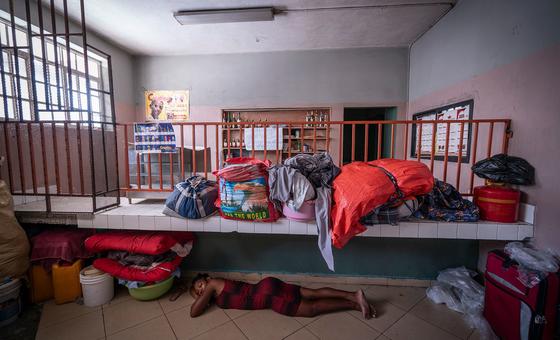 on 06/08/2026 at 12:00
Gangs in Haiti continue to terrorise communities with the “wanton, intentional infliction of incredible pain” on people who often are just in the wrong place at the wrong time.
- Cuba: Independent experts condemn new US sanctions as humanitarian crisis deepens
 on 06/08/2026 at 12:00
Independent UN human rights experts on Thursday condemned a fresh round of US sanctions against Cuba, calling them an attempt to force change on “a sovereign State through threats and coercion.”
- Security Council LIVE: Ambassadors briefed on continuing ISIL terror threat
 on 05/08/2026 at 12:00
The Security Council met on Wednesday to examine the persistent threat posed by the terrorist group ISIL, also known as Dae’sh, to international peace and security. At a conference in June, the acting head of the UN counter-terrorism office stated that Al Qaeda, Da’esh, and their affiliates “remain adaptive and resilient”. Moreover, they are using artificial intelligence and other emerging technologies to expand their reach, recruit and mobilise resources.
- Sharp spike in executions, death sentences in Iran
 on 05/08/2026 at 12:00
The UN rights chief expressed alarm on Wednesday over the sharp increase in executions and death sentences in Iran since the US-Israeli bombing campaign began in late February, warning that capital punishment is being used to intimidate the population and suppress dissent.
- Tate brothers’ US extradition case a ‘step towards accountability,’ says independent expert
 on 05/08/2026 at 12:00
An independent UN human rights expert has welcomed ongoing proceedings in the United States to extradite “manosphere” bloggers Andrew and Tristan Tate to the United Kingdom, calling the case an important step towards accountability for serious allegations of violence against women and girls.
- World News in Brief: Cambodia human rights, Hormuz invasive species risk, IOM lauds 2025 progress
 on 05/08/2026 at 12:00
Concluding his first official visit to Cambodia, UN independent human rights expert Tom Andrews said he was encouraged by the government’s cooperation but remained concerned about key human rights issues such as the lack of freedom of expression.
- Hiroshima fosters hope, 81 years on from nuclear catastrophe
 on 05/08/2026 at 12:00
Eighty-one years ago on Thursday, the United States dropped an atomic bomb on Hiroshima, reducing the city to ruins, killing tens of thousands of people and bringing the world “face to face with the catastrophic power of nuclear war”.
EU electrification plan finally tackles barriers to fossil-free heating and cooling The largest network of environmental citizens' organisations in Europe
- EU electrification plan finally tackles barriers to fossil-free heating and cooling
 by Alberto Vela on 17/07/2026 at 12:47
Brussels, 17 July – The European Commission today unveiled its Electrification Action Plan, proposing a legally binding electrification target, measures to make electricity more competitive than fossil fuels, and new
- Commission caves to industrial laggards, weakening EU carbon marketby Alberto Vela on 17/07/2026 at 11:08
Brussels, 19 July 2026 – The European Commission today tabled its revision of the EU Emissions Trading System (ETS), the cornerstone of Europe’s climate policy that is designed
- Restoring Nature for the Benefit of All – 16 September 2026 – Dublin
 by Alessia Biasioli on 17/07/2026 at 10:22
Implementing the Nature Restoration Regulation: Restoring Nature for the Benefit of All Organised by EEB, WWF EPO, BirdLife Europe, ClientEarth and the Irish Environmental Network With the implementation of the landmark Nature
- Nitrates Directive remains necessary, relevant and effective to protect EU waters, confirms EU Commission evaluationby Benedict Snelson on 15/07/2026 at 12:15
Brussels, 15 July 2026 – The European Commission today published the results of its evaluation of the Nitrates Directive. The report reaffirms the Directive’s critical role in tackling nitrogen pollution
- Broken promises: ”New” EU pollution rules for pig and poultry farms weakened while cattle continue to get a free passby Benedict Snelson on 13/07/2026 at 12:13
Brussels, 13 July – EU Member States today approved new environmental “operating rules” for the Union’s largest intensive pig and poultry farms. But instead of tightening controls on
- EU risks locking low-carbon cements out of the single market, new report warns
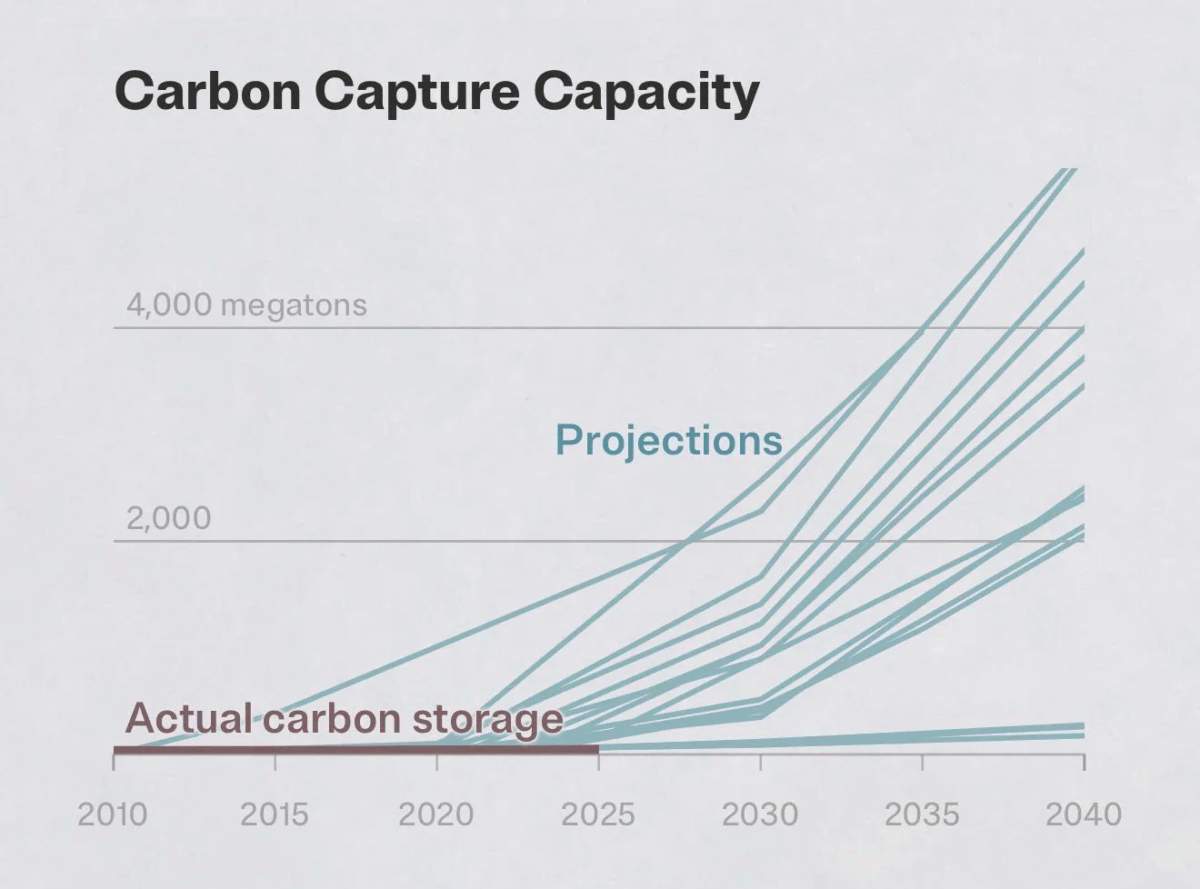 by Alberto Vela on 13/07/2026 at 06:57
Brussels, 13 July – The EU is betting its cement transition on costly and uncertain carbon capture plans. A new report by the European Environmental Bureau (EEB) finds that cheaper
- Stuck in the past: EU Livestock Strategy presents no route out for a sector in crisisby Benedict Snelson on 07/07/2026 at 15:15
Brussels, 7 July 2026 – The European Commission today published its Livestock Strategy and long-awaited Protein Plan, but the two send starkly different signals about Europe’s
- Industry in the driving seat of the EU’s Critical Chemicals Allianceby Beatriz Ortiz on 06/07/2026 at 05:59
A new industry-led platform to secure public funding and roll back regulation The European Commission has handed the chemicals industry a leading role in shaping a
- From heatwaves to deregulation: the Irish Presidency must put Europe back on trackby Christian Skrivervik on 02/07/2026 at 20:11
As Ireland takes the helm of the Council of the EU, a new EEB memorandum calls on Dublin to shift Europe from short-term deregulation to long-term
- Seven in ten across Europe say biggest polluters and climate laggards should pay more, challenging rollback of EU ETS
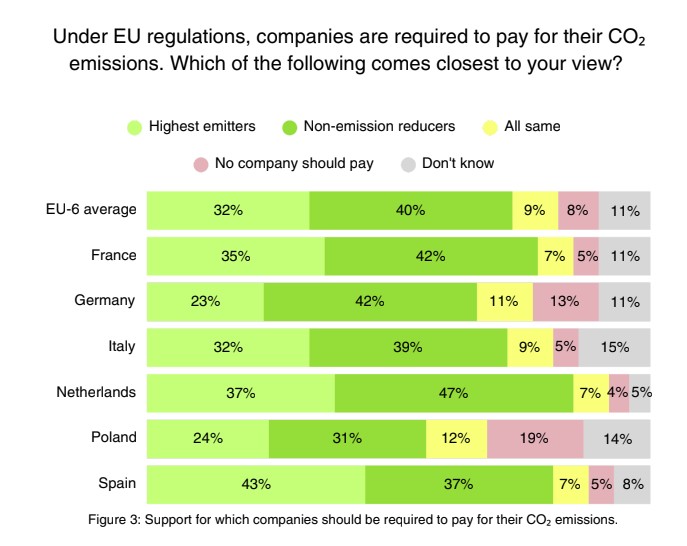 by Alberto Vela on 01/07/2026 at 06:44
Brussels/Berlin, 1 July 2026 – Seven out of ten European citizens (72%), including those voting for parties often portrayed as sceptical of EU climate policy, believe
AMBIENTE EUROPEO Trabajamos para generar conciencia social sobre las basuras marinas y ayudamos a empresas y ciudadanos a emprender nuevos modelos sostenibles y amigables con el medio ambiente.
- EL LATIDO DEL MARby Juana on 19/06/2020 at 14:59
Una producción de AMBIENTE EUROPEO junto a AI FUTAKI y música de MIGUEL HIROSHI. VER EL LATIDO DEL MAR La entrada EL LATIDO DEL MAR se publicó primero en AMBIENTE EUROPEO.
- DÍA MUNDIAL DE LOS OCÉANOS CON AI FUTAKI Y MIGUEL IROSHIby Juana on 06/06/2020 at 15:00
AMBIENTE EUROPEO celebra el Día Mundial de los Océanos con AI FUTAKI y MIGUEL IROSHI. @aifutaki Récord Guinness de buceo a pulmón libre @miguel_hiroshi Percusionista y compositor Ver Facebook Live https://www.facebook.com/ambienteeuropeo/videos/2676918529253118/ La entrada DÍA MUNDIAL DE LOS OCÉANOS CON AI FUTAKI Y MIGUEL IROSHI se publicó primero en AMBIENTE EUROPEO.
- DE LA CONCIENCIA A LA ACCIÓNby Juana on 05/02/2020 at 18:04
En la era de la hipercomunicación y de la información en tiempo real seguimos desconociendo el verdadero impacto de muchas de nuestras pequeñas decisiones cotidianas. ENLACE AL ARTÍCULO EN LA VERDAD ONLINE La entrada DE LA CONCIENCIA A LA ACCIÓN se publicó primero en AMBIENTE EUROPEO.
- AMBIENTE EUROPEO participa en la COP25
 by Juana on 07/12/2019 at 19:28
AMBIENTE EUROPEO participó en en Foro Sociedad Civil y Juventud de la COP25 coorganizando una sesión con EDF, SeasTainable Vebtures y el Puerto de Vigo en la que presentó su proyecto «Una segunda vida para los plásticos agrícolas». La entrada AMBIENTE EUROPEO participa en la COP25 se publicó primero en AMBIENTE EUROPEO.
- AMBIENTE EUROPEO coordina «MAR DE ARTE» en la Feria Internacional de Arte Contemporáneo de Castellón.by Juana on 25/11/2019 at 21:54
Extracto del catálogo FERIA MARTE 2019: MAR DE ARTE La entrada AMBIENTE EUROPEO coordina «MAR DE ARTE» en la Feria Internacional de Arte Contemporáneo de Castellón. se publicó primero en AMBIENTE EUROPEO.
- AMBIENTE EUROPEO coordina «MAR DE ARTE» en la Feria Internacional de Arte de Castellónby Juana on 25/11/2019 at 20:04
La entrada AMBIENTE EUROPEO coordina «MAR DE ARTE» en la Feria Internacional de Arte de Castellón se publicó primero en AMBIENTE EUROPEO.
- ¡GRACIAS ROZALÉN! ¡GRACIAS NACHO!by Juana on 30/09/2019 at 18:31
¡Gracias ROZALÉN y NACHO TABOADA por el impresionante concierto en beneficio de la labor de la ASOCIACIÓN AMBIENTE EUROPEO en el auditorio Infanta Elena de Águilas! La entrada ¡GRACIAS ROZALÉN! ¡GRACIAS NACHO! se publicó primero en AMBIENTE EUROPEO.
- ¡MISIÓN CUMPLIDA!by Juana on 29/09/2019 at 18:25
La entrada ¡MISIÓN CUMPLIDA! se publicó primero en AMBIENTE EUROPEO.
- AMBIENTE EUROPEO en el ESPACIO MADRESFERA en la FUNDACIÓN TELEFÓNICAby Juana on 25/06/2019 at 14:34
Ambiente Europeo participa en el programa Espacio Madresfera de la Fundación Telefónica en el Día Mundial de los Océanos Educación, #planeta, #plástico, #reciclarVuelve Espacio Madresfera para aprender y concienciarnos en familia sobre buenos hábitos y herramientas para cuidar nuestro planeta, con todos los recursos y adelantos que tenemos a nuestra disposición. #EspacioMadresfera, protegiendo nuestro planeta en el siglo La entrada AMBIENTE EUROPEO en el ESPACIO MADRESFERA en la FUNDACIÓN TELEFÓNICA se publicó primero en AMBIENTE EUROPEO.
- AMBIENTE EUROPEO presenta vídeo del reto 2019 de BRAZADAS DE VIDA [#HéroesDelMar]
 by Juana on 08/06/2019 at 18:36
La entrada AMBIENTE EUROPEO presenta vídeo del reto 2019 de BRAZADAS DE VIDA [#HéroesDelMar] se publicó primero en AMBIENTE EUROPEO.
Environment | The Guardian Latest Environment news, comment and analysis from the Guardian, the world's leading liberal voice
- Heatwave Britain: why are politicians so slow to act? – podcast
 by Presented by Jessica Elgot and Alexandra Topping. Produced by Frankie Tobi, music by Axel Kacoutié; the executive producer is Maz Ebtehaj on 06/08/2026 at 13:57
As another summer of extreme heat rumbles on, warnings about excess deaths, ageing infrastructure and potential food shortages are growing louder. So how well prepared is the UK to cope, both now and in the years ahead? Jessica Elgot and Alexandra Topping examine why politicians have been so slow to act. Plus, Kemi Badenoch has distanced herself from the former neo-Nazi turned Tory council candidate Joshua Bonehill-Paine, only to offer him him an advisory role instead. What was she thinking?You can read Jessica Elgot’s interview with the health secretary on heatwaves hereYou can read about Kemi Badenoch’s action on Joshua Bonehill-Paine herePlease keep sending your comments and questions to politicsweeklyuk@theguardian.comFollow and subscribe to the Politics Weekly YouTube channel here Continue reading...
- ‘Do we really need huge cruise ships here?’ Fears £150m Falmouth Docks plan threatens habitats – and town itself
 by Steven Morris on 06/08/2026 at 11:05
Plans involve dredging and expanding docks to allow larger cruise ships to visit with up to 200,000 passengers annually Janavi Kramer had just enjoyed a swim with friends and was sitting on a bench taking in a wonderful Cornish view – headlands plunging into deep water, bobbing boats, a bustling harbour town.“We’re lucky to have this space,” said Kramer, who is an artist and scientific illustrator. “We use it for work, recreation and pleasure and it’s so scary to think that this could all be harmed. I worry about what we may be living with soon and what we’ll be leaving for future generations.” Continue reading...
- ‘Like a jet taking off’: the cicada that can top 120 decibels and nearly break the pain threshold
 by Petra Stock on 06/08/2026 at 11:00
The palm-sized greengrocer is bright, loud and abundant, and has long been a collectible item for Australian childrenRevealed: the top 10 invertebrates of the yearBefore marbles, stamps and trading cards, there were cicadas.There are thousands of cicada species globally, but for Australian children the craze centres on one particularly collectible item: the greengrocer. Continue reading...
- All bodies of water in England polluted with toxic chemicals, official data shows
 by Pippa Neill Environment reporter on 06/08/2026 at 10:03
Environment Agency assessments find just 14.3% of country’s surface waters in good ecological statusEvery single English water body is polluted with toxic chemicals, new government data shows, while just 14.3% of surface waters achieved good ecological status.Each of the country’s rivers, lakes and estuaries was assessed by the Environment Agency as part of a six-yearly evaluation of England’s water quality. The EA checked for a range of toxic chemicals, from Pfas – or “forever chemicals” – to microplastics. Waters were also checked against a range of standards covering wildlife, water quality and physical habitat. Continue reading...
- ‘They were told bikes were for men’: how Latin America’s city of cycling is breaking gender barriers
 by Christina Noriega in Bogotá on 06/08/2026 at 10:00
With less than a third of cycling journeys taken by women, Colombia’s capital, Bogotá, is installing bike lanes, teaching cycling and making sure ‘stereotypes are left behind’Eliana González has a busy morning ahead of her, dropping off her son at school and picking up groceries. Her trusted vehicle to get around in Bogotá is a colourful cargo bike, adapted to carry her two children and occasionally her dog.“For me, my cargo bike is a way to carry my children safely and comfortably without polluting the environment,” she says. Continue reading...
- We need a wartime mindset to fight the threat of wildfires | Seth Klein
 by Seth Klein on 06/08/2026 at 10:00
While many leaders compare the wildfire crisis to the second world war, governments fail to adopt the real lessons of pre-emptive wartime actionAs France and Spain battle historic wildfires, comparisons to the second world war abound. “One of the continent’s biggest evacuation efforts since World War II,” reports the Associated Press. The French president, Emmanuel Macron, has called the wildfires his country’s “most difficult situation since the second world war”.The images crossing all our screens certainly feel war-like – emergency aircraft and black smoke fill the skies, frantic civilians seeking shelter, historic towns lying in ruins, charred forests and burned-out vehicles, exhausted and sweat-soaked emergency responders. Continue reading...
- Weatherwatch: Paving over front gardens is leading to hotter nights
 by Kate Ravilious on 06/08/2026 at 05:00
Changing paved areas to grass and planting trees can reduce urban heat island effect by as much as 1C, study showsAdd together all the UK’s household gardens and they cover an area three times larger than all the country’s nature reserves combined. But as the demand for car parking increases, many front gardens are being paved over, with research showing that this loss of green is adding to the urban heat island effect, particularly at night.In 2005, about 7.5% of the UK’s front gardens were paved; by 2025 that had risen to 55%, according to Royal Horticultural Society estimates. Those hard surfaces absorb heat during the day and then slowly release the heat overnight. By contrast, leafy green gardens release moisture into the atmosphere, which helps to cool the air as the water evaporates. Continue reading...
- Country diary: Even in a heatwave, signs of last winter storms still linger | Nicola Chester
 by Nicola Chester on 06/08/2026 at 04:30
South Devon: On holiday in deeply familiar places, we swim fully clothed, snack on overhanging cherries and see the fallen Teignmouth pierThe West Country unrolls down the M4, then M5, under the kind of vintage-yellow hue produced by 35mm camera film where the light’s leaked in. Many fields have been harvested as early as we’ve ever witnessed on this deeply familiar route. Burnt black patches remind us just how flammable the countryside is.We are exploring places we’ve only passed through before, via a farm-stay in a shepherd’s hut at West Town Farm, Ide. Our parking instructions urge us to allow the farmer to pass in her tractor. The gender reveal is so refreshing I want to cheer. Tenant Kate Sharp farms Hereford-cross beef cattle, Devon closewool and Exmoor horn sheep, as well as some lively Oxford sandy and black pigs, red as the Devon soil itself. Continue reading...
- Adapting to global heating: which UK public services are struggling in hot weather?
 by Fiona Harvey Environment editor on 05/08/2026 at 20:00
As NHS told to prepare for extreme weather, strain also felt in other areas including transport and farmingNHS must prepare for annual summer heat pressures, says Yvette CooperThe NHS has been told it must become more resilient to increasingly frequent heatwaves supercharged by the climate crisis, as the UK government puts adaptation to extreme heat high on its agenda. But what other public services are already feeling the strain? Continue reading...
- ‘The bizarreness of many of their reproductive strategies is … incredible’ – Invertebrate of the Year reader Q&A
 by Guardian moderators (earlier); Patrick Barkham (now) on 05/08/2026 at 16:27
This week, we launched our third annual vote to honour nature’s unsung heroes. The Guardian’s natural history writer – and woodlouse fanboy – Patrick Barkham answered your questionsNarethosyne asks: It’s often said that insects will outlast humanity, as they’ve managed to survive in some very inhospitable environments for millions of years. Do you think that human stupidity might actually be able to kill even the hardiest of insects off if we don’t take better care of our planet?Patrick:I agree we need to take much better care of the planet. However the more I learn of other invertebrate life (and I don’t know much), the more I believe that other species will survive whatever toxic horrors we unleash upon the planet. It seems more likely that we will become extinct before many other species.We are such a strange species, so capable of goodness and so easily moved to argument and greed, but I still think we can learn to think and act for the long-term. There is a big awakening of eco-consciousness in the global north and perhaps we can belatedly re-learn the wisdom of many indigenous peoples who have lived in better balance with their fellow species.Thanks Sprockertime, I love your question. The answer is yes!I’ve done all kinds of fancy things for wildlife in my garden (filling in a “sunken garden” with five tonnes of chalk raised a few eyebrows in my neighbourhood) and I salute everyone who has erected bird boxes and bug hotels. Continue reading...